2024 poor mans 5in monitor

morgan_moore

Major Contributor
Yo.

Done a shoot with my smallHD and no wonder im such a fan of autofocus.

The thing was 'kin horrible, especially as its joystick is bust.. so Im looking a log and nothing image.

Time for a new 'shoulder/gimbal' monitor.

(I have many 7in a 10in and a 24 in)

I think i need a 5in to go on small cameras.

I can see a portkeys and feelworld.

The portkeys seems to be touch only. which if you have a screen cover and arctic gloves could be a fail.

Spend another $50 and get buttons on the feelwrold. this is my current feeling.

Any comments on small size and budget monitors?

The sdi thing is.. well I have 3 sdi monitors so I thought I might save a couple of $ on this one.

S

* not the new evf is $1200 so ill avoid that!
 
I had a PortKeys 5” for a while, but sold it off as a package deal with the camera. It was fine. Not sure I’d call it accurate, but it was good enough to get the job done in the field, and I never felt like it led me too far off that I was looking at something entirely different in post. Definitely sharp enough for focus. My camera packages now all have 7” monitors, and are either SmallHD Indie or SmallHD Cine. But you’re not big on touch screens, so there’s that.

I have the same thoughts about FeelWorld (who comes up with these names?!). I haven’t used their smaller monitors, but I do have the 17.3” 4K. It’s remarkably good for the price, especially since it comes mounted in a fly case. Again, not sure I’d call it precise for color accuracy, but it’s been a solid and stable workhorse. I use it when I’m mixing from a table or desk. (My big cart has the BMD dual 7” 4K monitor unit.)

Cheaper LED screens have definitely come a long way in the last few years. I had a Lilliput 5” monitor many years ago, and it was much less than ideal. But the newer stuff from PortKeys and Lilliput and FeelWorld all seem to punch a little above their price points, even with a few flaws. I will say that the PortKeys firmware and menu system seemed a bit more intuitive than the others.
 
rtKeys 5” for a while, but sold it off as a package deal with the camera. It was fine. Not sure I’d call it accurate, but it was good enough to get the job done in the field, and I never felt like it led me too far off that I was looking at something entirely different in post. Definitely sharp enough for focus. My camera packages now all have 7” monitors, and are either SmallHD Indie or SmallHD Cine. But you’re not big on touch screens, so there’s that.
 
The Atomos Shinobi (5" model) is actually pretty decent. I can't comment on the color accuracy but for pulling focus and finding your frame it's more than adequate. Not as sharp as the SmallHD I've used in the past but good enough to get the job done at a much lower price. Decent battery life and not too heavy, as well. As long as you don't need SDI it's a solid option.

If you want the flexibility of a recorder with your monitor then there's also the Ninja V+, although there have been quality control issues with it (I had to send mine in for repairs after less than a year of light use).

Many years ago I used a FeelWorld monitor (this was probably like 2017ish) and honestly it was also fine. I don't think you could load LUTs and the menu wasn't great but if you just needed to see your image and tell if it was in focus it was absolutely good enough. At least indoors—no idea if it was bright enough for outside (it probably wasn't).
 
I have an SmallHD Action 5 as backup, and have seen various other cheap models on jobs. The cheap monitors seem inconsistent from unit to unit. In addition to not depending on cheap monitors for accurate color, I'd add don't depend on them for exposure... Especially, IME, with the high-brightness models. Stick with your waveform and zebras to guide that.... *Maybe* false color...
 
Hi. Thaks all.

Firstly I find it odd that folk would care about the colour of a monitor.

Im looking to RGB waveform to see what my colour balance is. I would always correct in post and shoot a video card on projects that matter. The on camera colour is only a very rough guide to me.

Im sure for those looking to 'go live' or shoot multicam it might be a different matter.
--

Ive gone for the '1600' nit Feelweird.

1) I have another Feelgood monitor so thats less menu hassles and maybe a bit consistent.
2) it has buttons
3) it has RGB wfm .. my colour guide*
4) the hdmi pokes out on the side that will not drag the cable across the lens.


*I rarely use WB just shoot at 5500k. This is only a problem when in a mildly green office or one with tinted windows. Situations where any introduced fixtures should ideally have mild filtration to match the ambient.
When im suspect on the colour of the ambient likght I will poke a grey card in front of the camera and observe how the RGB wfm sits.
 
> Firstly I find it odd that folk would care about the colour of a monitor.

I think most of us are hip to not relying on a cheap monitor for color. But some of the people we work with...especially some clients... are not.

So just to keep them happy, or at least quiet 😊, reasonably accurate/good color is a good thing...
 
Yes it is a fair point.

I have my atomos that clients usually view.

Its got a few luts they can pedal through

Quicky giving the impression that they will choose later

This 5in will be my operator monitor
 
No worries.

All this accuracy and focusing stuff kind of makes one miss the old SD and black-and-white viewfinder days.... ;-)
 
On my c200 i have b-w set in mag mode. Its good to tell the difference from zoomed in and mag mode. The r6 wont pinch in while rolling.
Another reason to af on the r6
 
Here's my reply from the "Which Monitor of GH5s?" thread.

The OSEE T5+ & T7, Lilliput H7, and PORTKEYS LH5P II all look like viable options.

I have a FeelWorld LUT7; here's my list of Cons:
DC input & passthrough ports are too close to the bottom 1/4"-20 tripod thread to be used (I might take mine apart and reroute the DC ports to the SDI blanks).
Thin plastic body
Reflective screen
Fingerprint magnet
Not sunshade option

P.S. I believe that ANDYCINE is the same as FeelWorld.

All those brands have 5" versions, and you could use a stylus or conductive glove to operate the touch screen in the cold.
 
I like 7" for tripod work. 5" is more suitable for camera mount hand held. I did get a 6" Andycine which I like better because its still small enough for camera mount.

I recently created a thread about the Portkeys 7P which B&H had on sale reducing the price $140. I didn't buy it because of fan noise complaints.

All of these monitors have highly reflective screens. For outdoors you need 1500nit brightness without a hood to be able to see.
 
Thanks for all thoughts.

My Feelgood turned up.

Im feeling for my needs the portkeys would be better.

5.5 screen and a dead 20mm around makes something a bit big for handheld rigging.

My Dp702 was smaller with that 'iphone' styling.

Ive actually contacted SMall about a repair.

-Buttons to toggle WFM off .. good
-sharp image - good
-cant work out how to assign a LUT onoff to a button - bad
-shiney screen

hdmi out the side - bad
tiny suhood - bad

Im now undertaking a monster sunhat build.

I feel all these monitors. And the more expensive as terrible design.

If I higher price brought good design id be interested but I dont think it does!
 
Or you could use a smartphone and get the benefit of camera control. Which camera is this for? Obviously no physical buttons though. I know I'm a weirdo but I haven't used my actual field monitors in an age.
 
Or you could use a smartphone and get the benefit of camera control. Which camera is this for? Obviously no physical buttons though. I know I'm a weirdo but I haven't used my actual field monitors in an age.

An interesting thought.

The current build was my zcam. the control throught the ipad is excellent.. apart from 4fps on the monitor. But ive not tried it cabled.

The R6 app is usueless through the air.. and excellent to my ipad. My ipd is great for clients and sidus link but too big for on camera.

Generally im 'anti phone' on set as I want my phone for phoning, checking email and using the sunswatter app. Im still seeking a decent recce app but that was on another thread. My main thing is to understand colour temp of office lighting on recces.

I should maybe check out getting a pc phone (android?) usb3 input with no sim and exploring what it can do.
(again USB has been another thread)


====

Why a 5in monitor?
Zcam, c200, movi odd fs7 shoots and maybe the R6?
In car mounting and the like.
Currently my Zcam is my favorite Manual focus no ND minimal audio camera.
 
hdmi out the side - bad
This has always been such a joke. Years ago I measured the footprints and 5" monitors with HDMI out the side, after factoring in the length of connector, it was close to 7" anyway, which starts to negate the benefit of a smaller monitor. Even with right angle cables, it's so annoying.

Look at this, one of the cheapest monitors on B&H, and with better HDMI positioning than even the most expensive smallHD. SmallHD have obviously thought about it but I'd personally think OSEE did a better job there. I wish you could search monitors by where the cables go!

 
Poke out the back is not so great . My. 702 had this. Constant cable in shot at 17/24 (s35/ff)

Transvideo and canon evf have it correct. Laid across the back

It a big deal. Yes 7in is the size of my shade!

S
 
hdmi out the side - bad

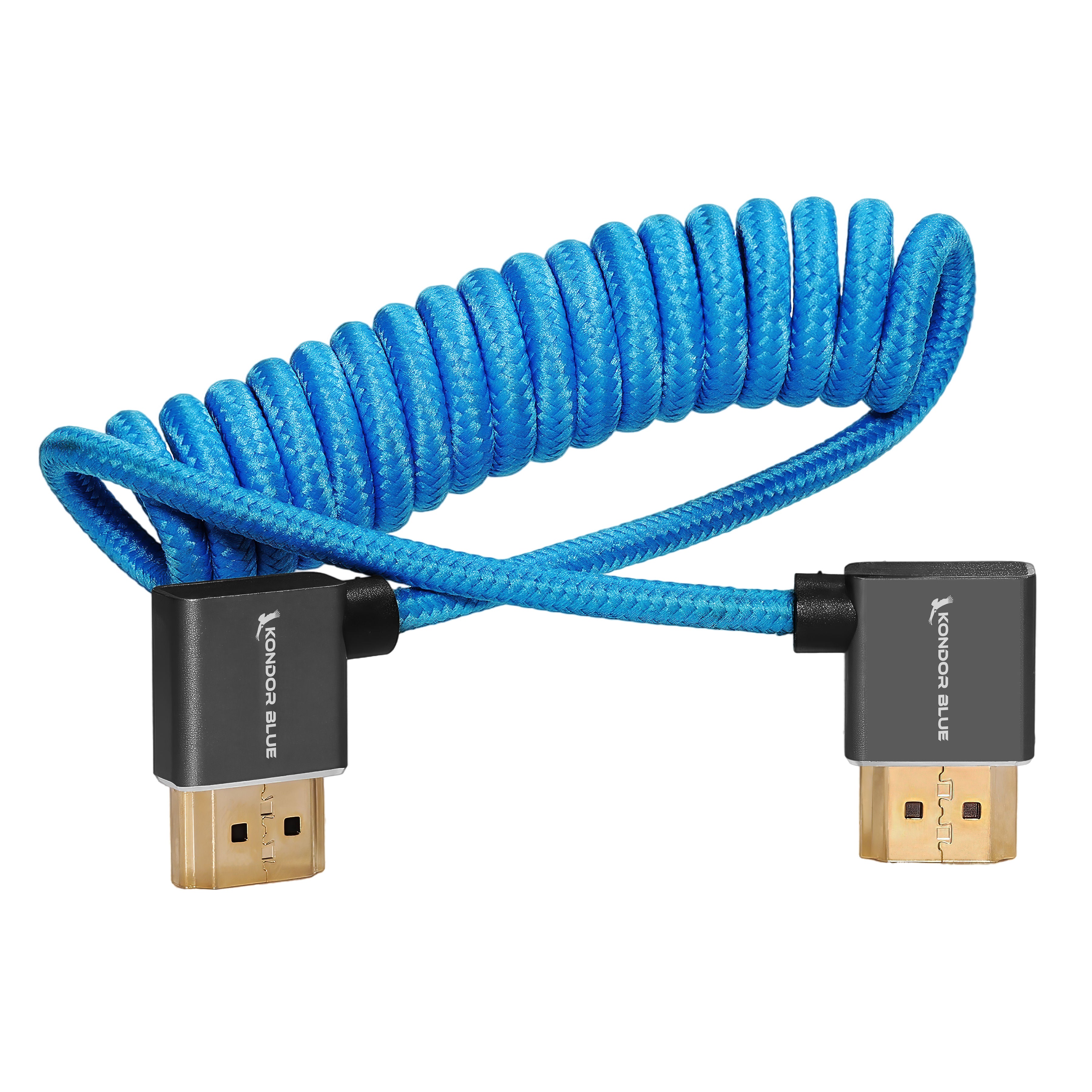
With HDMI on a monitor, I use a cable from Kondor Blue that has right-angle connectors; keeps things a bit less poky. Available in a couple bright colors; I use black. Also available with a straight 12-inch cable.


Attachments

  • HDMI.png
    HDMI.png
    477.1 KB · Views: 0
That right angle cable would be good enough. I forget what brand of monitor but they have the connections on the back. Smart design so cables aren't awkwardly hanging of side.
 
With HDMI on a monitor, I use a cable from Kondor Blue that has right-angle connectors; keeps things a bit less poky. Available in a couple bright colors; I use black. Also available with a straight 12-inch cable.

Nice one Jim, that connection looks really low profile.
Poke out the back is not so great . My. 702 had this. Constant cable in shot at 17/24 (s35/ff)

Transvideo and canon evf have it correct. Laid across the back
Oh yeah, I guess at the back but also cable connected sideways within the width of the screen is ideal.

I'd still choose exiting from the back vs. directly underneath but your scenario sounds frustrating.
 
Back
Top