Nicholas Natteau
Veteran
I thought I understood the difference between 4K and 1080p, but now I'm confused all over again.
If 1080p resolution is 1920 x 1080 = 2,073,000 pixels and 4K is 4096 x 2160 = 8,847,360.
Then you would think that 4K is 4 times the resolution of 1080p (8,847,360 / 2,073,000 = 4)
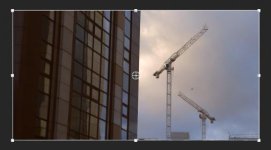
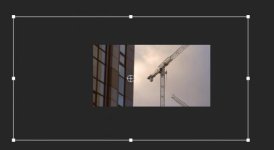
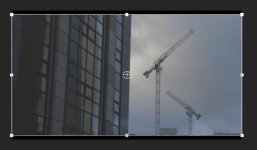
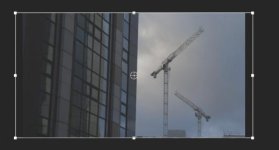
But why is that when I drop 4K 1DC footage into a Premiere Pro CS6 1080p timeline, the scale of my 4K footage comes in at 50%? Shouldn't it be 25% scale in a 1080p sequence? It sounds to me like the 1080p sequence is looking at the height alone of the 4K footage, 2160, which is of course only twice as high as 1080.
Just to test, I tried scaling up my 4K footage within the 1080p timeline to 200% and of course the footage is quite soft looking.
But again, shouldn't that 4K footage be coming into the 1080p timeline at 25% (rather than 50%) if it were 4x the size of 1080p?
Can someone clarify this for me? Thank you very much in advance.
If 1080p resolution is 1920 x 1080 = 2,073,000 pixels and 4K is 4096 x 2160 = 8,847,360.
Then you would think that 4K is 4 times the resolution of 1080p (8,847,360 / 2,073,000 = 4)
But why is that when I drop 4K 1DC footage into a Premiere Pro CS6 1080p timeline, the scale of my 4K footage comes in at 50%? Shouldn't it be 25% scale in a 1080p sequence? It sounds to me like the 1080p sequence is looking at the height alone of the 4K footage, 2160, which is of course only twice as high as 1080.
Just to test, I tried scaling up my 4K footage within the 1080p timeline to 200% and of course the footage is quite soft looking.
But again, shouldn't that 4K footage be coming into the 1080p timeline at 25% (rather than 50%) if it were 4x the size of 1080p?
Can someone clarify this for me? Thank you very much in advance.