C100: 10-bit via HDMI? What??

the in-between values from 8bit to 10bit are interpolated, there's no quality increase with recording to a higher depth, the only benefit is flexibility for further manipulation.
 
Guys, you're great. I saw that blog post, but your questions made me set up a light and some kit to test this theory out.

TLDR version: I hope we're not confusing the 'NLE thinks its interlaced' 8 bit version which steps like crazy on the WFM, with the padded-out 8 bit to 10 bit version recorded on Pix220 and Ninja Blade, which looks smooth. The (correctly interpreted) 8 bit AVCHD looks very much like both 10 bit ProRes and (correctly interpreted ) DNxHD at 10 bit when you remove other issues like noise reduction and Gamma correction.

I recorded in ProRes at LT, 422 and HQ on my Ninja Blade. I recorded at LT, HQ and 4444 on my Pix 220. I recorded onto SDHC card using AVCHD. I even tried DNxHD on the Ninja Blade. I used 29.97 to be a little less EU-centric. I use Final Cut Pro X because I've tested it and its end-to-end chain on my workflow, I know how to process SuperWhite 109 material to its preferred output, and I've finally worked out how to get it on Vimeo as I intended (and the solution isn't nice).

Well, what a revelation! Okay, so I'm a Mac user, I don't use AVID, I've held a lot of respect for DNxHD but don't use it. I'm from the world of PAL, so we've not had any 7.5 black 'sit' for a while, broadcasters work to IRE 98 or thereabouts for peak white, I've been happy to use 109 as my peak white and mend in post. Hopefully that provides you with enough info to decypher the following.

My default Ninja Blade settings seem to pump up DNxHD at 220 and 220X so the blacks have a 7.5 sit. But this is HD!? Rec709 doesn't have a black sit level.

My default Ninja Blade settings for DNxHD at 220X seem to set the clip level way too low - it seems to be taking 109 'superwhite' level video and squeezing it into 100IRE levels, even if we're shooting at 100IRE peak white. Basically, it squeezes things assuming that it's given SuperWhite video (with erronious black sit) and puts it at Peak White (with erroneous black sit).

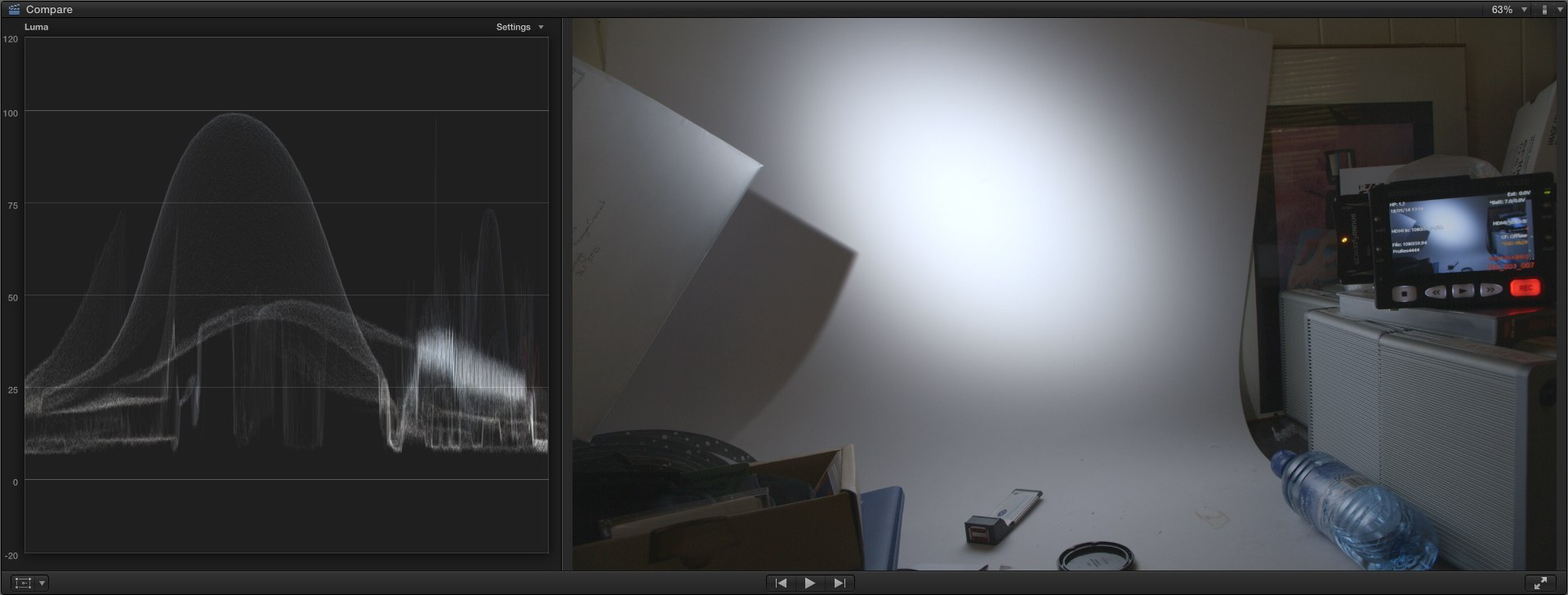
C100_10bit_clog_prores.jpg

This is 10 bit C-Log using ProRes.

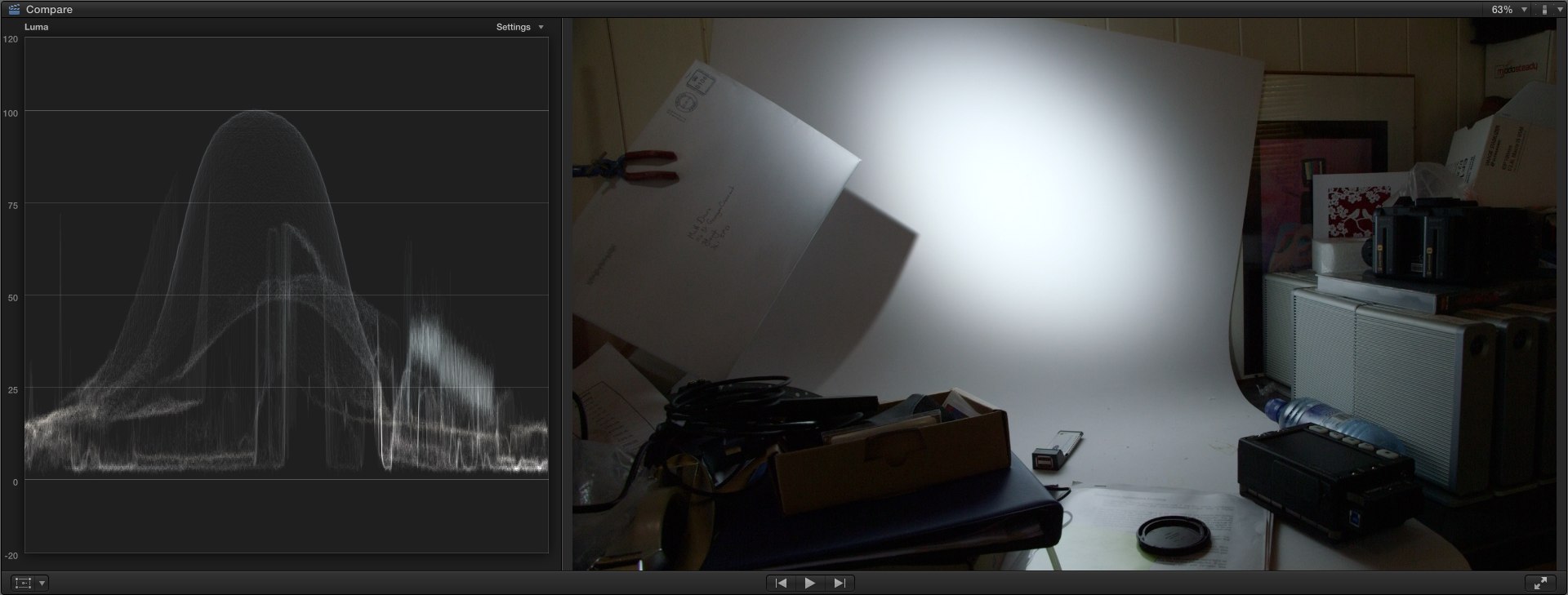
C100_10bit_wdr_actuallyAVCHD.jpg

This is 8 bit WDR using AVCHD (!)

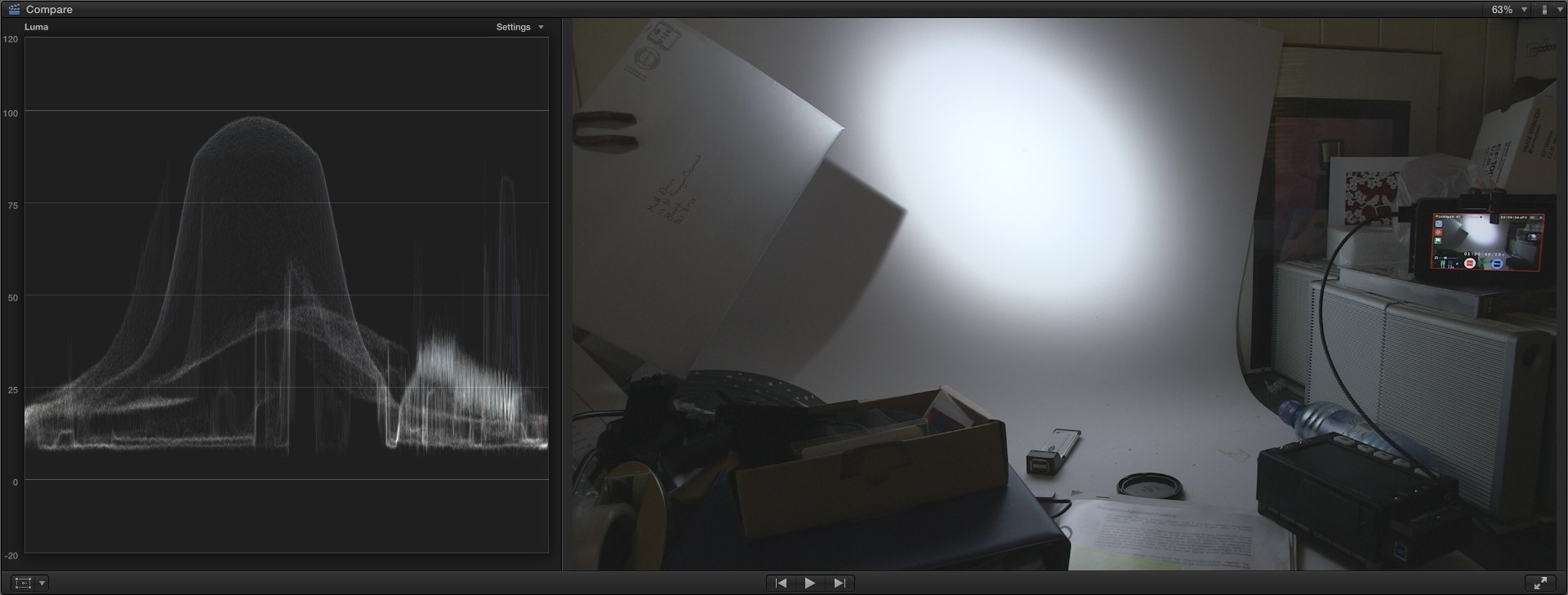
C100_10bit_noprofile_DNxHD.jpg

This is 10 bit 'no profile' using DNxHD

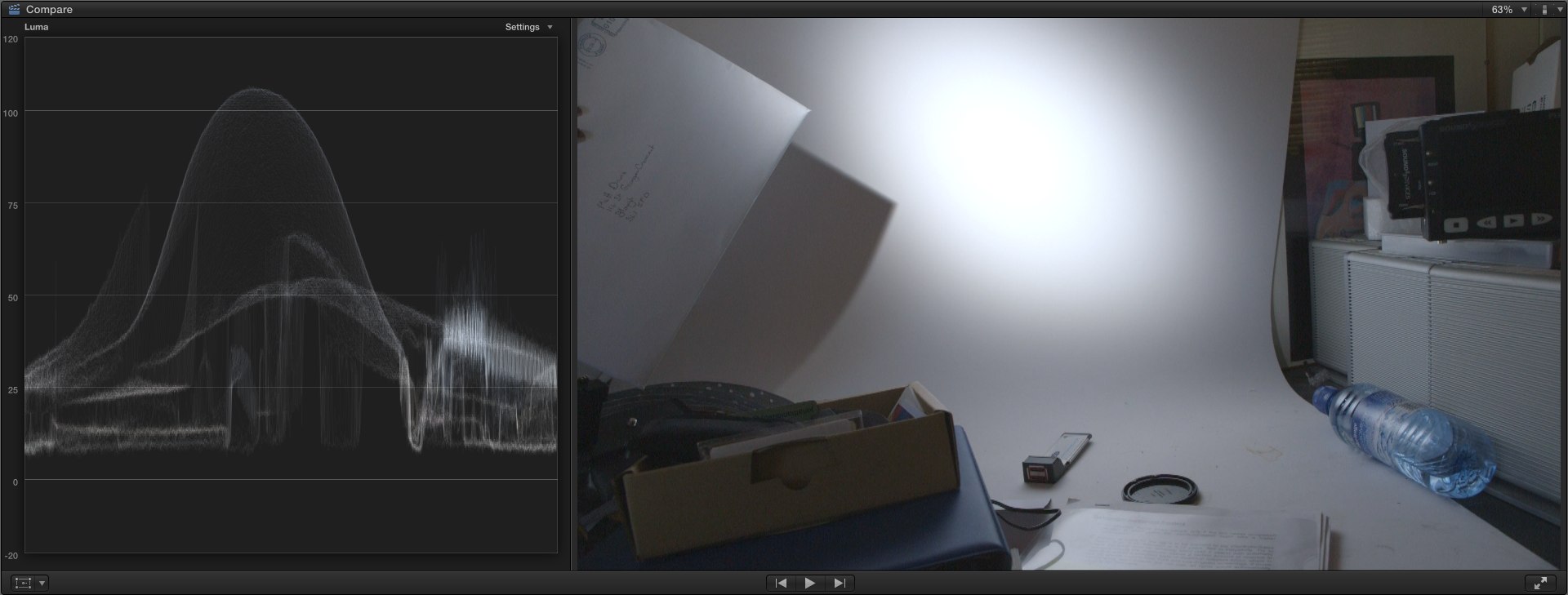
(just three of seemingly meaningless shots of light and dark stuff)

As I cycle through the C100 basic Custom Profiles (off, WDR and C-Log) using internal and external recordings, at different Gain and (doing it all over) ISO settings, I'm seeing how C-Log works, how WDR generates its magic, and how noise reduction can make 10 bit recordings look nice on Waveform Monitors.

Okay, that may have sounded harsh.

I'm pretty sure that the 8 bit output of the C100 down HDMI can look like 10 bit when it has noise reduction applied. I've seen the stair stepping that the 8 bit to 10 bit 'padding' creates on a Waveform Monitor, and what I'm seeing is that the top stop or so contains this stepping. Everything below has a 'boil' of diffusion dither which smoothes a lot out until you get below 40 IRE, and then that Boil gets nasty.

I've also seen that mad stairstepping, I think that's when there's a problem where rushes have been seen as interlaced but are actually progressive or PSF, quantising the results in a nasty way.

Happy to be proved wrong, but bad stairstepped C100 footage filmed in 10 bit may have interlaced/progressive issues, smooth C100 8 bit footage in 10 bit streams are using the de-noise algorithms,

BTW, using C-log at less than 800 ISO lead to clipping in whites. The corollary to this is of course that pening iris in C-Log kept blacks clamped at where they were. The Last stop (almost over exposure) of WDR and C-Log showed traces of stair stepping. There's a lot of noise below IRE40.

None of this is news, but good to have it reinforced. ;-)

EDIT: As an FCPX using Mac person, I won't be using DNxHD in my workflow. When it comes up as 16-235 conversion on already 16-235 stuff, it isn't where I want to go. Best that I leave such workflows to people who know their software. I'll stick to ProRes.

EDIT 2: I'll use the Ninja Blade's ProRes when I can in HQ mode as it doesn't have the compression issues that pixel peepers like me see. However, I'm still very impressed with and will continue to use the native AVCHD of the C100 when I need to. Which is a lot.

EDIT3: That third image with the slightly, erm, circumcised look on the WFM demonstrates clearly that the C100's 'off' or 'none' Custom Picture does have a heafty slap of knee in it, along with a healthy dollop of sharpening. It's the picture that engineers like, and it makes test charts look nice. Just sayin'.
 
Last edited:
Sorry, sorry - just whilst it's 'my nickle' so to speak, check this out:

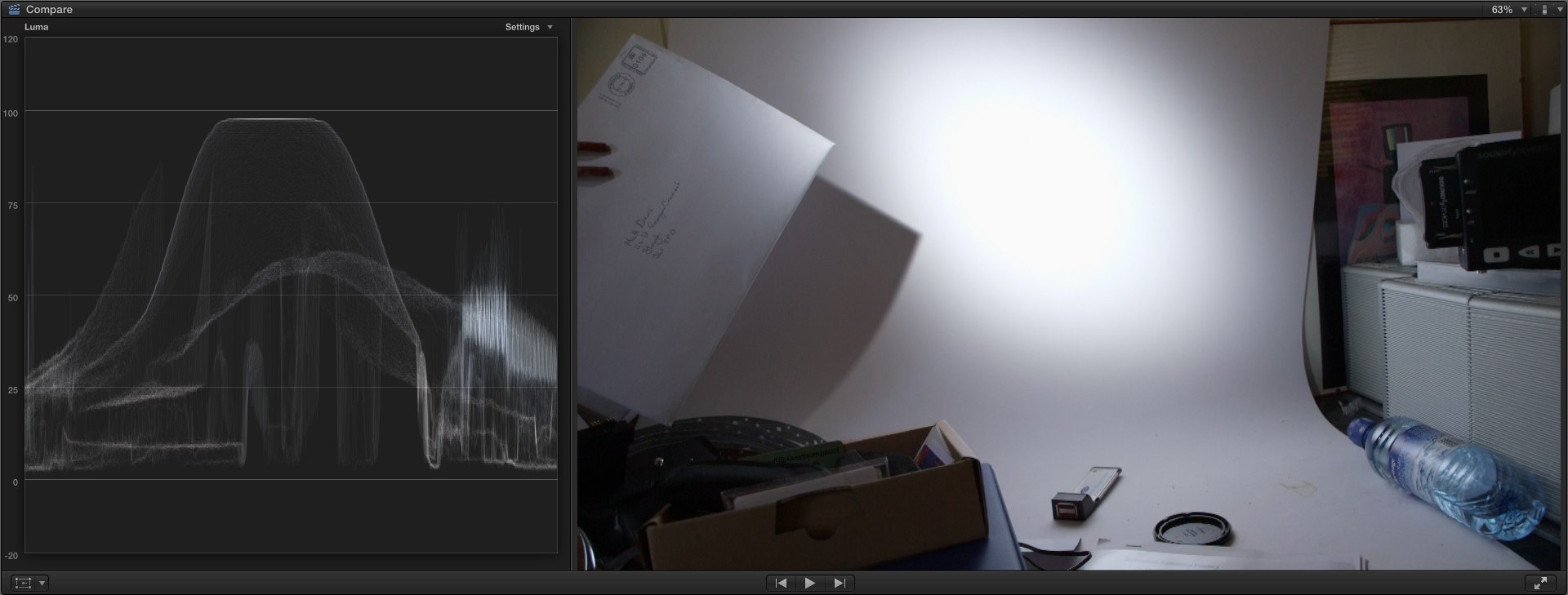
C100_avchd_ISO320.jpg

ISO320

C100_avchd_ISO850_clog.jpg

ISO850

Interesting, n'est-ce pas? Lowering the ISO really does lower your dynamic range on the highlight end. You can pull them up in the Custom Picture profile, but what will that do to your blacks? Well, it will put a lot of your mid-tone detail above the 'noisy' area below IRE 40. Sort of the ultimate risk game of playing 'Expose To The Right'.
 
Last edited:
I saw some problems with color levels in others NLE sw with Avid DNxHD codecs, but in my AvidMC/Symphony 6.5 are color levels in DNxHD rock stable. But I don't know FCP X .-) .
 
The thing I get from the blog post is he is claiming the C100 via the HDMI is more than 8 bit. He "thinks" its like 9 or 10. Interesting read but to prove it is a slippery slope.
 
EDIT: As an FCPX using Mac person, I won't be using DNxHD in my workflow. When it comes up as 16-235 conversion on already 16-235 stuff, it isn't where I want to go. Best that I leave such workflows to people who know their software. I'll stick to ProRes.

EDIT 2: I'll use the Ninja Blade's ProRes when I can in HQ mode as it doesn't have the compression issues that pixel peepers like me see. However, I'm still very impressed with and will continue to use the native AVCHD of the C100 when I need to. Which is a lot.

EDIT3: That third image with the slightly, erm, circumcised look on the WFM demonstrates clearly that the C100's 'off' or 'none' Custom Picture does have a heafty slap of knee in it, along with a healthy dollop of sharpening. It's the picture that engineers like, and it makes test charts look nice. Just sayin'.

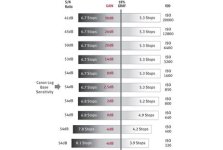
This is covered in the Canon DLC

dynamic_range_chart__hero.jpg
 
Last edited:
the author makes a definitive statement that the camera outputs more than 8-bit, which is the same as saying that canon is lying/falsely advertising. could that be true? maybe, to protect its upper lines whilst giving an image that people are overly happy with regardless of the reason. I'd still think unlikely.

more likely: Has anyone ever asked atomos if their hardware takes 8bit and does any sort of quality estimation on those remaining values instead of just flat-lining them?

either way, it looks good, it's always looked good, and will continue to look good however you choose to record it. even if it is hard 8-bit, those who want to push their images a lot will still want to record to 10-bit.
 
To wit, my point: the diffusion dither makes for a smooth curve on some WFMs, or the curious texture on the FCPX WFM. Comparing the internal (8 bit) and external (10 bit) recordings, they appear so close as to be functionally identical.

I have seen the stair stepped stuff in both FCPX and more so in ScopeBox, but I think this may reflect more on the 'interlace' flag than on a 9 or 10 bit conundrum.

I'm sticking with 8 bit output from HDMI. Very clever 8 bit output.

@Marvin, yes - so I'm not sure how this helps reduce noise (a propos other threads covering noise). BTW, is it possible to edit out most of your quote of my post? It was quite a long post and doesn't bear repeating so soon in the thread! LOL
 
Back
Top