Is Neat Video worth the purchase price?

scorsesefan

Veteran
I have some underexposed/grainy slog3 footage that composes about 20 minutes of a feature length doc. It's not terrible but it's bothering me. Neat Video sometimes has sales but right now it's $150 for the "pro" version. Is it a worthwhile purchase?

p.s. I have the studio version of Resolve, but I'm a). editing the doc In Premiere pro b). not well versed in Davinci.

Thanks
 
Doesn't Premiere Pro have some sort of its own free alternative like FCP? Or did you try it and it's not good?
 
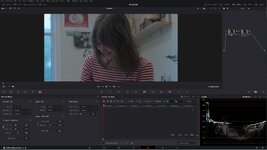
Waqas Qazi is the man. In this video he shows an example of adjusting an underexposed/grainy clip in Davinci Resolve with Davinci's noise reduction and then while still in Davinci, with the same clip, using Neat. Nice side-by-side comparison. You decide.
 
I have some underexposed/grainy slog3 footage that composes about 20 minutes of a feature length doc. It's not terrible but it's bothering me. Neat Video sometimes has sales but right now it's $150 for the "pro" version. Is it a worthwhile purchase?

p.s. I have the studio version of Resolve, but I'm a). editing the doc In Premiere pro b). not well versed in Davinci.

Thanks
This doesn't directly answer your question, but I like to evaluate software tools based on a "time-saved" cost analysis. If $150 saves me an hour, or two hours, or three, etc. over the course of an edit, or many edits, then it's money well spent.

That being said, Resolve's built-in noise reduction is what I use on all of my projects. I haven't had a need to pony up for Neat Video myself. But usually I'm shooting my own footage that is well exposed or getting footage in-hand that looks pretty good.

If you're willing to roundtrip over to Resolve the footage you want to use NR on, then you could at least get a free look at how good of a job it might do?
 
This doesn't directly answer your question, but I like to evaluate software tools based on a "time-saved" cost analysis. If $150 saves me an hour, or two hours, or three, etc. over the course of an edit, or many edits, then it's money well spent.

That being said, Resolve's built-in noise reduction is what I use on all of my projects. I haven't had a need to pony up for Neat Video myself. But usually I'm shooting my own footage that is well exposed or getting footage in-hand that looks pretty good.

If you're willing to roundtrip over to Resolve the footage you want to use NR on, then you could at least get a free look at how good of a job it might do?
Thanks, Dustin. What is your round trip process? I guess for random clips xml isn’t the best way…?
 
I have some underexposed/grainy slog3 footage that composes about 20 minutes of a feature length doc. It's not terrible but it's bothering me. Neat Video sometimes has sales but right now it's $150 for the "pro" version. Is it a worthwhile purchase?

p.s. I have the studio version of Resolve, but I'm a). editing the doc In Premiere pro b). not well versed in Davinci.

Thanks
IMHO, it's worth every $$$ you spend on it. You will earn it back in no time flat on a paying job. A bit of a learning curve but once you get the hang of it you will not regret it.

Having spent years editing history documentaries with footage ranging from WWI to the current days I could not live without NEAT VIDEO. Where a lot of this footage requires intensive reworking and upscaling plus serious NR. In my experience it is by far and away the best video NR I have ever used. It's processor intensive and can be fairly slow on certain 4K material unless you have a powerful PC. Even then it's not a rocket ship render. It is available for Resolve where is where I am using it.

Chris Young

Check out:

 
Thanks, Dustin. What is your round trip process? I guess for random clips xml isn’t the best way…?
I don't go back and forth between Premiere and Resolve myself.

I do my edits in Resolve nowadays, as I'd moved away from Premiere a few years back when Canon RAW support in Premiere was so bad. I'm not sure if they've improved it since then?

But, I'm sure it would depend on how many clips you'd need to process, as to what might be the easiest solution? You could certainly just drop a few clips into Resolve, run NR, and then re-import those noise reduced clips into Premiere to replace them in the timeline. But if you have many, many clips that might be tedious.
 
I don't go back and forth between Premiere and Resolve myself.

I do my edits in Resolve nowadays, as I'd moved away from Premiere a few years back when Canon RAW support in Premiere was so bad. I'm not sure if they've improved it since then?

But, I'm sure it would depend on how many clips you'd need to process, as to what might be the easiest solution? You could certainly just drop a few clips into Resolve, run NR, and then re-import those noise reduced clips into Premiere to replace them in the timeline. But if you have many, many clips that might be tedious.
Yeah, I would say there’s about 2 days of shooting- approximately 20 minutes of runtime that need NR. Neat Video might be the best route. I was also looking at some reviews and it does a great job of limiting detail loss which is huge IMO.
 
IMHO, it's worth every $$$ you spend on it. You will earn it back in no time flat on a paying job. A bit of a learning curve but once you get the hang of it you will not regret it.

Having spent years editing history documentaries with footage ranging from WWI to the current days I could not live without NEAT VIDEO. Where a lot of this footage requires intensive reworking and upscaling plus serious NR. In my experience it is by far and away the best video NR I have ever used. It's processor intensive and can be fairly slow on certain 4K material unless you have a powerful PC. Even then it's not a rocket ship render. It is available for Resolve where is where I am using it.

Chris Young

Check out:

Thanks, Chris. Do you use the automatic setting? I’m wondering how you preserve the most detail and a bit of organic noise?
 
Yeah, I would say there’s about 2 days of shooting- approximately 20 minutes of runtime that need NR. Neat Video might be the best route. I was also looking at some reviews and it does a great job of limiting detail loss which is huge IMO.
That's one of Neat's major appeals. NR without detail loss. I can nearly always come up with a very clean image without going soft with it.

Chris Young
 
Thanks, Chris. Do you use the automatic setting? I’m wondering how you preserve the most detail and a bit of organic noise?
Generally I draw a manual selection square in what appears to be the noisiest part of the scene in question. Very much like they show in the video I linked to. Very often that is usually in the lower light areas of the scene, the shadows up to mid-range. The thing is you can try a variety of different areas of a scene and apply it to see how it looks. You can end up with a selection that can affect your detail more than you wish. If not totally happy try another area. It's a bit of a suck it and see subjective process.

Plus remember you can select a number of areas and build a profile for the whole scene. But there again in mild noise scenarios you can just try an 'auto' selection and let Neat do the work for you. If that looks good you can go with it. The more you use it the more you begin to understand how it works which guides you to thinking "This will be fine on auto, or I will do this with manual selection." Of course, you can always hit undo and try again until you are happy.

Chris Young
 
Yeah, I would say there’s about 2 days of shooting- approximately 20 minutes of runtime that need NR. Neat Video might be the best route. I was also looking at some reviews and it does a great job of limiting detail loss which is huge IMO.
Can you upload a ten-second piece somewhere? I can hit it with Neat and render it out and re-upload for you to look at if that helps. Could give an idea of whether it will work for you.

Chris Young
 
Back
Top