HMC150 questions answered...

Hey Bob! There is no such location. I was intuiting. But let me look for what gave me the idea... ah yes, the third part, right after CAVAC and CAVLC at http://en.wikipedia.org/wiki/H.264 :


It reads as if it might mean: CABAC for some things, CAVALC for transform coefficient values, and VLC for other things. Or not!

The image, that speaks of the HMC-150 using CAVAC comes from Panasonic and is found on page 6 of the latest HMC-150 brochure.

HMC-150_CABAC.png


Also, I found a White Paper from Panasonic about the different systems of compression. This was about the Intra encoding, but it does help define the differences...

CABAC.png


Unless I see something that leads me to believe otherwise, it seems that Panasonic is using the higher level system.


Bob Diaz
 
Panasonic should include Barry's HMC150 book

Panasonic should include Barry's HMC150 book

Hello, Panasonic - you out there?

HMC150 owners need the Barry's HMC150 Book.

New owners expect the book.
Please include the book with the camera.:dankk2:
The book is part of the buying decision.

When you have a big hit on the way do the right, best thing, and include the Barry's HMC150 Book.

This is my first post, prompted by wanting the book! (with the camera).

Blit:)
 
Well, I'm doing a buying lidt for accesories and I was thinking about a tripod, which would the ideal camera under 1000$ for this camera (with an on camera light)?

Check out the Davis & Sanford ProVista 75's. Hey their no Bogen/Manfrotto but then they are priced at barely a deposit on one of those. We have used them for years and they are finally starting to need some of the hex head screws tightened. I did a quick search but couldn't find ours but maybe more search would have but ours are like this from B&H but without the dolly:

B&H Tripod

Hope it helps.
 
Hello, Panasonic - you out there?

HMC150 owners need the Barry's HMC150 Book.

New owners expect the book.
Please include the book with the camera.:dankk2:
The book is part of the buying decision.

When you have a big hit on the way do the right, best thing, and include the Barry's HMC150 Book.

This is my first post, prompted by wanting the book! (with the camera).

Blit:)

I couldn't agree more. Unfortunately it sounds like no agreement has been reached to include the book.
I am checking around to see who we can email about this!!

-Shrigg
 
Last edited:
Or you could just buy the book from Barry.

True... But I'm thinking it would be highly appreciated by all HMC owners if Panasonic included it just like the other cameras (HVX200a & HPX170). I can't speak for Barry, but I know I'd be happier to sell books by the thousands instead of what, dozens?
 
Probably playing with an HMC150 tomorrow

Probably playing with an HMC150 tomorrow

So I'm 80% sure I'm going to a Panasonic Expo here in the Seattle area tomorrow (Tuesday, 9/23). They're supposed to have an HMC150 there. With this rather long thread and the user manual thread, I'm not sure what other information anyone would want... but... if you have any questions you would want me to ask the Panny rep, let me know. There is also going to be a presentation on editing with AVCHD (and AVCHD in general), so if you have any questions about that, shoot as well.
 
What would we be easiest and cheapest solution for a producer to able to view the avccam video and see timecode?
 
So I'm 80% sure I'm going to a Panasonic Expo here in the Seattle area tomorrow (Tuesday, 9/23). They're supposed to have an HMC150 there. With this rather long thread and the user manual thread, I'm not sure what other information anyone would want... but... if you have any questions you would want me to ask the Panny rep, let me know. There is also going to be a presentation on editing with AVCHD (and AVCHD in general), so if you have any questions about that, shoot as well.

I'm all ears about the editing, like what are they using and on what machines? and is it quick? Can you jot down version numbers and machine specs? And even if you don't see Final Cut Pro being used, can you ask about upcoming FCP support for the HMC150?? Thanks a million for checking with us first, You are our eyes and ears Mike!!

-Shrigg
 
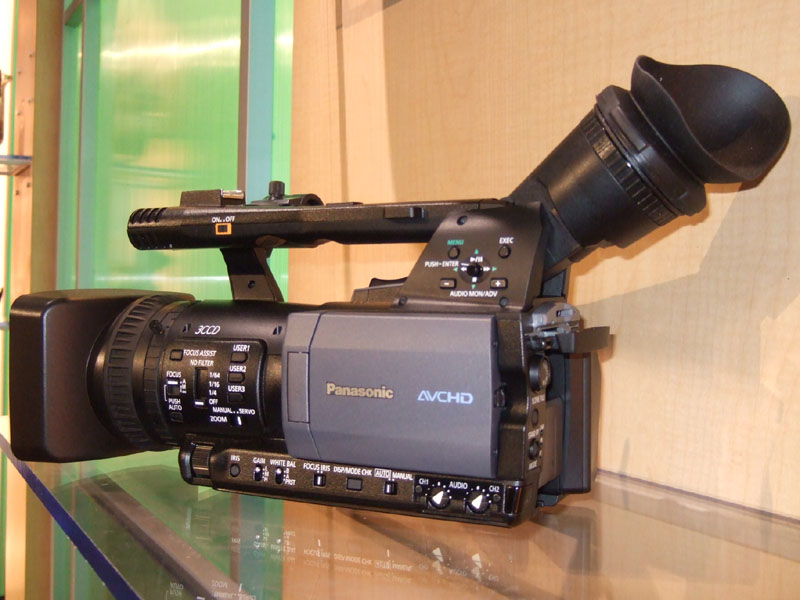
I spoke with Panasonic's HMC150 Product Manager this morning. He says they did receive some units last week and that the retailers should in fact start to see them this week. He also gave me a pdf sell sheet which he wrote, it is below in its entirety for those that would like to see it. This looks a lot like what Bob Diaz posted here earlier, but it may be updated since I received it from Panasonic TODAY. Also I am posting Sony's AVCHD Technology Handbook which provides a good overview of AVCHD technology.


Edit: Interesting to note in this brochure Sony claims "The quality of AVCHD recording in the 9 Mbps (HD-HQ) mode is roughly equal to HDV recording." What would that make the HMC's 21Mbps PH mode roughly equal to? :Drogar-Love(DBG):
 
Last edited:
I have a question about HDMI to HD-SDI conversion:
HD-SDI will allow for the AVCHD files to transferred as uncompressed HD but what if anything can be gained by this?
I always heard that you can never really get higher quality than your source material so if you can edit in native AVCHD why would I want or need to go with uncompressed HD?
Or if I capture via the HDMI to HD-SDI conversion to my hard drive can I get better than AVCHD quality?


Sorry for the newbie questions but I've never worked with AVCHD or uncompressed HD.
I'm coming from HDV.
 
Last edited:
I have a question about HDMI to HD-SDI conversion:
HD-SDI will allow for the AVCHD files to transferred as uncompressed HD but what if anything can be gained by this?
I always heard that you can never really get higher quality than your source material so if you can edit in native AVCHD why would I want or need to go with uncompressed HD?
Or if I capture via the HDMI to HD-SDI conversion to my hard drive can I get better than AVCHD quality?


Sorry for the newbie questions but I've never worked with AVCHD or uncompressed HD.
I'm coming from HDV.

If I'm not mistaken this can be utilized either as you say with nothing gained or it can be used as a lived capture direct to a hdmi capture board bypassing the avchd compression or with a nanoflash type device also bypassing the avchd compression.
 
I have a question about HDMI to HD-SDI conversion:
HD-SDI will allow for the AVCHD files to transferred as uncompressed HD but what if anything can be gained by this?
I always heard that you can never really get higher quality than your source material so if you can edit in native AVCHD why would I want or need to go with uncompressed HD?
Or if I capture via the HDMI to HD-SDI conversion to my hard drive can I get better than AVCHD quality?


Sorry for the newbie questions but I've never worked with AVCHD or uncompressed HD.
I coming from HDV.
AVCHD isn't the camera's original format it's the codec that is applied after going through the ad converter.

AVCHD is a longGOP format with a 4:2:0 (I think) color rendering, and is an interframe format, thus compressing the video more than an intraframe (again, that's what i remember). On the other hand using the hdmi out you can get an uncompressed video feed (without the avchd codec applied) that you can capture using different methods in diferent ways (computer, portable hdmi recording solutons) in a better codec with a better color resolution (that way it will hold better against all the post process, chroma keying, color correction,etc)

that's it from me, maybe someone that knows more about the technics can told you better and correct me...

Hope it helped
 
I have a question about HDMI to HD-SDI conversion:
HD-SDI will allow for the AVCHD files to transferred as uncompressed HD but what if anything can be gained by this?
I always heard that you can never really get higher quality than your source material so if you can edit in native AVCHD why would I want or need to go with uncompressed HD?
Or if I capture via the HDMI to HD-SDI conversion to my hard drive can I get better than AVCHD quality?


Sorry for the newbie questions but I've never worked with AVCHD or uncompressed HD.
I'm coming from HDV.

There would be nothing gained if you capture already-shot AVCHD clips using the HDMI output. As mentioned by the above poster, the only way you would get higher quality is to capture live from the HDMI as you are shooting so it never gets AVCHD compressed. The Convergent Designs NanoFlash is one way to do this but you would spend more on that than the HMC150 by the time you convert it to HDMI.

A Blackmagic Intensity card is probably the most affordable method of doing this but of course you would need to lug a computer on set...... I have seen a hack to put an Intensity in a Macbook Pro, that would be pretty awesome, uncompressed capturing just may be possible to an eSATA RAID connected through an express34 adapter.
 
Last edited:
Barry/Bobby, or anyone else who has seen the 150 up close- is the entire unit the same graphite like color, including the lcd door? Several photos online show the camera as being one uniform shade, but I have also seen some where the LCD door is much lighter, ala DVX100 and 100A

ez04.jpg


versus

panasonic4.jpg


my guess is that the top photo is a pre-production model for reviewers, and the bottom is the mockup. Although merely aesthetic, my hope is that its the same color throughout.
 
+1 that would like to know about any upcoming AVCHD+FCP support Mike!!! Thanks.

So how sure are we that the image quality of the hmc150 will equal the HVX/HPX in 720/60p + 720/24p modes? If the image quality is equal then this will probably be the camera I get.

Sorry, I know that this was covered somewhere in this enormous thread... it's just this is my first prosumer cam and I can't make a decision between this, the HVX, or the HPX.


Thanks.
 
Barry/Bobby, or anyone else who has seen the 150 up close- is the entire unit the same graphite like color, including the lcd door? Several photos online show the camera as being one uniform shade, but I have also seen some where the LCD door is much lighter, ala DVX100 and 100A

ez04.jpg


versus

panasonic4.jpg


my guess is that the top photo is a pre-production model for reviewers, and the bottom is the mockup. Although merely aesthetic, my hope is that its the same color throughout.
If you look at that second picture along the top of the LCD door, you can see that it's not the exact same shade as the rest of the body either, so I would imagine the top photo is similar but with the brightly exposed flash or whatever they used to shoot it, it exaggerated the blue in the image. We had this same thing going on with the HVX when it was first introduced, everyone thought it was some ugly pukey blue color because that's what the flash made it look like, but when you actually got your hands on it you saw it was a deep grayish black.

I haven't seen a production HMC150 so I don't know what the final color scheme is.
 
Would the ability to edit AVCHD natively in FCP be something that Apple could do as an update to FCP 6 or would it most likely be part of the next major release of FCS 3?
I'm sure they could do it either way, but I wouldn't really expect to see it until FCS3.

They already do have some support in FCS2 so I would expect any major revision to that would be held for FCS3. But then again, I have no info on this so that's purely conjecture.
 
+1 that would like to know about any upcoming AVCHD+FCP support Mike!!! Thanks.

So how sure are we that the image quality of the hmc150 will equal the HVX/HPX in 720/60p + 720/24p modes? If the image quality is equal then this will probably be the camera I get.

Sorry, I know that this was covered somewhere in this enormous thread... it's just this is my first prosumer cam and I can't make a decision between this, the HVX, or the HPX.


Thanks.

I'm a Adobe CS person, so I'm not too knowledgeable about FCP... but... there is also supposed to be a Final Cut Pro "Expert" there. Don't know if he actually speaks for Mac or not, but I'll try and ask about AVCHD support and system requirements.

Also, I stopped at Fry's on the way home and picked up a 4gig SDHC card, so I'll see if they let me shoot some 720p/60 and 720p/24 test footage and put it online. However, I think Barry posted his own footage earlier in the thread. Barry, I don't suppose you could re-post the link, could you?
 
Back
Top