XHA1 Blue Sky is Full Of Static

mymarch

New member
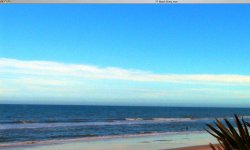
Okay, I have an XHA1 and most of my footage comes out outstanding; with minor color correction, it even comes out better. HOWEVER, two weeks ago I went to Florida and I shot the beach. My footage was shot around 1pm, clear blue sky with some clouds. To my disbelief, all my sky footage is FULL OF STATIC. And if you ask, my gain was set at -3, and auto gain was off. I was on 1/60 shutter speed with 1/32 ND filter on shooting HD . . . and still got static all over my blue sky.
So, the past two weeks I've been shooting more and more sky and I see no difference.
Everything else is fine with my shots and all colors come out fantastic except when I shoot the sky which is full of static. Can anyone please tell me if they have seen this in their camera as well or something is jus wrong with my XHA1?
 
I agree!

This phenomenon happened to me a few weeks ago when I was doing a horizon shot on a Central Coast beach on a bright sunny day. The sky looked yuck!!
 
IINM, the XHA1 has a specific setting for sky noise reduction (like a Skin Detail, I think it might be called "Sky Detail" or something?) Might try that.
 
Image re-attached

Image re-attached

There seems to be mixed responses on this so I've attached a screen grab of my quicktime. The image was taken from a 1920-1080 QT.

I did try one thing this week which was to increase the shutter by a few steps and that did seem to help a bit. But still, look at my screen grab... I just can't believe this is normal !
 

Attachments

  • Picture 1-2.jpg
    Picture 1-2.jpg
    163.3 KB · Views: 0
Last edited:
That's definitely not normal, but it's definitely not just on the sky either. It's everywhere! There is either some setting(s) out of whack or your camera needs to go in for repair. Anybody know if there is a setting other than AGC that could cause a mess like that? Do you or did you have a preset loaded for that one and if so which one?
 
1217900010.jpg


Here is a sky shot of mine for comparison. I see my uv filter was slightly dirty and their is little bit of noise, but nothing like yours. This is Port Arthur in Tasmania in case anyone is wondering.
 
Last edited:
Just looked at your pic again and now I'm wondering if your color saturation levels aren't much too high. They look quite exagerated. I think that could definitely play a large part in creating all the noise.
 
Was the original image (straight from the camera, before color correction) this noisy?
What about sky noise reduction, NR1 and NR2. Do they help somewhat?
 
Just looked at your pic again and now I'm wondering if your color saturation levels aren't much too high. They look quite exagerated. I think that could definitely play a large part in creating all the noise.

+1

I'm guessing there was a fairly extreme custom preset being used. Looks oversaturated or underexposed and then boosted internally. I'm sure it was pretty disappointing when you looked at it. I guess a graduated noise filter in AE might clean up the sky enough that you could use it if you need to.
 
I think that may have been the issue.... I do recall playing around with the custom presets and had input one into preset #6. But for whatever reason, all my other shots that do not have any sky, look fantastic.
So, I have reset the camera to factory standards and I'm going to test it the next time I have clear sky shot around DC.
 
I think you are right.... may have been some preset that had something to do with over-saturation. I will reset the camera and get some shots off the clear sky... once I get my test shots I'll post some and hopefully have some good news :)
 
Issue was related to a bad personal preset

Issue was related to a bad personal preset

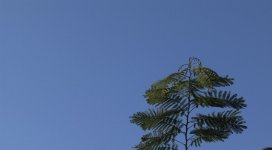
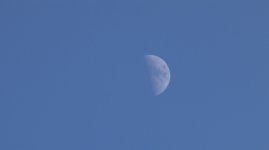
Okay, I reset the camera and I'm almost sure that my issue was related to a bad preset that I got off the internet. I had set preset #6 to something that I had found on the net and on top of that I had removed the preset warning off my screen so I could not even see that a preset was on. Anyhow, thanks for everyone's help as I think the issue is resolved. I've attached two images.
AP
 

Attachments

  • 02.jpg
    02.jpg
    76.5 KB · Views: 0
  • 01.jpg
    01.jpg
    27.6 KB · Views: 0
Back
Top