yellow blooming in highlights

Richard Sutcliffe

Well-known member
I can't see any other posts on the board but has anyone had issues with yellow blooming in clipped highlights?

There is a definate warm, yellowish glow in the brightest parts of some shots, tells me that the channels are clipping unevenly?

This is using a canon HD wide angle but I have seen similar issues and been asked by someone else about a the same issue.
 
using manual white balance or preset?

i have always seen a yellow or blue color boost in nearly blown out areas when wb is off. this goes for hpx500, hvx200, dvx100, xl1 etc....
 
First I have heard about this too. I know the stock preset 5600 had a green cast that some people were not too happy about and Panasonic was offering to fix. But maybe I don't notice it because I tend to shoot everything a little warm anyways which naturally has more of a yellow / orange hue...
 
I've had this happen. Shooting 1080/24, daylight, WB from card (but may not have been a perfect WB). More importantly, I don't have scene file settings used, but in post did notice very noticeable yellow cast to blown out hightlights (which was a mistake in that take). My guess is settings in scene file affected how it handled blown out areas.
 
I have had this too... very saturated 16bit looking yellow in the less(?) clipped areas as the main blown out portion is white. Stock Fuji lens, day light, manual white balance, variety of recording modes.
 
No surprises then, it looks like an issue across the product. probably uneven clipping across colour channels. Im growing to hate it and the fact that I have to de-saturate the highlights of shots to get rid of it is a burden.

I suspect if this was a varicam the extensive paintbox setings could fix it however we've not had the HPX 500 very long, any menu setting relating to the balance of the highlights? Who do we contact for a means to correct this?
 
I've used many video cameras in the past ten years after years of shooting super16... Every one of the video cameras (Sony BetaCam, DSR300, DVX, XL2, XL H1, HPX500) shows some amount of unusual casts in background detail, especially when blown out (I like to shoot into light sources, it is my "style", if I may sound somewhat presumptuous)... And the problem becomes even more acute after adding the Broadcast Safe filter in FCP.

I've learned to live with it, because I'm not about to change my cinematography... That said, I do sometimes select the blown out areas in post and dial down the offending background when possible - this is often difficult because I shoot documentaries handheld.

I've gone back and looked at similarly shot 16mm footage (transferred via telecine to Digital BetaCam), and although the contrast range of film is considerably more forgiving, I can still detect similar color casts in things like blown out trees and blue skies. This stuff never shows up on the projected camera original film though - it's a video thing.

Most general audience types never notice, but picky experts do like point it out. Again, I make documentaries, where a certain amount of funkiness is accepted. For dramatic film shooting, I recommend gelling the windows - that's what the big boys do. Also, a carefully positioned ND grad can help too - but read the color cast issues with grads (another thread here) before depending on true color rendition.
 
Ive found this to be codec thing, from DVCPRO through to DVCPROHD, they all do it WHEN viewing on an LCD screen.

I've never seen it on a CRT broadcast monitor, the panasonic codec looks fine when viewed on a proper monitor.

I havent seen it on any mpeg2 sony footage which leads me to believe its a panasonic only thing.

and no, there isnt a fix, its not an hpx thing, i get it on my hvx too.

I also think it gets worse when shooting with Cine D as you've got no highlight roll off using that gamma curve.
 
Ive found this pretty common in any camera using 1/2" broadcast or 2/3"broadcast lens. And just as I type this, watching the Ryder cup, and Garcias approach to the 17th and saw exactly what your talking about, they are using Sony cams.

If you have a set shot, where you arent pressed to shoot like the Ryder cup, make a small adjustments to your white balance if it bothers you. But on a standard WB, you will see it.
 
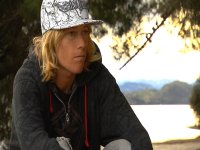
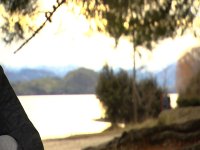
Here is a case in point. Its not as straightforward as a white balance issue, and its not a color caste. And I haven't seen it to anything like the same degree on the HVX and it is very apparent on CRT.
 

Attachments

  • blooming-highlights.jpg
    blooming-highlights.jpg
    114.3 KB · Views: 0
  • blooming-highlights-2.jpg
    blooming-highlights-2.jpg
    84.1 KB · Views: 0
Digital overexposure is ugly. This has nothing to do with lens or white balance. Some sensors/signal processors may handle it better than others, but I don't think there is yet a digital camera that has a smooth shoulder for highlights as with film.

The obvious answer is to avoid overexposure. In a scenario like the one above you could bring a bounce board to increase the light on your subject. Or, pick an angle where the sun is not directly behind your subject, or where you don't have such a large screen area filled by extreme highlights. And if you're crazy enough, you could position a large gel frame with an ND gel behind your subject. As long as there isn't glare on the gel (which you could remove with a polarizer), it should be invisible.

You might also want to try an Ultra Contrast or Digicon filter. They will lift up the shadows, and you can then decrease your exposure to bring the shadows back down but along with the highlights. This essentially increases your dynamic range.

Another possibility, which could be used in conjunction with these techniques, is to use a diffusion filter such as a Classic Soft to bloom highlights in a way that is much more soft and pleasing.


Marco
 
Are you shooting warm by setting your white balance with a cool white card?
Apologies for the clueless question. I am getting back into shooting after a
15 year break. Maybe white cards went out with the dinosaurs.
 
Back
Top