XDCAM to PRORES 422

olivier b

Member
i try to find but i turn around... and it's URGENT !!

i received media from cameras XDCAM.
I'm on FCP7 (recent iMac) and the sony site tells me to download this:
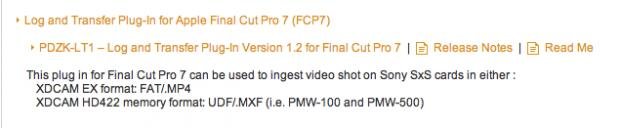
Screen Shot 2013-11-12 at 9.46.52 AM.jpg

when i install it, my computer don't want to inatall it to any of the HD of my computer

after many google time i need help to find a solution

my goal is to get ProRes 422 (HQ)

thanks
 
This is what I do..

Attach SxS card to computer

Open FCP (6!), New sequence

Log and Transfer

Now the files are on the computer, maybe hidden in FCP file structure

AppleF find the files

MOve them to the place you want
Transcode using MPegStreamCLip

Done.

(very messy!)

S
 
log and transfer don't work, that's why SONY site tells me to download the plugin.... that i can't install... misère !
thanks
 
regarding hidden files, check MOVIES -> FINAL CUT EVENTS -> NEW EVENT ***** -> ORIGINAL MEDIA (or something similar)

NOTE may be *similar* or *different* for you, Sam's find method is good idea.
 
i'm in FCP 7

even in FCP X (after downloading the "Camera Import Plug In Version 1.0 for Apple Final Cut Pro X (FCPX)" plugins) it does not work.... ahhhh
 
Last edited:
the solution i found for now is in 2 steps :(
1-import via XDCAM transfer (in xdcam codec)
2-recompress in Prores 422 (HQ) with compressor

if anyone know a one step solution... i'll take it or how to log and transfer correctly in fcp 7...

thanks
 
That is the right solution if you actually want to transcode to ProRes, but you don't gain anything by doing so. Unless you have a good reason to transcode to ProRes, I suggest just editing with the native XDCAM codec after importing. I've been working with XDCAM since 2006 with Final Cut Pro and have never transcoded to ProRes. All I'd get is 4x bigger files and wasted rendering times. Your situation might be different, but it's just something to think about.
 
I'm with Doug, I've never had a problem editing native XDCAM.

Although i would suggest if in FCP7 make sure yr renders are set to ProRes as it will speed it rendering.

Also transcoding at the end to ProRes for color correction is a good idea.
 
Some clients want ProRes, so delivering XDCAM is not an option.

the solution i found for now is in 2 steps :(
1-import via XDCAM transfer (in xdcam codec)
2-recompress in Prores 422 (HQ) with compressor

if anyone know a one step solution... i'll take it or how to log and transfer correctly in fcp 7...

I'm using FCP X and after you import the XDCAM footage, as long as you check the right import option it will create the ProRes version for you in the background. You can view your background processes by pressing command + 9. There is no need for a second step, you just have to know where to look afterwards and find your ProRes MOV files. I posted the path a few posts up ^^

Let me know if it works for you,
 
Back
Top