
Navigation
Install the app
How to install the app on iOS
Follow along with the video below to see how to install our site as a web app on your home screen.
Note: This feature may not be available in some browsers.
More options
You are using an out of date browser. It may not display this or other websites correctly.
You should upgrade or use an alternative browser.
You should upgrade or use an alternative browser.
Other: Winner winner, chicken dinner
- Thread starter JPNola
- Start date

NorBro
Major Contributor
Yeah, I initially searched EC but that didn't work too well (hundreds of combos), so then I searched EC with quotes around it ("EC") and one hit came back.
Fortunately they wrote it in the manual in quotes and not italics. (Although there may be an option to search just italics.)
Fortunately they wrote it in the manual in quotes and not italics. (Although there may be an option to search just italics.)
NorBro
Major Contributor
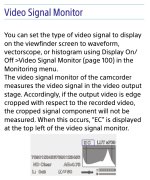
I'm not really sure but my guess is the camera doesn't output 4K DCI in that certain mode and only UHD, so the 17:9 and 16:9 visual discrepancy seems like it's correct as it's notifying you with "EC" when they don't match (DCI vs. UHD...4096 × 2160 vs. 3840 × 2160), and disappears when the camera recording mode is back to UHD/16:9 to match the 16:9 output.
You're cropping some pixels when they don't match, so EC - Edge Cropping - makes sense.
You're cropping some pixels when they don't match, so EC - Edge Cropping - makes sense.

JPNola
Veteran
By “doesn’t output 4K DCI” does that mean I am not recording in 4096x2160 even though the camera is set to 4096 and the VF display says 4096?
I understand that “EC” is telling me there is edge crop happening, but why is it alerting me of that? Or, put another way, why do I care? Is it telling me that the frame edges are different than what I see in the VF? If so, why not just grey-out the edge that isn’t being recorded?
And why 17x9? Why would anything be in 17x9 and not 16x9?
I need to learn more, obviously. The video engineers don’t make it easy. “Let’s give them two types of 4K, neither of which will actually be 4K. And there won’t ever be any actual 4K.” Yeah, thanks gents. :angry:
I understand that “EC” is telling me there is edge crop happening, but why is it alerting me of that? Or, put another way, why do I care? Is it telling me that the frame edges are different than what I see in the VF? If so, why not just grey-out the edge that isn’t being recorded?
And why 17x9? Why would anything be in 17x9 and not 16x9?
I need to learn more, obviously. The video engineers don’t make it easy. “Let’s give them two types of 4K, neither of which will actually be 4K. And there won’t ever be any actual 4K.” Yeah, thanks gents. :angry:
NorBro
Major Contributor
I don't know how it works in the FX9, but most cameras on the market only output UHD.
So when you are recording DCI 4K in some of these cameras which offer it and also want to output a 4K image to an external monitor, your only choice for the output is UHD (for most).
It seems like the FX9 - being the professional tool that it is - is telling you that you are recording DCI 4K but your output is UHD.
It doesn't affect your recording; it's just a courtesy note.
___
DCI 4K is 17x9 because it's slightly wider than traditional UHD which is 16x9.
If you're doing TV, you most likely want 16x9 and not 17x9. (But the world changes quickly so maybe that's a standard now for everyday work as well.)
And you want to know ("EC") that the edges are different just in case someone is seeing something different than what you are seeing in your VF (like for precise framing).
So when you are recording DCI 4K in some of these cameras which offer it and also want to output a 4K image to an external monitor, your only choice for the output is UHD (for most).
It seems like the FX9 - being the professional tool that it is - is telling you that you are recording DCI 4K but your output is UHD.
It doesn't affect your recording; it's just a courtesy note.
___
DCI 4K is 17x9 because it's slightly wider than traditional UHD which is 16x9.
If you're doing TV, you most likely want 16x9 and not 17x9. (But the world changes quickly so maybe that's a standard now for everyday work as well.)
And you want to know ("EC") that the edges are different just in case someone is seeing something different than what you are seeing in your VF (like for precise framing).
JPNola
Veteran
Btw, thank you for assisting me in my education, NB.
As soon as you think you know this stuff you realize you don’t. I’m starting to think it impossible to ever know it all. They keep throwing more stuff at us faster than one can keep up. I’m still trying to wrap my head around this “4K from 6K” thing. A “6K camera” that cannot record in 6K. Alrighty then. Makes perfect sense. :undecided
As soon as you think you know this stuff you realize you don’t. I’m starting to think it impossible to ever know it all. They keep throwing more stuff at us faster than one can keep up. I’m still trying to wrap my head around this “4K from 6K” thing. A “6K camera” that cannot record in 6K. Alrighty then. Makes perfect sense. :undecided
By “doesn’t output 4K DCI” does that mean I am not recording in 4096x2160 even though the camera is set to 4096 and the VF display says 4096?
I understand that “EC” is telling me there is edge crop happening, but why is it alerting me of that? Or, put another way, why do I care? Is it telling me that the frame edges are different than what I see in the VF? If so, why not just grey-out the edge that isn’t being recorded?
And why 17x9? Why would anything be in 17x9 and not 16x9?
I need to learn more, obviously. The video engineers don’t make it easy. “Let’s give them two types of 4K, neither of which will actually be 4K. And there won’t ever be any actual 4K.” Yeah, thanks gents. :angry:
DCI can only be 17-9, its for theater release ..Digital Cinema Initiatives .. 16-9 is a TV format .. been around for ages .. the f5/55 had it .. and even the fs7.. I believe ..
NorBro
Major Contributor
So the only way to record in 4K DCI on the FX9 is in 17x9?
If I want to record in 16x9 I have to sacrifice 4096x2160 and record in 3840 × 2160, or what I have nicknamed “untrue 4K”?
I miss the days when the only thing you had to choose was the frame rate. :smile:
16x9 is only UHD.
16x9 DCI only exists in post-production. In the camera, it's 17x9. (It has to be...it's a tiny bit bigger than UHD.)
The specs say UHD is possible so I'd just use that if you're not sure what to use for work:
3840 x 2160p at 23.98/25/29.97/50/59.94 fps (240 to 600 Mb/s)
___
Anything around 4,000 pixels is 4K.
UHD and DCI will both look identical and no one in the world would notice the difference.
NorBro
Major Contributor
Btw, thank you for assisting me in my education, NB.
As soon as you think you know this stuff you realize you don’t. I’m starting to think it impossible to ever know it all. They keep throwing more stuff at us faster than one can keep up. I’m still trying to wrap my head around this “4K from 6K” thing. A “6K camera” that cannot record in 6K. Alrighty then. Makes perfect sense. :undecided
It's oversampling...ARRI made the process famous in the ALEXA, which is why their HD/2K looked so good.
Now 10 years later, technology has caught up and you can get it in a $500 camera.
In short, you get better lower resolutions from higher resolutions.
But paper resolution isn't everything; C300 Mark II's 2K 4:4:4 looks better than its UHD.
NorBro
Major Contributor
The green area is UHD and that's your camera's framing when it's set to UHD.
When you switch to DCI 4K, you'll see a little bit more on the sides, which is what the red represents.
So if you're in DCI 4K and you're filming a group of people and "EC" is taking place, someone on an external monitor might say, "Hey, you're cutting off Bob and Karen a little bit on the ends."
And you might be looking in your VF and thinking, "What are they talking about...they are perfectly in the frame."
But they see the green and you see the red.
And "EC" reminds you that they are seeing slightly less than you are.

When you switch to DCI 4K, you'll see a little bit more on the sides, which is what the red represents.
So if you're in DCI 4K and you're filming a group of people and "EC" is taking place, someone on an external monitor might say, "Hey, you're cutting off Bob and Karen a little bit on the ends."
And you might be looking in your VF and thinking, "What are they talking about...they are perfectly in the frame."
But they see the green and you see the red.
And "EC" reminds you that they are seeing slightly less than you are.

CharlesPapert
Director of Photography
If there is some confusion between why we have 17:9 DCI and 16:9 UHD when they are so close: 17:9 matches the framing of traditional film projection of 1:85 aspect ratio, 16:9 is the broadcast standard.
JPNola
Veteran
If there is some confusion between why we have 17:9 DCI and 16:9 UHD when they are so close: 17:9 matches the framing of traditional film projection of 1:85 aspect ratio, 16:9 is the broadcast standard.
Why is DCI wed to 17x9? That is, why can’t we shoot DCI in 17x9 OR 16x9?
Why is “DCI” resolution married to an aspect ratio? Or is it?
NorBro
Major Contributor
It is a X/Y aspect ratio (width and height proportions).
Remember 4:3? It was mostly a square.
16:9 turns into a rectangle.
17:9...slightly wider rectangle. (The height stays the same as 16:9, which is why edge cropping only affects the left and right edges.)
And the rectangles in movie theaters? Those are usually 21:9.
You see?...
Remember 4:3? It was mostly a square.
16:9 turns into a rectangle.
17:9...slightly wider rectangle. (The height stays the same as 16:9, which is why edge cropping only affects the left and right edges.)
And the rectangles in movie theaters? Those are usually 21:9.
You see?...
morgan_moore
Major Contributor
Why is DCI wed to 17x9? That is, why can’t we shoot DCI in ...16x9?
Because DCI is 17:9
Like we cant shoot 16:9 in square. Because 16:9 isnt square.. it is 16:9