Whitebalance - How are YOU doing it?

thomas diehl

Active member
As I have already mentioned in another thread I am having problems with the picture (especially skin tone) being too yellowish.
I tried ATW, function knob/VAR, balancing with white cards, with grey cards, different scene files (including default/clean) but still I sometimes just don't get the skin tone I want. I don't overexpose and I never have had WB-problems like that with the sony-cameras I own (including ex3).
I even sent my af to the panasonic service. They checked everything - the camera is "OK", they say (by the way: they were really quick!)

Do you have any recommendation? How are YOU doing the WB?
Thanks!
 
If I know the temperature is about 3200k or 5600k I use the preset for these. If I'm uncertain I do an AWB. I also have a colour checker card so it easy to confirm I have correct colours if in doubt.
 
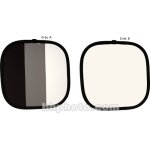
If I'm doing an interview or something that is setup, I will typically have the interviewee or assistant hold a white card and balance off that. If I'm shooting b-roll, I typically go for a preset depending on the situation and then tweak it a little bit in Final Cut if needed.
 
I use a gray card. Colors are spot on. Also roll a few seconds of footage of the card just as a backup in post.
 
It can be a little confusing, I have found the lcd and viewfinder look warmer than the picture actually is, and my manhattan monitor looks cooler as well. I tend to use preset unless the color is way off and then I white balance. In my experience sony cameras have white balanced more accurrately than panasonic.
 
I never shot with DSLRS. My last AC, who shoots a lot of DSLR had a preference for dialing in color temperature and wanted to work that way so I went with him on it. Or rather agreed to lock in to a preset.

We were using the 3200K preset when "balancing" tungsten light. I found it unsatisfactory. I have a lot of variation that I have to tweak in post, and some pretty orangey skin tones. Lately I keep the chroma down and I white balance with a card on every setup and I find I'm much better off. I just think the camera does a better job than I can do guessing color temperature. I like what I get back, good natural skin tones, and I can tweak it much more gracefully than what I got locking in a color temperature.
 
I don't trust my monitor so I cant dial in a white balance. Gray card has never failed me yet.
 
Last edited:
Don't know how it will affect the AF100, but I have used different tones of white or gray card stock or heavy paper to cheat AWB too. A warmer toned paper will give you a cooler balance, a cool paper will give you a warmer balance. Get a few different shades to try from a paper or stationary store and play around. A Kodak or similar neutral 18% gray card is best for accuracy as there is less risk of clipping one color channel than with white. Clipping can throw it off.
 
i have been using a client's af recently. the camera's lcd really scared me at first, i'd have been very worried without a field monitor. but it still bothers me that i can do a manual white balance and see a screen full of yellow on the lcd, but sometimes a preset looks perfectly clean. it doesn't seem like the lcd even has a consistent color bias, i can't make sense of it.
 
The problem with using presets is that a lot of the time, there is a mixed light situation. This has been made easier since I switched to daylight balanced fluorescents... particularly in office-with-windows or home type settings. So a manual balance needs to be struck between the dominant competing light sources. When I can, I use the grey "Zone System" card from Delta1CPM inc. in Dallas. (I've had it so long, I don't know if they are still around) or a white reflector. I also got one of those front-of-the-lens milky plastic transluscent lens covers in 62mm and it works really well for "run & gun" quickie WB. It samples the light coming into the lens, so you don't use the camera like a light meter and place it in front of the subject to catch the light hitting them... you simply pop it on, and balance and off you go.

Really useful tip of recording a short clip of the grey card... in Premier's "fast color corrector", there is an eyedropper for sampling white balance... one touch and you're ON.

Remember when we had to gel the windows with 85B ?
 
Manually dial in the color temp and my skins tones always look spot on!

I did a shoot on the weekend using my AF100 for the first time alongside my 5D. I only had 2 lenses t use, 1 arrived the day before and I got one on the morning of. So it was my first shoot and first hands on play with the camera.

I found manually setting the white balance was great, I kept the colours to my liking and i really liked how it turned out.

Still got a lot of practicing to do, but for my first shoot and play with it I was happy with how it turned out.
 
I've used warm cards for years. Usually a 1 but sometimes a 2 if I'd like it a bit warmer. But sometimes the client wants it straight up so just use the white card. Don't trust field monitors but I know what to expect with the cards in post.
 
I do a manual white balance with something white as close to the actors as possible whenever there's a lighting change, an ISO change or sometimes when my gut tells me it's time.

I correct skin colors in post. They can be slightly off even with the best white balance scenarios.
 
Back
Top