
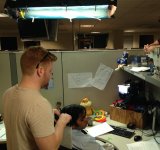
On a recent project, I was shooting under fluorescent lights in an office building, motion sensor lights couldn't be turned off. We were using 3200k Kino Flo's with blue gel, If I white balanced the camera on a gray card it looked surprisingly good. It was far off from 3200k, but once the camera made the adjustment, the color begin to look very accurate in the monitor, no hue, it looked how it looked to our eyes.
Halfway through the day I started to get a NG timeout error on the auto white balance. We were moving back and forth between the same rooms so the lighting hadn't changed. I originally thought the error came because the scene was too low light, and I would bring up the light levels and the WB would hold. I know it is suggested that if you get this error you should try to start at 5600 on to begin the white balance. The lighting was definitely closer to 3200k. The thing is that it seemed to become more frequent the longer we were shooting through out the day, until finally in the afternoon it would not auto WB even though we tried bringing the light way up, using a white card or starting at 5600.
I believe the lighting was just too far off 3200, or just at that edge where the camera will auto adjust to. Every time I pressed WB, the camera would correct to looking good under the lighting conditions, then it would flash the error and jump back.
Or it had to do with heat, it seemed to happen both times in the afternoon after a full morning running the camera. I try to switch the fan to MAX when I am not shooting but that usually gets overlooked.
Anyone have more insight onto the F35 WB process and what might cause it to give that error. What was strange to me was we had gotten good color temp settings in the same setup, then later in the day he camera wouldn't adjust to it.
Is there any manual way to adjust the color temp? I know there isn't a menu with a number like 3200 k you can just dial up or down, but on one of the matrix or shading pages, is there a setting that can adjust this.
Halfway through the day I started to get a NG timeout error on the auto white balance. We were moving back and forth between the same rooms so the lighting hadn't changed. I originally thought the error came because the scene was too low light, and I would bring up the light levels and the WB would hold. I know it is suggested that if you get this error you should try to start at 5600 on to begin the white balance. The lighting was definitely closer to 3200k. The thing is that it seemed to become more frequent the longer we were shooting through out the day, until finally in the afternoon it would not auto WB even though we tried bringing the light way up, using a white card or starting at 5600.
I believe the lighting was just too far off 3200, or just at that edge where the camera will auto adjust to. Every time I pressed WB, the camera would correct to looking good under the lighting conditions, then it would flash the error and jump back.
Or it had to do with heat, it seemed to happen both times in the afternoon after a full morning running the camera. I try to switch the fan to MAX when I am not shooting but that usually gets overlooked.
Anyone have more insight onto the F35 WB process and what might cause it to give that error. What was strange to me was we had gotten good color temp settings in the same setup, then later in the day he camera wouldn't adjust to it.
Is there any manual way to adjust the color temp? I know there isn't a menu with a number like 3200 k you can just dial up or down, but on one of the matrix or shading pages, is there a setting that can adjust this.


 : Preset memory