What the heck am I doing wrong?

Hello Everyone,

I'm somewhat new to FCP. My problem is I am getting lines in my footage when the subject moves. Sometimes when I export it they go away, and sometimes not. This particular case is weird. I have solved the problem before by moving it into a regular DV NTSC sequence rather than the DV NTSC-24 sequence that it was originally edited on. I tried that with this footage but in the new sequence it stretches out the picture for some reason???

I'm not completely sure what I should do. My footage is shot on DVX100B 24p setting, and captures advanced pulldown, shoot in normal 4:3 and edited in the DVNTSC-24 setting. (Is that my problem?)

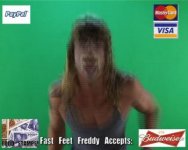
Heres a still of what I mean, and it actually looks better since I printed it to a still. Thanks for helping an amateur!
 

Attachments

  • PIX.jpg
    PIX.jpg
    13.2 KB · Views: 0
I'm going to be VERY honest here.

"What the heck am I doing wrong?"

Answer -- you have NO idea what you are doing. There are PLENTY of threads here including stickies about this very problem. Had you read even just a FEW of the threads on this first page you would have seen it.

Now...

1) Read the stickies on this page
2) Google interlace; cadence; 24p; 24pA etc.

WHY you have this amazing program, AND paid $1200 for it... AND have a DVX but have NO IDEA what interlacing is is criminal. You should be ashamed.

Got it?

Ok, now... amateur or not you have to read up and understand basics!!!

http://www.dvxuser.com/V6/showthread.php?t=161182
http://www.dvxuser.com/V6/showthread.php?t=23355
http://www.dvxuser.com/V6/showthread.php?t=81596

CaptM

EDIT...

Hey -- What I really mean is we can't really HELP you until you understand some basic stuff you are dealing with. Not that I don't want to answer the same question I've answered MANY times here before... but you really need to help yourself for a bit. THEN we can really help get you on track. Don't take what I say personal. You need help -- I'll give it to you. But do us a favor and read those threads I gave you.

Sorry for jumping down your neck.
 
Last edited:
Hello Everyone,

I'm somewhat new to FCP. My problem is I am getting lines in my footage when the subject moves. Sometimes when I export it they go away, and sometimes not. This particular case is weird. I have solved the problem before by moving it into a regular DV NTSC sequence rather than the DV NTSC-24 sequence that it was originally edited on. I tried that with this footage but in the new sequence it stretches out the picture for some reason???

I'm not completely sure what I should do. My footage is shot on DVX100B 24p setting, and captures advanced pulldown, shoot in normal 4:3 and edited in the DVNTSC-24 setting. (Is that my problem?)

Heres a still of what I mean, and it actually looks better since I printed it to a still. Thanks for helping an amateur!

The brief answer is that with 24 fps Progressive frames being recorded onto DV, which has a frame rate of 29.97, the Panasonic has added frames accoring to a system called 3:2 Pulldown. This system was developed to overcome the frame rate differences between the traditional 'film' speed of 24 fps, and Television (Black and White was 30 fps, Color introduced its own problems and so it is now called 29.97...).

Anyway, if you edited your 24 p-Advanced in a 29.97 time line you may see these sorts of artifacts.

Further, there is the notion of 'odd' or 'even' fields and again, this is based on TV standards.

I don't know what the Final Cut Pro options are for dealing with 24 fps, but in After Effects, and Priemiere one can identify footage that has been shot at 24 p or p-A, and have the program actually produce a stream that is 24 fps... well... 23.976... but anyway...

If I had looked into this a bit more I may have gone out and bought a PAL DVX100 and shot at 25 fps, and used the PAL setup that Final Cut Express has built in... And as a note, there are more vertical lines in a PAL stream than NTSC... and I think the pixels are even more 'square' than NTSC...

But now I'm saving up to buy the HMC 150 (or whatever version is available when I have the money...).

From your sample, it looks like you do not have the pulldown removed, the first field setup correctly, etc.
 
Cap Mench, thanks for those articles. I have read them. Except for the last one you sent. Maybe I am missing something. I have captured the footage on with the 29.97 pulldown and edited in 29.97 because its not 24PA. I have read a lot of this and I do just as it states. Maybe it's as simple as the computer monitor not being a progressive monitor? But like I said, even if I reopen the correct timeline and copy and paste my project, the lines go away, but now my picture is stretched out. Which is weird cause its not a 16:9 timeline. This particular problem is one I've never incountered and haven't been able to find any posts on otherwise I wouldn't have asked for advice.

Thanks for your reply also j1clark. I have removed the pulldown. So it must be something else I am missing.
~Kate
 
Ok... I'm confused. And if I am... I know you are too:

I have captured the footage on with the 29.97 pulldown and edited in 29.97 because its not 24PA.

Ok.

I have removed the pulldown.

What? -- You captured it with cadence AND removed the cadence? How?

See... not sure you understand what is happening. In your first post you say:

"I have solved the problem before by moving it into a regular DV NTSC sequence rather than the DV NTSC-24 sequence that it was originally edited on."

Why would you think to edit it in a 24 fps sequence??? Now I go back to my first link... What does 24p mean to you? You shot it with the DVX... in 24p mode, right?

How did you capture it?

LINES AREN'T BAD. They are a natural part of video.

CaptM
 
Ah... I remember you from a few weeks ago. Sorry I didn't remember.

Is this a continuation of the same issue?

Mike
 
Ya that came out a little wrong. OK, let me try and explain as thorough as I can...

I shot on 24p setting, not 24pAdvanced. There for I CAPTURED it with the DV NTSC Advanced pull-down (A friend told me to always capture with that, so I always have.)

I have 3 options for TIMELINE in my FCP: DV NTSC 48kHz, DV NTSC 48kHz - 24, DV NTSC 48kHz - 23.98 AND the Anamorphic.

I originally choose: DV NTSC 48kHz - 24, because again a friend who I trusted told me to do so. I was getting those lines so I thought maybe that is only for true 24P like the 23.98 timeline is for 24pA, so I took my project and copy and pasted it into the normal DV NTSC 48kHz timeline and those lines went away.

So I tried to copy and paste this NEW project in a new timeline as well to get rid of those lines like it had worked before no problem, and when I do, it STRETCHES the picture out like I tried to make 16:9 footage 4:3 or something. But then I take the original footage I captured and put it in this new timeline, its normal. Which is wonderful because there aren't any lines. BUT I'm trying to get around re-editing the whole thing! That's why I tried to copy and paste my edited project into what I assumed to be the proper timeline for my footage.

About a week ago when you helped me with this problem, I exported the video and the lines went away, and I didn't even notice those normal lines from the monitor not being progressive, I had copied and pasted that project into the correct timeline and it didn't stretch anything out. Looked great, problem solved. Now this weird thing is happening with my new project where its stretches my footage out.

I'm sorry I'm not good with explaining this stuff sometimes. But I'm slowly getting better. I have a FCP book I refer to a lot and I'd much rather figure stuff out on my own than bother anyone, but I swear sometimes my FCP does some crazy things for no reason, like when I copy and paste into a new sequence it will leave an empty frame in between cuts (all black for 1 frame) and a lot of the times, music in the timeline will start skipping for no reason, when I imported it, it was fine. WEIRD. I think it's cursed. Or when my brother had this computer he changed things around.

I hope I explained my situation better. And I hope it's ME not my FCP. Because I have replaced 2 hard drives in the last 4 months and had to re-install a lot of programs. NIGHTMARE.
~Kate
 
I shot on 24p setting, not 24pAdvanced. There for I CAPTURED it with the DV NTSC Advanced pull-down (A friend told me to always capture with that, so I always have.)

GAH!! See -- YOU seem like an intelligent person -- it's your FRIENDS that need to be shot!

NEVER NEVER do that. 24p has a SIMPLE cadence, not ADVANCED. You can't remove the cadence using remove ADVANCE PULLDOWN. At best, FCP should have shut down the capture. Second best it ignored it and captured 29.97 anyway. WORST case it really screwed with your footage.

I originally choose: DV NTSC 48kHz - 24, because again a friend who I trusted told me to do so. I was getting those lines so I thought maybe that is only for true 24P like the 23.98 timeline is for 24pA, so I took my project and copy and pasted it into the normal DV NTSC 48kHz timeline and those lines went away.

Let's go back almost to the beginning. Here's what I need you to do.

First - select one of the clips in the browser window.
2) hit COMMAND-9 ... what does it say for VID RATE?
3) set your canvas window to 100% and toggle thru for 10 frames. Write down what you see... P for progressive I for interlaced (lines). Use something with motion.

Maybe PPPIIPPPII?? Or something like that?

Thanks,

Mike
 
OK, I've made a VERY INTERESTING discovery. Which has gotten me EVEN more confused....

I just discovered how to look at the SEQUENCE SETTINGS...seems the sequence settings are all set on PAL. What the hell? I DIDNT DO THAT! So i copy and paste the project into my new correct timeline and it is still stretched until I change pixels to square? How can I set all sequences to manually always be on NTSC NOT PAL!

Also, does this mess up quality/projects that looked OK but could have been edited in PAL sequence settings?

I discovered the sequence settings by right clicking a new sequence in my footage bin's. To my surprise there's even more setting I knew existed. I feel like a moron, and now I am SUPER confused as to what I should have everything set to when starting a new project from now on. Good god!

Any thoughts, suggestions for me? I have never come across a post with this similar problem. I may officially be going insane.
~Kate
 
As a matter of standard practice, you need to check your settings - all of them - every time you start a new project.

And when you move to a different project, and then open up an older one, you'll have to go back and change some of what might have been changed for the newer project.

Never, ever, ever assume that FCP is ready to roll as soon as you launch the program. Period.

I have a suspicion that, on top of your lack of experience with the settings, another part of your problem comes from copying and pasting edited sequences from one time line into a new time line with new settings. This makes FCP try to reconform the EDL to the new specs (NTSC to PAL, 29.97 to 23.98), which is going to be buggy.

You need to check the clip poperties as per CaptMench's suggestions. This wil let us know if your footage has been hosed from the get-go.

As for settings, you can use the Easy Setup option under the File drop-down menu to set everything to DV-NTSC. But for more advanced options, you may have to go into the other settings menues and change your capture and sequence settings. And remember, changing the sequence settings in FCP only affects sequences created after the changes are made... existing sequences will retain whatever properties they had when they were created.
 
Mike,
This is what I got when doing command 9:

29.97
720x480
DV/DVCPRO-NTSC
Data Rate: 3.4MB/Sec
Pixel Aspect: NTSC-CCIR601
Field Dominance: Lower(Even)
Alpha: None/Ignore

toggled in 100% 10 frames with moving subject: PIIPPPIIPP...maybe some werent too interlaced, thats my best judgement.

My "friend" is suppose to be an editor too!

So I shouldnt be capturing my footage with the advanced pulldown? Good god. I should have just researched more before taking his word.

What does this mean for all my other projects that were captured this way? I have a church video that is 90% complete captured this way, although the footage looks very good.

Also did you read my post about the "Sequence Settings" my head is spinning.

Thank you so much for your time and help by the way, its so very hard to find people that actually know what they are talking about, like my "editor" friend.
 
Ok... you are in good shape.

FCP ignored the capture setting. The PPPII PPPII is good news. You have 24p Mode footage -- that means 29.97 with simple cadence.

You should edit this material in a 29.97 sequence NTSC DV. Now...

Because you squeezed it into a 24 fps sequence at the start FCP forced it to 24 - no telling WHAT that looks like!! Just copying material out of that and into a 29.97 (even PAL) is only going to then mess that worse!!!

I suggest you make a new sequence that you know is 29.97 ntsc and start editing it again from scratch.

Now, you will still have the 'lines' but won't be lines on top of lines -- so... don't worry about it.

Mike
 
Mike,
I have ichat, I just cant figure out how to use it! My brother gave me his mac a few months ago when my PC crashed, so I've started using FCP rather than premiere. And I've never used a MAC til now. I know...lame.

it wont seem to let me add you? I should not be around technology, period. I think my name is under KateFrisbee, if u can get me?
 
yeah... I don't see you either. To add buddies, you click the + sign lower left of the buddy window... that is... if YOU are signed in. If you aren't signed in, go to iChat (menu) / Preferences... ACCOUNT tab... and then the + sign there to add an account.

Mike
 
Oh man, what a head ache. Once again I miss a basic step. As for sequence settings...what should they always be set to when handling this footage?

Pixel Aspect Ratio: NTSC-CCIR601/DV(720x480) OR Square?

Aspect Ratio: NTSC DV(3;2) or NTSC (4:3)?

Thanks for the help guys. I seem to always under estimate how many bells and whistles there are to these programs. Hat's off to you pro's.
~Kate
 
stick with CCIR601 and the DV one I think... don't let it change the frame size to 680x. I think it might be the 3:2 one.

But all of that should be default.

CaptM
 
I tried logging into ichat again. Even made 2 new accounts and everytime I go to put in my password I created it says its incorrect. I dont know what the deal is. I am cursed.
 
Thanks for the help. It is beyond appreciated. I better go check my other projects too. My brain is officially fried. At least now I somewhat know what the heck I'm doing!
 
My favorite post:

QUOTE:
Well, here's the thing... (First... thanks for reading that article -- one of the most comprehensive and still easy to understand ways of getting this concept).

Second: What you are seeing is INTERLACING. NOT A BAD thing. It's a natural part of video. Your TV for the last 50plus years has always broadcast interlaced video. The only reason it bothers you now is that you are watching it on a (basically) PROGRESSIVE monitor -- and you've STOPPED the frame on a single frame and you are seeing the two FIELDS... your TV would have given you HALF that information TWICE as fast... the UP and the DOWN fields.

So again, BY DEFINITION this isn't BAD.

SO -- Panasonic gave you a few options here. Let's take 24p mode (I'll call it a MODE so not to confuse it with a frame rate). 24p mode gives you a FILM LOOK. FILM LOOK here means that if you watch a film broadcast over the air and watched on your TV this is kind of what you'd see.

The film was shot in 24 fps. TVs don't/can't broadcast in 24 fps, so they ADD frames (telecine is the term) to the film to make it 30 frames per second. As you read in the article above.

SO -- here's what the geniuses at Panasonic do for you. The 'shutter' on the DVX shoots 24 times a second. BEFORE IT GOES TO TAPE (which can only handle 30 frames per second DV) it MUST add those additional frames. It does so in two ways, but first we'll talk about what 24p mode does.

24p mode uses a 3:2 cadence. So, it breaks up the 24 frames into 6 groups of 4. Thru some magic described in that article it COMBINES some frames and leaves some other frames as PROGRESSIVE (Notice as you frame thru your video some frames won't have this INTERLACING). With 24p mode you get 3 progressive and 2 combined for every 5 frames of video.

Again... isn't really an editable format... just a nice thing Panasonic does so you can shoot film look and not really edit well, mainly because although the cadence is pleasing to the eye it can get jumbled up when editing and prove LESS than pleasing to the eye.

CAPTURE THIS VIDEO AS NORMAL 29.97 FPS and leave it alone.

SO!!!....

Panasonic gave us the 24pA mode. Again, because the tape will only record 30 fps (actually 29.97, but don't worry about that) Panasonic wanted you to have the chance to acutally EDIT A 24 fps PROGRESSIVE 'film' they had to give it to you in a way FCP would understand what to do.

THIS time, instead of taking those 4 frames and combining them to give you 3 and 2... they used the ADVANCED PULLDOWN CADENCE of 2:3:3:2 (again described in the above article). THIS time, the use 6 groups of 4, but combine them in such a way that you get these 4 frames progressive plus only ONE frame combined. This makes it VERY easy for FCP to say -- HEY, what the heck are these... I'll just throw them away. NOW... you have a true 24 fps video (23.98 - but don't worry about that now) and can edit it in a 23.98 sequence!!!

BUT only if you use the REMOVE Advanced Pulldown Cadence on capture, or if you capture normally use the TOOLS menu to remove it.

When done correctly you won't have these lines.

OK OK OK OK OK OK... now to answer your question:

"So, I gather that I shoot 24pA and use the advanced pulldown capture"

YES!!!! Bravo!!!! EXACTLY!!!! Hee.

Ok...

Advanced lesson: Not for the noobs, so don't tell anyone - You can actually use the program Cinema Tools to (new term) REVERSE TELECINE the 24p mode footage and make it true 23.98 progressive JUST like shooting 24pA mode!!!

But don't tell anyone -- and I'm not going to tell you how to do that just yet. Once you REALLY need it and I've determined that indeed you DO know what you are doing AND you know for SURE that your footage MIGHT be lost for all time AND you REALLY are sure you have 24P MODE material -- then send $10 to a charity of your choice in my name and I'll tell you.

CaptM

END QUOTE.
 
Back
Top