What audio export format do I give to an audio engineer?

ironpony

Carbonite Member
The audio engineer asked for an OMF container with all the audio files in it that I want worked on. I am using Premiere Pro.

However when I make the OMF container, all the audio files are in random order. He says it should not be this way and they should be in order of the movie.

Because of this, he has to re-watch the movie, everytime he hears a sound that he does not remember. For example if an actor makes a grunt noise in a fight scene, then he has to re-watch the movie to find that specific grunt, so he knows which scene it's in, so he knows which amount of reverb to add to it to match the rest of that scene.

But it's a lot of time consuming work that's costing more money, to re-skim through the movie everytime to find certain sounds, since the OMF container has everything out of order. I tried different settings when making them but it's the same thing. Is their any export format, where he can watch the movie with the sound, and all the tracks will be individual still, and he can work on them?
 
When you go to File>Export>OMF, there are several settings that can make a huge difference in what your post mixer receives.

In the Files menu, are you selecting "Encapsulate" or "Separate Audio"?

In the Render menu, "Copy Complete Audio Files" or "Trim Audio Fles"?

And it's been mentioned several times before: black text is very difficult to read on this forum.
 
Sorry I don't know what keeps causing the black text, or what I am doing wrong. The site froze on me when trying to post this, so I had to copy and paste what I typed before and it went black.

I did select separate audio and I selected trim audio files. And that's how it all ended up in random order. Should I be using different settings?
 
Sorry I don't know what keeps causing the black text, or what I am doing wrong. The site froze on me when trying to post this, so I had to copy and paste what I typed before and it went black.


I did select separate audio and I selected trim audio files. And that's how it all ended up in random order. Should I be using different settings?


Try Encapsulate.

Trim Audio Files is correct, but be sure to add :10 handles.
 
Last edited:
Okay thanks. Why 10 handles? Don't I need 24 to sync with the 24fps video later?

?!

Adding handles tells Premiere to include extra audio on either end of each clip. This is very, very helpful to your post mixer for smoothing edits. In the menus for exporting an OMF, it will ask for handles but in frames instead of seconds. If your Premiere project was edited at 24p, then enter 240 frames for handles.
 
Okay thanks, but the extra audio might not be necessary. I already crossfaded all the audio, now all I need is effects like reverb and other mixing and clean up done to it. Should I still do it anyway, even if it's all crossfaded?
 
Okay thanks, but the extra audio might not be necessary. I already crossfaded all the audio, now all I need is effects like reverb and other mixing done to it. Should I still do it anyway, even if it's all crossfaded?

Yes. Categorically, yes. You need to give your post mixer as much to work with as you can. What if your cross fades aren't accurate? You may think that you've already done most of the work and that you "just" need effects and "other mixing" done, but your post mixer is going to go back over everything and finesse plenty of what you think you've done already. Also, in terms of dialog editing, it can be a life-saver being able to drag the handles out in ProTools to find a little extra room tone when necessary.
 
Okay thanks. I can't tell what encapsulate does because I can't open an OMF file that is encapsulated. I can give it to him and see if it's what he needs, but the last time I tried this with an audio engineer he said he could not read it, using Pro Tools.
 
Last edited:
Protools wants encapsulated OMF.

If your files are showing up randomly either you screwed up the OMF (really unlikely) or he screwed up the import.

Actually I don't see how they get randomized unless he just drags them into the timeline.

But then this is an IP thread so...
 
The files 'should' be placed in the TL automatically just as they are in Premiere.. The only issues I've uncounted with Premiere is one project drifted out of sync , but I recall the editor entered an incorrect frame rate.
 
Sorry I don't know what keeps causing the black text, or what I am doing wrong. The site froze on me when trying to post this, so I had to copy and paste what I typed before and it went black
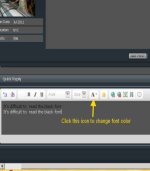
Just like any word procesing app, highlight the text and change the color..
change DVx font color.jpg
 
Copying and pasting will cause odd text colors for both foreground and background. This website has several quirks including slavishly retaining any formatting from cut-n-paste, even if it doesn't make any sense with the oddball gray background.

This website also seems to have a problem with displaying topics titles in bold even after you have viewed them. Some time ago (>1 year?) it worked properly. But now the "already viewed" status seems to get reset at random (or with no discernible pattern).
 
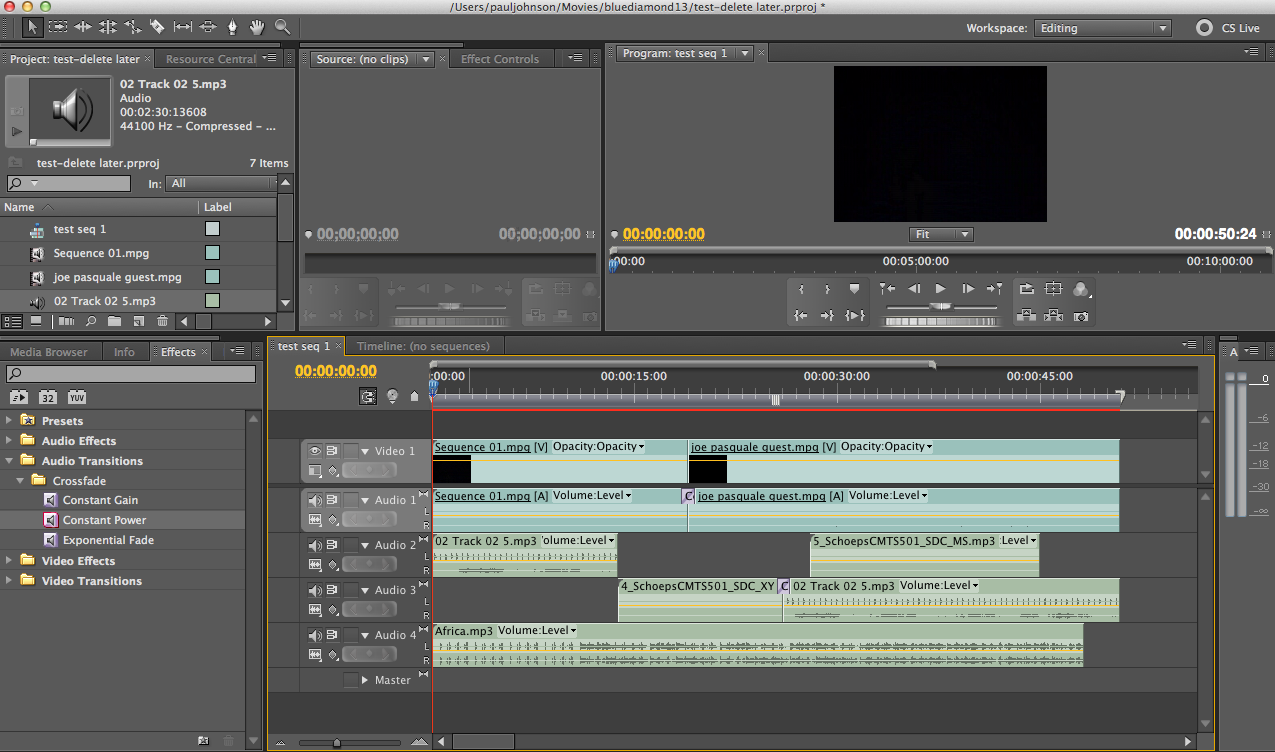
premiere.png
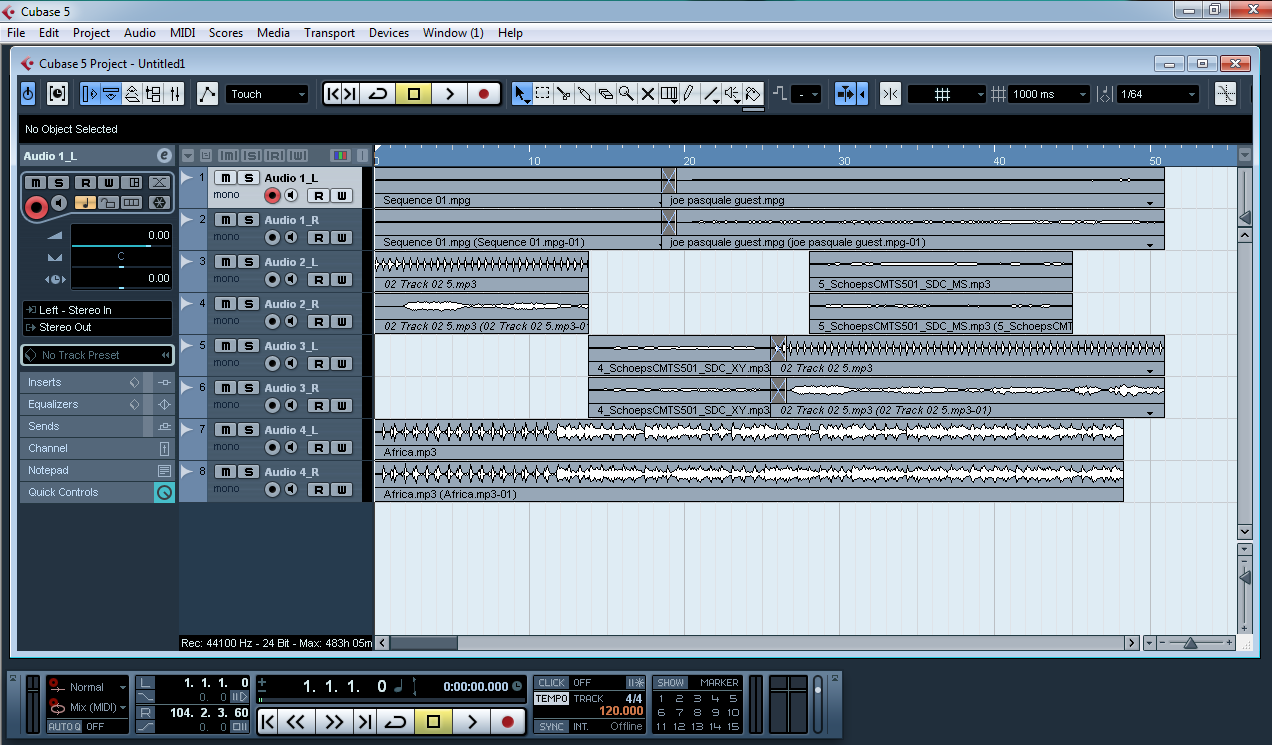
cubase.png
I thought I'd try to see how the OMF export coped with export from Premiere to Cubase in view of the problems mentioned above. It worked fine, including bringing across the audio crossfades I tried on the clips, it also had no problem with different types of audio - as in embedded stereo with the video clip and separate trimmed mp3s. I've taken a couple of screenshots if this helps iron pony understand what happens in an OMF transfer.
 
I use OMF all the time to go from final cut pro 7.0.3 to pro tools LE 8.0.5 with DV toolkit 2 and never seem to have any problems.

Have you made sure your pro tools soundie has the DV toolkit or the correct plug ins to enable OMF import as it is not a standard option?
 
I have done projects exported from Premiere. It's actually been less trouble prone than FCP.

Before spending a lot of time on this "problem" remember who posted...

Seem like a problem that would be really hard to make happen? Are there questions that sound like they were posted by someone who picked up a camcorder moments ago?

Enough said.

Bottom line is it's pretty hard to mess up an OMF into Pro Tools, unless you work at it.
 
Copying and pasting will cause odd text colors for both foreground and background. This website has several quirks including slavishly retaining any formatting from cut-n-paste, even if it doesn't make any sense with the oddball gray background.
-- I've never had any issues w/ copy and paste on this forum.
This website also seems to have a problem with displaying topics titles in bold even after you have viewed them. Some time ago (>1 year?) it worked properly. But now the "already viewed" status seems to get reset at random (or with no discernible pattern)
- However, Richard's above statement is a definite issue for me as well. Same condition in IE and FF, so it seems to make no difference what browser is used. The 'Forum Tools' "Mark this forum Read" also does nothing.
Sorry to get OT.
 
OT warning...

Most browsers have a "paste and match style" Or "paste as plain text" in the EDIT menu (Mac, not sure about Windows). Either will solve the pase issue.
 
Here I go off-topic again.--
Neither IE or FF (for Windows) has a "paste as plain text" choice..unless there's a third-party applet I'm not aware of.
On the other hand, MS Word has a 'Paste Special' which gives choices of formatted or unformatted (plain text).
Normally when there's formatted text that I do not want, I paste it to 'Notepad' and re-copy which 'strips' the formatting.
 
Well.... windows ;~)...

It's been awhile since I was on windows so?

Safari and Chrome (on Mac) both do so maybe it's an OS thing?
 
Back
Top