plainman007
Well-known member
Hi,
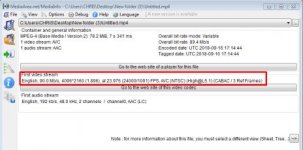
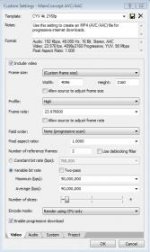
If i have 4k footage on the timeline and want to render out a 4k file, under MainConcept Mp4 i cant seem to be able to find any render template which allows me to set the bitrate manually. Constant Bitrate only has a drop-down and in that its either 50Mbps or the next in the list is 135Mpbs. What if i want around 80-90Mbps ?
Please do help me asap as i need to render out a job specific file.
Thanks a ton !
If i have 4k footage on the timeline and want to render out a 4k file, under MainConcept Mp4 i cant seem to be able to find any render template which allows me to set the bitrate manually. Constant Bitrate only has a drop-down and in that its either 50Mbps or the next in the list is 135Mpbs. What if i want around 80-90Mbps ?
Please do help me asap as i need to render out a job specific file.
Thanks a ton !