FS5: Using FS5 with V-Mount Batteries

ardpub

New member
Anyone had any success powering the FS5 with v-mount or AB batteries via the dc barrel connector?

I bought a d-tap to Sony dc barrel connector to use my Switronix XP-L90S V-Mounts with my FS5. Worked perfectly on first test with a half-charged battery but when I try a fully charged battery, I get an error message telling me to reconnect the ac adapter and the camera shuts down. Wooden Camera claims their d-tap cables work with the FS5.

I tested the battery's output against the original BPU Sony that came with the camera and the voltages were both about 16v, however, the Sony AC adapter supplies regulated 12v to the dc barrel. I'm thinking adding a 16v>12v step down could solve the problem (http://www.amazon.com/gp/product/B0...ue&ref_=ox_sc_act_title_1&smid=A2OCOGC9B25845).

This is the battery:
http://www.bhphotovideo.com/bnh/con...oCFZOCaQodY84Lqw&is=REG&ap=y&m=Y&Q=&A=details
 
Last edited:
The wooden camera FS7 cable didn't work for me. I replaced it with a Laird and that initially worked. Then it didn't and now it does. The problem is the barrels are different than the AC adapter for the FS5. We were powering off a gold mount adapter with both A/B and Switronix batteries.
 
I just sent an email to Ryan Schorman from Wooden Camera and he immediately replied the following answer regarding the Sony FS7 D-Tap cable they sell (#194400)...

For the records, I ordered one from B&H yesterday.

Hi Henry,

Thanks for your email. We noticed a few batteries having compatibility issues with the FS5 and it is due Sony limiting the input voltage to 16V max. Higher voltages will not harm the camera, it will just tell you to use a different battery. This is absolutely crazy because their BP-U30 battery included with the camera runs higher than 16V at a full charge. Additionally the FS7 has no limit like that which uses the same connector. All that being said, going forward, we have added a voltage regulator to all FS5/FS7 cables and plates. If you get the cable from B&H and it does not have a box in the center of the cable, just let me know and we can swap it out for you. It would also be worth a shot to try it on your camera as is because maybe your V-Mounts or Gold Mounts have a max voltage of less than 16V. Let me know if that all makes sense.

Best regards,
Ryan

Hope this helps...
 
(although here's a cheaper one)

The Blueshape is indeed the one I went with to save some money. It's such a simple cable, I don't think the barrel connector is the issue.

"CinemaElectronika" confirms exactly what I suspected. I assumed it would work given that the OEM battery has the same voltage but no doubt, this is Sony trying to protect the market for the FS7 with its v-mount option. I ordered the step down from Amazon. Willing to bet after spending $14 and ten minutes soldering my Blueshape cable will work consistently, delivering a steady 12v.

It's ironic because clearly the camera is at least a firmware update from being a big seller and the thing it really has going for it is its versatility. It is really well designed for run & gun but also such a perfect shape & size to put on a rig along with a monitor, hop, transmitter, etc., all powered by a single AB or v-mount brick. But I absolutely hate building a camera out and having to put a second battery on the camera, as often is done with the C300. I'm still within my return window and tempted with the codec issues I've been hearing about, yet, it really is a beautifully designed camera from an operator standpoint. Will make my final decision after I have time to do my own tests this week.

If I could get a FS5 with a C300 MkII specs and color profiles, I'd be set.
 
Update:

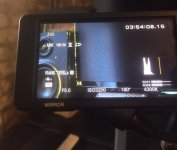
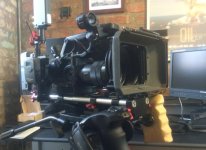
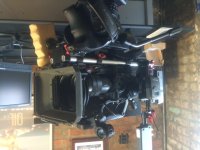
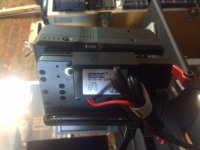
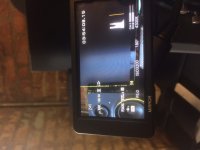
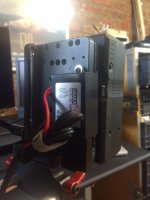
I added the 12v in-line limiter from Amazon (link above), cannibalizing the dc barrel plug off my Blueshape connector. V-Mounts went from ~16.8 volts fully charged to 11.97 on my meter. Had the camera powered for an hour or so now and so far, it's working flawlessly. Going to run through a full brick to make sure it maintains 12v throughout but I'm sure it will.

IMG_8629.JPGIMG_8633.JPGIMG_8625.JPG
 

Attachments

  • IMG_8625.JPG
    IMG_8625.JPG
    103.5 KB · Views: 0
  • IMG_8629.JPG
    IMG_8629.JPG
    78.7 KB · Views: 0
  • IMG_8633.JPG
    IMG_8633.JPG
    75.8 KB · Views: 0
Back
Top