GH4 Turning off focus pinpoint

Jimmy Pierce

Well-known member
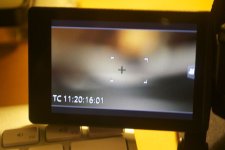
I've been going through the menu and the manual over and over again and can't find how to turn off that little box that appears in the middle of the screen that you can move around to magnify the image. It isn't there when I record but it's distracting when I'm setting up a shot.

Thanks for your help!
 
Set MF Assist to off? I think that's what you're trying to say. Pinpoint Focus is another thing with recent Panasonic cameras.
 
That wasn't it. It's those four corners that make up a box. I don't know what to call it, but the box allows you to magnify an area of the image to focus.
 
It's MF assist. Turning it off will disable the magnification function during manual focus.
 
Unfortunately turning off MF assist does not solve the issue. The box is still there but now you can only move with using the wheel and not your finger. If I let the camera sit for a moment, the box goes away. I am guessing there is no way to remove it from the screen.

Here's a still:

DSC_3880.jpg
 
Last edited:
Hi,

Did you find a solution to this? Now that I want it gone, it is driving me crazy.

Thanks!

I've been going through the menu and the manual over and over again and can't find how to turn off that little box that appears in the middle of the screen that you can move around to magnify the image. It isn't there when I record but it's distracting when I'm setting up a shot.

Thanks for your help!
 
Anyone know how to get rid of it?

The "box" in the still posted by Jimmy Pierce above defines the autofocus target area in "one area AF" mode. The box turns green when the camera achieves AF lock but goes back to white when the half press on the shutter button is released.

To get rid of that box, select 49area AF and then you'll see green boxes on whatever the camera is focusing on. Select "pinpoint" AF and that box is replaced by a small white cross.
 
Bruce, Just got the GH4 yesterday. How do you select "49area AF"?

So my take is there is no way to completely turn that feature off?
 
Would love to turn off those 4-corner focusing guides. Seems no one has a definitive answer yet... I'm on the GH5s and still this still can't be turned off as far as I can tell. I've tried every setting, on and off. I can't turn it off and I can't change it to a small crosshair which would be better than the box guides imo.
 
Back
Top