F35: Topaz Video Enhance AI 4K upscaling is pretty amazing

Samana76

Active member
Hello everyone,

It's been a long time since I have posted anything here on the F35 forum. Sorry for the long absence. I have been rigging out and shooting with my F35, and recently I have been experimenting with upscaling the footage to 4K. I recently discovered a program called Topaz Video Enhance AI and I must say the results are pretty amazing. So much so that I felt it would be beneficial for everyone here to see some comparison shots and screen grabs on a few projects and quick tests I did recently. So without further ado here are some screenshots and videos of the original Sony F35 output image and the upscaled version:

Google Photo album
https://photos.app.goo.gl/7akcsA8PFzT7VoGY7

Vimeo Videos:
Apothic Original
https://vimeo.com/496146607/4af47755a9
Apothic Uprez
https://vimeo.com/496284495/e07bafdab6
Brandy Shot 1 Original
https://vimeo.com/496146926/276102eab8
Brandy Shot 1 Uprez
https://vimeo.com/91803686/4c030d16d3
Brandy Shot 2 Original
https://vimeo.com/496146607/4af47755a9
Brandy Shot 2 Uprez
https://vimeo.com/496283682/5e61d70fe2
Brandy Shot 3 Original
https://vimeo.com/496147471/7304206bb7
Brandy Shot 3 Uprez
https://vimeo.com/496283274/3b4dbbad5d
Brandy Shot 4 Original
https://vimeo.com/496147699/11558887b0
Brandy Shot 4 Uprez
https://vimeo.com/496282949/0f80dddce3
Home Shot 1 Original
https://vimeo.com/496147903/21cd4cb06d
Home Shot 1 Uprez
https://vimeo.com/496282033/88292d69a4
Home Shot 2 Original
https://vimeo.com/496148496/2d2af15975
Home Shot 2 Uprez
https://vimeo.com/496281553/89bdc55f95
Natalie Original
https://vimeo.com/496148872/9cf766a82c
Natalie Uprez
https://vimeo.com/496280508/e25764f67a

I think the reason it works so well is that the F35 HD image is so highly detailed that the Topaz Video Enhance AI algorithm is able to extrapolate more detail out the image. Also everything I shoot is either 12bit 444 at 24fps or 10bit 444 at 50p, so there is an insane amount of color information for the program to work with. Topaz has several different AI algorithms, each designed to work a little differently. For all the shots above I found the one called Artemis HQ to be the best. I adds detail, but keeps the grain of the image and has the least amount of artefacts.

I am not affiliated in any way with Topaz - I was just trying different upscaling methods and came across this one, which I found truly amazing and thought some other F35 owners might be interested. I hope someone finds this information useful.

I wish you all a Happy New Year.

Cheers,
Igor
 
Last edited:
I'm not affiliated with Topaz either, but I have used this software since before it was ported to Mac (when you had to upload it to their server to upscale for a fee). Thank you for reminding me that I intended to buy while their sale is still on! It's currently $139 for one more day---list is $299, but it has been discounted since introduction, although not as much as that.
 
I assume the shots on the left are the ones enhanced.
None of the Vimeo clips work by the way.
 
xRayZan
Thank you RayZan for letting me know the Vimeo links were not working. I have fixed the links and are all viewable now. Also, in the shared Google Photo Album the images on the left are the original HD images and the ones on the right are the upscaled ones. If you see them full screen on a 4K monitor you will notice quite a difference in detail and sharpness.

xQuickHitRecord
Depending on the algorithm used you can encounter some artifacts. I noticed this the most with the Gaia-HQ. I think the best compromise between quality, speed and absence of artefacts is the Aretmis-HQ algorithm, although in the Apothic Uprez clip you can see some of white speckles at the beginning of the clip. Another good algorithm, especially for very noisy footage, is the Theia-Fidelity one. It's not as detailed as Artemis, however it is very good at cleaning up noise.

Cheers
 
xRayZan
Thank you RayZan for letting me know the Vimeo links were not working. I have fixed the links and are all viewable now. Also, in the shared Google Photo Album the images on the left are the original HD images and the ones on the right are the upscaled ones. If you see them full screen on a 4K monitor you will notice quite a difference in detail and sharpness.

xQuickHitRecord
Depending on the algorithm used you can encounter some artifacts. I noticed this the most with the Gaia-HQ. I think the best compromise between quality, speed and absence of artefacts is the Aretmis-HQ algorithm, although in the Apothic Uprez clip you can see some of white speckles at the beginning of the clip. Another good algorithm, especially for very noisy footage, is the Theia-Fidelity one. It's not as detailed as Artemis, however it is very good at cleaning up noise.

Cheers

I can see the difference clearly in the Vimeo clips. It is not subtle at all. Perhaps a bit too sharp in the uprez versions. I wonder how they would compare if you just export the 1080 version in 4k and then upload to Vimeo.
For the photos, the uprez version has to be the one on the left. Unless I lost my vision. Look at the small branches in the first image or the eyes of the girl or the cross patterns on the left shoe. Maybe they got swapped when you uploaded them to the site?
 
Thanks so much for sharing! I currently use the upscale built into resolve, Topaz might have the edge here. Samana whats your thoughts on doing a Topaz and Resolve comparison?
 
xDIRECTORDEVIN
I graded the original 12bit 444 HD images out of the camera first in Assimilate Scratch (I prefer this to Davinci). I then outputed those shots as uncompressed MOV files, which I then opened in Topaz Video Enhance AI, where I did the upscaling. From Topaz I rendered the upscaled videos as 16bit TIFF image sequences (the other output formats are pretty low quality) and rendered to H264 in Adobe Media Encoder. It's a bit of work, but the results are pretty impressive.

xbigmitch
I will try to do a comparison with these same shots in Davinci Resolve and post the videos links here.

To everyone,
After additional testing, I think there are a few big limitations with this process. First, like I described above to DIRECTORDEVIN, the steps involved in getting the highest quality output from the images is adds quite a bit of extra work to the workflow. Second, the amount of space required to render, first the original graded HD shots to an uncompressed format and then render the upscaled version to 16bit TIFF image sequences, is really high. As an example I tried upscale an 8 minute clip and the 4K 16bit TIFF image sequence came out to about 600GB (and took several hours to upscale). If Topaz implemented a good H264 output render, this wouldn't be as big a problem. Lastly, in that 8 minute clip test, I realized that the AI algorithms do not work very well with high frequency out of focus subjects - for instance out of focus foliage in the background. Topaz will try to sharpen and "refocus" the leaves, making them look odd. This does not happen with low frequency out of focus subjects like cars or houses, etc. If I get a chance to do more test I will upload some examples.

Cheers
 
I have been eyeing this software for a while so I decided to take advantage of this deal before the price went back up (EDIT: It's still $139 as of today). I have been doing a lot more editing during the pandemic and sometimes my clients send me low resolution or archival footage to work with.

A couple of quick tests in and I can see that it has progressed a lot since the earlier versions. However, I can't help but notice that it makes everything look a little plasticky and cartoon-like. This was some pretty soft and compressed 1080P upscaled to 4K with Artemis (click for full resolution):


What's most impressive to me is the reduction of macroblocking. I haven't done a side by side comparison yet but I don't think that any of the noise reduction plugins out there can compare:


Sometimes, it will clear the entire image of macroblocking except for one or two spots. Fortunately, I haven't been able to see this during playback.

The possibilities are intriguing. This kind of makes each video frame into a vector image. I just wish it looked a little less like vector art.
 
I should also note that I'm seeing some instances where the program will attempt to sharpen out of focus areas, giving you an unnatural, forced deep DOF.
 
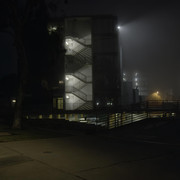
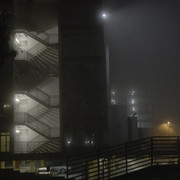
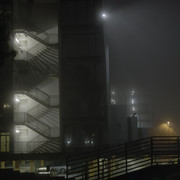
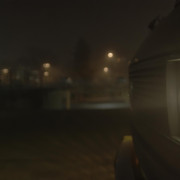
Regarding the noise reduction, I noticed that it would reduce noise when upscaling, so I did a quick test tonight. It was a misty night near the bay so I did a couple of shots to the the camera in lowlight and see how the upscale and noise reduction would work in Topaz. Here are some screengrabs:


and Vimeo links:

Original F35 HD:
https://vimeo.com/496789018/c9ce3b949c

Topaz UHD Upscaled:
https://vimeo.com/496789835/2a8e5b1119

You can download the videos for the best quality.

Rendering time was not bad at about half a second per frame using the Artemis algorithm.

Once again I think the upscaling looks pretty impressive. Maybe in the last shot the fine grain of the mist in front of the headlight gets lost a little, but overall the results are great. What do you think?

Cheers,
Igor
 
Last edited:
xdoubledark
Sorry, I changed the status of the videos to private, but did not realize the links would be different. I updated the links and they are now working again. Sorry about that.
 
Regarding the noise reduction, I noticed that it would reduce noise when upscaling, so I did a quick test tonight. It was a misty night near the bay so I did a couple of shots to the the camera in lowlight and see how the upscale and noise reduction would work in Topaz. Here are some screengrabs:


and Vimeo links:

Original F35 HD:
https://vimeo.com/496789018/c9ce3b949c

Topaz UHD Upscaled:
https://vimeo.com/496789835/2a8e5b1119

You can download the videos for the best quality.

Rendering time was not bad at about half a second per frame using the Artemis algorithm.

Once again I think the upscaling looks pretty impressive. Maybe in the last shot the fine grain of the mist in front of the headlight gets lost a little, but overall the results are great. What do you think?

Cheers,
Igor

Hi Igor,
Can the program denoise without upscaling?
The denoising is quite remarkable. The sharpening of out of focus areas with upscaling is an issue. The program is trying to form a sharp contour or edge on anything fuzzy in the frame.
 
xRayZan
Yes, you can set it to 100% scale and the program will only denoise and deblock the footage. It is very fast in rendering this way.

I also wanted to note that the newest version of Topaz 1.8.1 can render in Prores HQ. If you want the very highest quality output, you still need to output to 16bit TIFFs, but Prores HQ is a good alternative.
 
Regarding the noise reduction, I noticed that it would reduce noise when upscaling, so I did a quick test tonight. It was a misty night near the bay so I did a couple of shots to the the camera in lowlight and see how the upscale and noise reduction would work in Topaz. Here are some screengrabs:


and Vimeo links:

Original F35 HD:
https://vimeo.com/496789018/c9ce3b949c

Topaz UHD Upscaled:
https://vimeo.com/496789835/2a8e5b1119

You can download the videos for the best quality.

Rendering time was not bad at about half a second per frame using the Artemis algorithm.

Once again I think the upscaling looks pretty impressive. Maybe in the last shot the fine grain of the mist in front of the headlight gets lost a little, but overall the results are great. What do you think?

Cheers,
Igor

Hi Igor!

I tested Topaz and compared it to DaVincis super scale and I honestly did not notice a difference. The Davinci method is faster on Macs even so I would argue it would be the better way to do it, especially since you can do it directly from your export and instead of adding one extra step.

C
 
I loved the stills collection. Really powerful stuff! Do I need a high powered PC to do this? I want to do that to all my clips before sending it off to my editor/colorist.
 
Hi Jacob,

You don’t need a really powerful PC, and average editing PC will be fine for Topaz to work. In the last few weeks I have experimented more with Davinci resolve, and I think Archuk3 is right - there is not much difference, if any, with the Davincis super resolution, and you can skip having to render twice. I would recommend upscaling every clip as it still retains the F35 mojo but is perceivably sharper.

Cheer,
Igor
 
Hi Jacob,

You don’t need a really powerful PC, and average editing PC will be fine for Topaz to work. In the last few weeks I have experimented more with Davinci resolve, and I think Archuk3 is right - there is not much difference, if any, with the Davincis super resolution, and you can skip having to render twice. I would recommend upscaling every clip as it still retains the F35 mojo but is perceivably sharper.

Cheer,
Igor

Good to know about the resolve vs topaz comparison. Thanks for clarifying. I agree! I super scale all my f35 clips and adjust the settings pending on the sharpness of the lens I used. Some lenses are so sharp they dont need the extra crisp, others the sharpness help sell the look. Either way the F35 footage works really well with upscaling, keeping this camera in the conversation into the future once again...
 
Back
Top