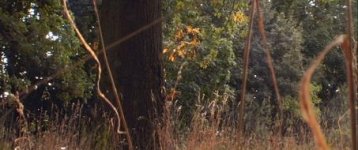
The Mud 16mm Film Look

Hello,
I tested my dvx100 with a anamorphic lens (lomo) to get 2.35:1 resolution. I just set the len in front of the camera and zoomed in till I don't see anything of the inner life of the lens ^^
does sound silly, but works perfectly.

The next step in archiving the "film-look" is to get a nice soft picture with a bit of grain in the background.
I tried the suggested movie settings, but didn't get the coloring right yet.
I want ot get as close as possible to this (see pictures)
http://imageplay.net/img/tya22323143/1374667192.jpg

The only problem is, that every time I do the white balance thing, the color is too yellow-brown or too blue.

Does anybody have a scene file suggestion to get to this look?

I really don't like computer coloring.

How can get one this grainy background without damaging the objects in focus with unsharpness?
Is it even possible with the camera? I didn't get there yet.

20130724137466726195955.jpg

1374667334.jpg
20130724137466740190690.jpg


:laugh:Thank you
 
I'm not a DP, but barring film, you may want to: use different lenses, shoot all the way wide open, shoot at sundown, slight orange CTO filter.

The first kid's face is way brighter than the reference. Shoot the faces at less exposure. The third one looks the closest, to me, but I doubt you're going to get the look the same. That 16mm image is soft, and barely sharp anywhere.
 
Was Mud seriously shot on 16mm? I saw it the other night and it looked gorgeous, never occurred to me that it might be a smaller format than 35mm.
 
Has anyone actually shot something with such anamorphic filters AND the dvx?
I get really good looking black and white images.
But I have always trouble with the white balancing in color..with and without filter.
I tested an old orange filter. But either the image is just too orange or the white balance kicks out the orange and the camera sets the image to 5600k (what just looks like without filter)..
Is it possible to trick the filter with another colored card?
I tricked it once with a blue card as a reference to get another look, but that just looks totally different.


But, maybe I'll do it with the PC, but everything I can do with premiere looks artificial-
 
And it says anamorphic in the cinematographic process

ok................................but the question was how to get close to this look setting scene files and white balance.
Actually - no offense- I don't care about what they did, because it is a different system: camera, lens, lightning, blablabla...

That's what I can do so far:
I have a 2.35:1 resolution without cutting the image. Done with an anamorphic lens.Looks FINE
I have the scene files set to a movie kind of look, not extreme sharp, but looks FINE.
I have set light on the objects to makae them appear more 3dimensional, looks FINE.
I tested several filters to get a nice warm picture, got out and filmed before sunset...well...that looked to brown or to yellow or too orange...AND everything has the same coloring. That is the big problem. Everything looks like it was just overpainted with the same color. Maybe the white balance doesn't work right.
 
I did a screenshot with VLC-player.
Thie footage is straight from tape.
Captured it with premiere pro 2 in DV-PAL standard mode.
All handheld.
Everything is in original size with 2.39:1 aspect ratio; nothing was cut off.
No HD-upres.
(I don't know why the images have different sizes after I uploaded them).

I descided to do some test shots with all AUTO SETTINGS in s*%tty sunlight...almost everywere white sky...:undecided
This was shot with my "anamorphic lens makeshift arrangement".
I used no filters and the auto-setting of the camera (even auto iris!) also the recommended scene file settings for film-like images.
Don't bother about the cinematography, the pictures are still not good enough to show in a movie.
For me, it's still pretty hard to get a really sharp picture...

The first one is a distance shot, the tower was several miles away.

vlcsnap-2013-09-26-13h15m45s34.jpg

This one was filmed out of a moving car, so everything is unsharp.

vlcsnap-2013-09-26-14h47m39s183.jpg

The closest I can get with the anamorphic lens is about 5 feet, I guess.
That's because it is a projector lens and I also have to zoom in 70% all the time, otherwise you would see the inner lens.

vlcsnap-2013-09-26-12h58m47s146a.jpg

I still have trouble with the iris settings.
Especially with white sky.
I have a cir.pol.filter, but using it makes the image look more artificial.
And I'm still trying to get as close to the 16mm film-look, as I can.
But the ND-filters in the camera won't do that well.
With auto iris every now and then the image is too bright or too dark.

All pictures where made without artificial light.
Maybe I should really do more with lighting ?

The trouble with this white sky really is a pain, because the image will always look like video.
And because of that I won't need a anamorphic lens and just shoot like video...what I'm also doing, but I really want to get this film look to prove, that the dvx is still a good alternative to DSLR :Drogar-BigGrin(DBG)
 
Last edited:
I recently listened to a podcast with John R. Lionetti, DP on The Conjuring (http://www.theasc.com/ac_magazine/podcasts.php) and he suggests that when working digitally you're better off getting it clean and adding grain, etc in post with plugins. I almost bit on some matte box filters in an auction but I'm going to see about implementing his suggestion. Anyone have any suggestions on plugins for grain, or Tiffen ProMist looks? I know Tiffen a software suite that models their filters.

Mud is a really good film and looks beautiful. That's a nice look to want to get! ;)
 
I recently listened to a podcast with John R. Lionetti, DP on The Conjuring (http://www.theasc.com/ac_magazine/podcasts.php) and he suggests that when working digitally you're better off getting it clean and adding grain, etc in post with plugins. I almost bit on some matte box filters in an auction but I'm going to see about implementing his suggestion. Anyone have any suggestions on plugins for grain, or Tiffen ProMist looks? I know Tiffen a software suite that models their filters.

Mud is a really good film and looks beautiful. That's a nice look to want to get! ;)

Well, I guess you are right.
I tried some filters, but actually you can do all that also in post (just need a good program).
I think magic bullet has something comparable to tiffen pro mist...but I'm no expert.

I just saw Speed from 1994 once again.
It was a barely sharp version. But it reminded me of some test-pictures I got from the dvx.
I think I won't get the mud look. It's just to good. But maybe it'll look like that:

http://media.theiapolis.com/d4/hMO/...dra-bullock-as-annie-porter-in-speed-1994.jpg
 
16mm ??

16mm ??

What do you think, do the following pictures look like ANY 16mm you know?

I hope the colors will be the same on your PC as on mine.
Again the cinematography is pretty ....half-baked..because it's all stills and then just trees and boring things,.. and all that isn't even quite sharp and so on ;)
I hadn't had much time and no tripod etc.

I shot with dvx and the anamorphic lens with recommended 16mm look-alike settings, but did a bit of coloring in post (with a not-so-good-program)


16mm.jpg
This one looks most like film to me.

vlcsnap-2013-10-01-23h37m08s35.jpg

vlcsnap-2013-10-01-23h37m26s223.jpg

vlcsnap-2013-10-01-21h47m04s197.jpg

vlcsnap-2013-10-01-20h53m26s247a.jpg
Lens flare ;)

vlcsnap-2013-10-01-23h13m53s158.jpg
This one looks a bit like MUD ?! --> the look I'd like to create.

vlcsnap-2013-10-01-23h13m59s254.jpg

16mm2.jpg
Maybe I went too far with saturation ?

vlcsnap-2013-10-01-23h14m41s145.jpg

vlcsnap-2013-10-01-23h36m38s253.jpg

vlcsnap-2013-10-01-20h13m21s223a.jpg
I tried this one with squeeze and the anamorphic lens.
Don't know if there is any change...

I just want to get the look right and then I can start filming something that's worth to be filmed really good.

If everything looks like sh*** you can tell me, too ;)
I don't like my own screen layout / image formation (what'S the right word?) = composition of the elements of a picture.

(I still don'nt know why the picture size differs)
 

Attachments

  • vlcsnap-2013-10-01-21h47m04s197.jpg
    vlcsnap-2013-10-01-21h47m04s197.jpg
    20 KB · Views: 0
Last edited:
If it were me, I would concentrate on my ability to tell a story, rather than obsess over getting your camera to look like 16mm film.
 
If it were me, I would concentrate on my ability to tell a story, rather than obsess over getting your camera to look like 16mm film.

I suppose you have a better cam and professional post-production programs, so that you can focus on the story and lightining and stuff.

I already have several stories. I've discussed them over a year's time. By now they are 10.
But only one can be done without a big budget.
I already know how to tell this story.
I have planned a route where the actors will walk, and where there should be the camera and how it would affect the story and the things said. Everything is already done, but felxible for changes.
The only thing left is the look.
And then of course the shooting.

The problem today is, that I don't have the spare time to shoot a full featured film or even a short story.
So I try to figure out how to get the best look with the camera instead.

I also don't have any money to get new equipment or to pay actors. So everything must be managed with less time and therefore has to be well prepared.


I don't know how you do your filming. But I like to do everything as planned and I also don't like weeks of post-processing trying to fix the mess I shot, because I just shot everything I could in different ways.
I heard that many people shoot 300h and more for a 90min movie.
I think about 300min is more that enough.

But yes, you are right!
The look isn't THAT important.
But then it's the first thing you will see...so...it's important in some way ;)
 
When I go see a movie, I could care less what camera it was shot on.

Either I was entertained, or I wasn't.... Bottom line!

Good for you.
I can see whether the movie was shot on ari xy or red with xy lens..maybe it has something to do with knowing about things.
But I don't watch movies to be entertained.

But anyway. Who cares?
The question was, if the image looks like 16mm and NOT if you or me like this or that.
The question was NOT if somebody needs a specific look to get entertained or not.

Maybe your opinion was just a statement because you can't say anything about the question.
So why I am answering to statements nobody needs ?

If it isn't worth trying to get the wanted look, why losing time reading my post?
I think you're just pissed off and have nothing constructive to say.
 
Back
Top