GH4 Terrible greenish chroma noise at LOW ISO

digifruitella

Active member
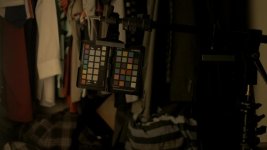
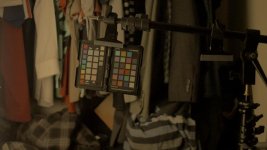
Hi guys, got my GH4 last week...went on two shoots where I shot indoors but with relatively good lighting. Didn't go over 800 on the first shoot, and on second, kept my ISO at 400. All lenses are 2.8s + Speedbooster, which I think brought my aperture to 1.8...

Picture profile was Cine V on default. Pedestal 0. But both i.Resolution and i.Dynamics were on high. Shot in 1080 @ 24fps.

Both shots below samples from 100% crop.

Screen Shot 2015-06-19 at 5.06.52 PM.jpg
Screen Shot 2015-06-19 at 5.08.51 PM.jpg

This greenish chroma noise is all over the image but it really stands out against shadow or black backgrounds.

When I compared it to T2i footage from the same event.... T2i's noise was minimal...

Look for yourselves. 100% crop sample

Screen Shot 2015-06-19 at 5.12.58 PM.jpg

Last night I turned off both of the i.Res / Dynamics off and played with some of the Cine V settings bringing down contrast and saturation... and on some of the shadow areas, the image broke down entirely... I'm thinking I have a faulty unit at this point... because this almost can't be GH4? or is this common? and how do I fix it?
 
Nevermind. I found the solution.

Did some tests and

I applied the Cine D (-5, -5, -5, -5, 0) profile to a couple of tests in 200 ISO. I can confirm one thing... to my eye, boosting pedestal to 15 only slightly increases the noise. What SIGNIFICANTLY adds noise is when you TURN i.Resolution and i.Dynamics ON - I did my tests with HIGH, because on TWO back to back shoots that's what I had mine on without fully grasping it was adding a TON of noise, and green splotches all over the image. It does that REGARDLESS of what Profile you have on. Cine D or Cine V. I tested both Cine D with the aforementioned settings WITH pedestal of 0 and 15... and Cine V (default settings of 0, 0, 0, 0, 0) and pedestal of 0 and 15... and I can confirm that those two "i." options will add noise to your image REGARDLESS of how low your ISO is. Kind of sucks, but it's good to be aware of the fact that cranking up PEDESTAL ALONE doesn't seem to be too much of the culprit. So whoever is reading this and is having ISO issues with nasty greenish splotches of artifacts... turn those options off.
 
It was the iDynamic for sure. That only has utility in good light (<= ISO 400), and even then you better keep it on low. To my understanding, it does a localized digital ISO boost, not a true amplification, so it really can wreck an image.
 
Yeah I can now CLEARLY see the difference. Just look at how much brighter and therefore noisier the image with those two settings on HIGH.

Cine D (-5, -5, -5, -5, 0) i.Resolution and i.Dynamic OFF, Pedestal +15
18972981142_df9ddc1e97_h.jpg

Cine D (-5, -5, -5, -5, 0) i.Resolution and i.Dynamic ON HIGH, Pedestal +15

18981363181_bb1d6aac53_h.jpg

both were at ISO 200 and wide open with Speedbooster (1.8?)
 
Yeah I can now CLEARLY see the difference. Just look at how much brighter and therefore noisier the image with those two settings on HIGH.

Cine D (-5, -5, -5, -5, 0) i.Resolution and i.Dynamic OFF, Pedestal +15
View attachment 102395

Cine D (-5, -5, -5, -5, 0) i.Resolution and i.Dynamic ON HIGH, Pedestal +15

View attachment 102396

both were at ISO 200 and wide open with Speedbooster (1.8?)


And aggravated by the apparent 2+ stop under exposure on my monitor! It would be interesting to repeat the sequence at, say, ISO 800. I'll bet a nickel or two that the noise - and severe shadow macro-blocking in the first - would be improved on both.

The usual speed-booster gives you a 1-stop boost to f/2.0 with a native 2.8.

Pete
 
I've done a ton of tests with iDynamic in particular, the bottom line is if there is low light or the sensor is starved a bit for light ...histogram to the left etc...then yes iDynamic will add noise, no doubt about it.
But if the light is good (Daylight etc..or with well light video lights) and there is high contrast...(shadows etc..) then iDynamic on low or Med works great and does not add noise...at least none that I can see.
In other words its poison in one situation, but an assett in another, thats my findings.

BTW I dont think Cine-D is the go...at least not for me, especially with all the -5 setting, Natural to me..looks way better, in the reds, pinks and oranges.
Have a look at this vid of T-Slam shot in Natural....of course you cant see the skintones because of the makeup, but the colors and general feel of the vid look good to me..
Not my vid BTW..I am just posting a link, you can download it in 1080P
https://vimeo.com/125389854
 
Back
Top