Tascam DR40 - Using it to record live performances through house mixing desk

DanielRutter

Active member
Hey guys;

Considering how popular this recorder is, I'm surprised to find there is bugger all info on this problem through google searches.

I recorded two live sets for some heavy metal bands in my local area yesterday, and had trouble feeding the house mix into my DR40. I had the recorder set to "dual record" mode, house mixer fed into the recorder via a RCA to 3.5mm jack cable (REC out connections on the mixer) and a VXLR adapter. When adjusting the input levels on the recorder (buttons on the side) I could not lower the volume enough to dodge the distortion/clipping. I found switching from Mic input to Line input (via the switch on the side) manages to stop clipping (as did having the dual record function record at -12db)... but I could not lower the volume all that much. Also, the desks I run into at these gigs do not have a line-out/REC Out volume adjust... so I can't fiddle with that.

I've come from using a Zoom H1 on these live performance recordings, just feeding the house mix into the Zoom via RCA to 3.5mm cables, and if the mix was too loud, I just adjusted the volume using the buttons on the side. I could completely stop all audio coming in by lowering the volume to 0, but on the DR40... this does nothing. So either something is wrong here, I'm missing a setting, or... there is something I haven't thought of.

I've heard of Attn Pads, but I have no idea what I'm looking at. All I want to do is record house mix audio into my DR40, and not have to worry about audio while I'm shooting (I am a lone-shooter for the most part). Someone point out what I'm doing wrong?

Help?
 
I found switching from Mic input to Line input (via the switch on the side) manages to stop clipping (as did having the dual record function record at -12db)... but I could not lower the volume all that much. [..]
I've heard of Attn Pads, but I have no idea what I'm looking at.

1) Strange. That's the first thing I would have thought as well.
2) I would think that something like this would be a good investment for the price. Did you asked Huey?
 
I've actually just worked out that... for some reason, the "input volume" buttons are NOT adjusting volume for me at all! I tried with just the internal mics, lowered the input volume to zero... still getting audio when I shouldn't be.

There is something seriously amiss here. My guess is I have a dodgy recorder... so it's on the phone to Tascam tomorrow about replacing the unit. Don't know how that will work when I bought it off ebay... but we shall see.
 
You're using the 'Input Level' on the side of the recorder, correct? (and not the + and - buttons on the front which control headphone volume). Also, is auto-levels set to off? I believe you press the Quick Button --> Level CTRL --> OFF. If auto level was selected, that could be part of your problem.
 
The output levels of live mixing consoles are HOT, meaning they have very high output levels. Even if you turn your recorders level down to almost zero you still could very well be overloading the inputs.

drapeama's suggestion of an in-line pad/signal attenuator is a good idea. Just know that, in some cases, -25dB may not be enough.
 
Hey guys;

Considering how popular this recorder is, I'm surprised to find there is bugger all info on this problem through google searches.
...
I've heard of Attn Pads, but I have no idea what I'm looking at. All I want to do is record house mix audio into my DR40, and not have to worry about audio while I'm shooting (I am a lone-shooter for the most part). Someone point out what I'm doing wrong?

Help?

With all due respect I would say if you don't know what pads are then probably the problem is not with the device but with your not knownig what your doing.

I did many of the same kind of things in my long learning curve so that is not a slap down but a recommendation that when things like this come up you think of it as "what did I do wrong" rather than "what is wrong with this box". Most of what I have learned has been from doing something stupid, realizing it was probably my mistake and learning what I wa doing wrong.

OK lecture over.

If you have looked through this list you will see that recording amplified bands by going through the PA mixer is generally not a good choice. You are not getting what you hear because amplified instruments generate a lot of their own sound. It works a lot better with a stadium gig because everything will be going through the mixer.

IF the auto level is off then you may well have a defective unit.

For the DR40 you might want to look at using 1/4" plugs into the line in's. The reason is you are more likely to get unbalanced cables that work.

You absolutely need to go line in. The DR40 will be expecting +4 and the mini plug will be getting something like -10 so overloading should not be a problem.

Assuming you have permission and everyone is cool with you recording, I'm guessing yes or you wouldn't be getting a board feed, I would instead set up a mic pair and record from the mix position. You will be getting a much better mix and you will have control of your whole audio chain.

The DR40 might even be able to handle it with the built in mics? Really depends on how loud it gets. Worst case you could use a SM58 pair.
 
I have two DR-40s , I've never had that problem because normally when I have the recorder set to line level, I'm controlling the input with a sound devices mixpred ,

I just noticed this reading the manual:

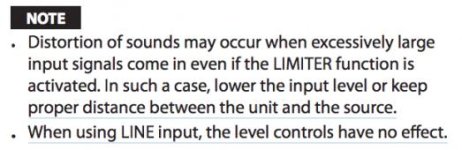
When using LINE input the level controls have no effect.

I didn't know that about the unit ... you are out of luck then in LINE input mode unless you can actually control the level from the mixing desk. Or get some mic level pads: http://www.bhphotovideo.com/c/product/135093-REG/Pro_Co_Sound_MAX20_MAX20_In_Line_Pad.html

Rather than DUAL mode I'd recommend to record in 4Channel mode... You'll get the sound from the desk plus the house sound which you can mix later... board mixes tend to sound very dry and often not great.

Don't forget to set the time delay of how far your DR-40 mics are from the front of the stage, it lets you set the amount of meters away so your two recordings are in sync.

Screen Shot 2013-09-01 at 7.37.43 PM.jpg
 
I've actually just worked out that... for some reason, the "input volume" buttons are NOT adjusting volume for me at all! I tried with just the internal mics, lowered the input volume to zero... still getting audio when I shouldn't be.

There is something seriously amiss here. My guess is I have a dodgy recorder... so it's on the phone to Tascam tomorrow about replacing the unit. Don't know how that will work when I bought it off ebay... but we shall see.

That happens when level control is set to auto. See page 49 of the manual.
 
The output level of the mixing board must have been WAY to hot.. especially via an unbalanced connection which is usually -10dB... and possibly distorted at the source mixer's output stage. The DR-40's line level mode expects a +4dBu (nominal) signal. The (line) record trim adjust, allows about 6dB.. plus or minus, if I recall correctly. This is adequate if the source level is correct. If not, the source level needs to be adjusted externally, prior to hitting the recorder. Unlike most budget recorders, I recall the DR40 in line level mode, does not go through the mic preamps.
 
Back
Top