GH13 Suggestions on how to reduce horizontal banding in post - FCP

xocomil

Well-known member
I was filming at night with very little light (it needed to be that way) at iso 800+ with the 20mm pancake wide open.

Any suggestions on how to reduce vertical banding in post (I'm using FCP)?

I've read a little bit about settings that reduce the banding (increasing sharpness and contrast and shooting in nostaligic mode) but it's too late for me now ...

Thanks.
 
All you can do is soften which results in lower apparent resolution... Just be aware banding is often more apparent on the desktop preview than it will be on a DVD/HD monitor...

Noah
 
Thanks Noah. The story will be broadcast on HD 1080i (shot 25p embedded in 50i stream).

Any other suggestions for getting rid of banding? I take it Neatvideo plugin won't eliminate banding ...

Thanks
 
Adding a bit of noise/grain filter into the shot may distract away from it. But again- I'd be really careful in evaluating this on your 8-bit desktop display. It may be far less pronounced than it appears to be. I'd check a final output on a real broadcast monitor before spending a lot of time trying to fix a problem that may not exist.

Noah
 
Member the doc came up with a Neat Video method that worked well for him. It seemed to accentuate 8 bit colour banding (the stuff that looks like map contours) a little but otherwise left the clip unharmed. Vertical banding very much reduced:

http://www.dvxuser.com/V6/showthread.php?234142-Neat-video-for-GH1

You should be able to apply his method to your previously shot clips, providing you still have the camera for generating a profile.
 
pretty sure OP is speaking of FPN, not color banding...

Pattern noise = no escape. Only thing you can do is adding stuff. Flat/vignetting combo is what i've used, works OK. Premiere's "lightning effects" (whatever the heck it is really) you can flatted it directional.

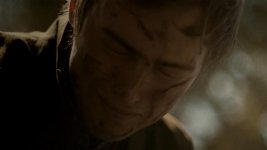
Example, here i've darkened the left part of the image where the shadows crawl with FPN, lifting with light from the right also makes the viewer look more at the actor and thus "hiding" noise further. Be bit creative & skip the plugins, cus they will NOT calculate patterns for you.

vlc 2011-05-21 08-31-09-81.jpg
pencil.png
 
Thanks for the advice everyone. Looks like a little trial and error will be required. Fingers crossed ...
 
Back
Top