Strapping color profile on short film

kyle.presley

Well-known member
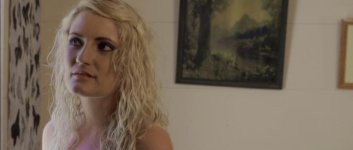
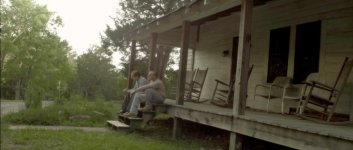
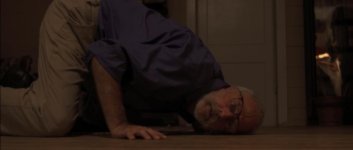
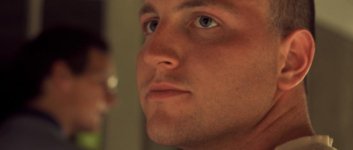
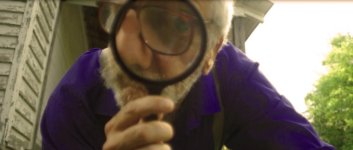
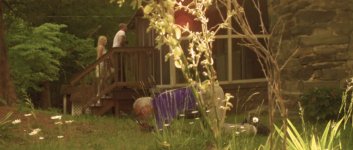
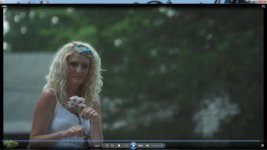
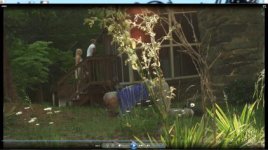
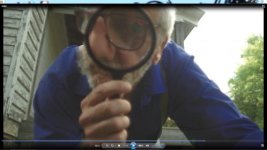
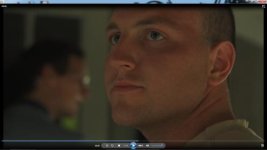
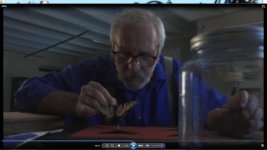
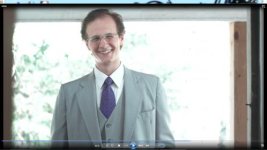
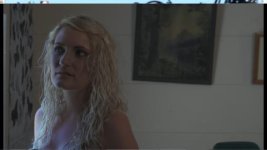
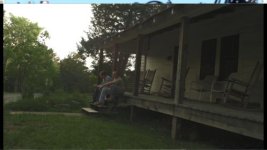
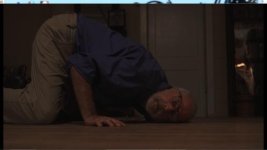
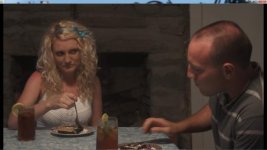
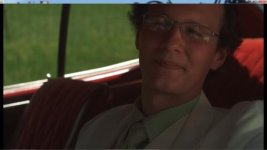
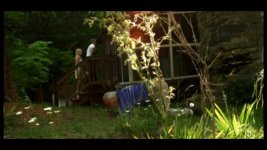
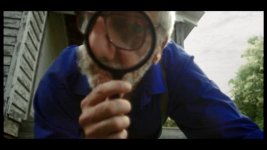
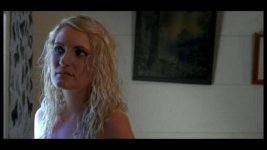
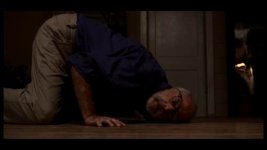
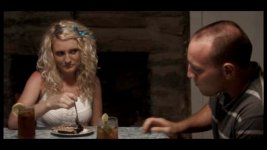
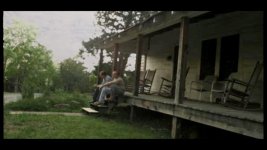
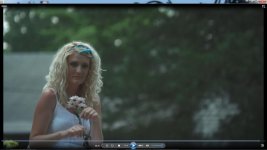
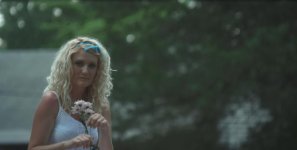
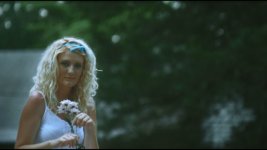
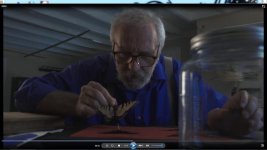
Hey, just wanted to share some graded stills from a short film I'm working on. I'm using the other Kyle's strapping color profile on v2 firmware. Let me know what you think. Thanks Kyle.

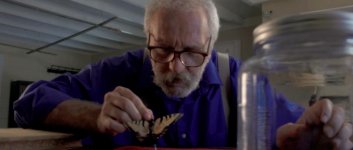
12.jpg6.jpg7.jpg8.jpg9.jpg11.jpg10.jpg5.jpg4.jpg3.jpg2.jpg
 
Yeah... and the skin tones are off, seems to be some noise, and they are not really sharp. It's almost like if these shots were underexposed and you lifted the mids too much. Is it the case? Did you have any lighting instrument?
 
Yeah, color grading is very subjective. But in some of these grabs there are serious issues. Inside of the fireplace is the worst of these. It looks as if you dropped the contrast to far down and lifted the mids. Maybe it's in cam, but thats not to say a few minor adjustments cant get it to where it should be. Everything else looks great, framing, locations, ect.... Just tweek the grade, and then your there.
 
Whoah, ok. Just looked at this on a different monitor and they look terrible. I was you could see what I was seeing... Gonna regrade and repost. Thanks everyone. I calibrated my laptop monitor, but there's not much I can do... Apparently it's just off.
 
Last edited:
No one will ever see what you see. It's the sh*tty nature of color work.

There are a few things you can do, though, to help:
  • Try to avoid grading on a laptop. Laptop screens are LCD and have a very, very small viewing angle, meaning what you see looking at it head-on will change drastically when the screen is tilted even slightly. Also, anti-glare screens will give a different look from glossy screens. CRT's are great as a reference or for grading footage like that of a DSLR. I've graded two films shot on the EPIC and a couple shot on FS100/F3/C300 using a 60" plasma. Having a 100+ degree viewing angle, rich blacks, and standard controls for calibrating to SMPTE color bars is truly heaven. It's not a true broadcast monitor, but it gets the job done.
  • When you say "calibrate," what tool(s) are you using? The broadcast standard is to calibrate to color bars, but with digital monitoring, it's a little different. Every monitor is going to look different, but you can (and should) still tune your screen using a blue-only filter, if you have it. Most consumer LCD's, like that of laptops, are not going to have these controls - another reason why grading on a laptop is a bad idea.
  • When grading, I find it best to set my contrast first. Looking at my histogram, I pull the blacks down until one of the colors (R, G, B) is right at 0. Then I jog the black saturation until I get a true black. I do the same then for whites, although this is much trickier since the quality of highlights is dependent on so many things - quality of the roll-off or where the highlights live in the image (sometimes over 100 IRE, sometimes 60 IRE); if the brightest thing in frame is something you don't want to be pure white, like skin; etc. This is where you have to tweak highlight levels and desaturate those highlights until you get a nice white; just keep an eye on the skin tones. The reason getting a true black and a true white is important is that your color is registered in digital computer talk, so 0, 0, 0 (RGB) will be black on any monitor wherever because it is a true black. Same with 255, 255, 255 (both in an 8-bit space).
  • After that, you can set your mids, keeping an eye on your blacks and highlights so they don't clip. A lot of your screengrabs are missing a highlight, so be careful of where you put your mids. You might muddy the image too much, especially if the image is already quite dark and low contrast.
  • Again, highlight and shadow saturation are your friends.
  • Keep an eye on where the skin tones of faces lives on the waveform monitor. 40-70 IRE is good. Anything above that will be really hot, and anything below you risk someone's bad monitor or projector hiding the face in darkness. The face is usually the most important thing on screen, so always grade for it.
  • Always test your grades on a s*%tty setup. I toggle between two profiles I've made on my MacBookPro that feeds the plasma - one that is calibrated and perfect; one that is the "worst projector possible." If it looks great on both, it's good.
  • When posting screengrabs, use TIFF or PNG with no compression. JPEG is highly compressed, and will render your shadows as a banding mess.
  • To that, tech check your films before you ever have them screened. I was at a festival the last two nights in Fort Worth, and one of my films showed the first night, and I didn't check the projector first. The blacks were grey, and it was incredibly green. I came in early before the next night's films to fix the projector. Once you spend all that time working on color, you don't want anyone or anything to negate it!

What color suite do you use? I realize I was mostly talking about the program Color, which is RGB-based, and you might be using FCP's built-in corrector, which is YUV (contrast independent of color saturation).
 
Last edited:
I graded those in photoshop to approximate the look I wanted. I will probably use a combination of After Effects and Davinci Resolve Lite (free). As for calibration of my laptop screen... No proper calibration, just using Windows 7 to "calibrate..." It is not really calibrated. I set the white point where it needed to be and that was about all I could do.
 
You guys see what you can do then...
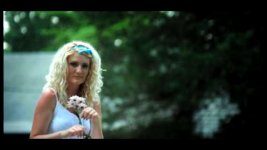
pretty low rez sources, but hey.. lets have some fun!

as always it's all about salt-n-pepper to taste, worked in 709, expanded to full range when making the Jpg's... didn't with play a couple that had so much compression in the source that it was too much of an uphill battle to do for fun;
test 1.jpgtest 2.jpgtest 15.jpgtest 6.jpgtest 8.jpgtest 9.jpgtest 11.jpgtest 12.jpgtest 14.jpg

what i see on my MBP's screen is as close to what i see on my calibrated mon as one is likely to get... i set my screen to D65 & 2.2 gamma, use a SpiderIII about once a week - none of these took more than a min or two & i have no idea what you want out of them, but unless there's issues with the camera orignal footage that i can't see in these low rez screen grabs, then i think you have everything you need to make great images on the screen, but get yourself infront of a proper monitor!
 

Attachments

  • test 3.jpg
    test 3.jpg
    49.2 KB · Views: 0
Last edited:
Solid grades, Dermot.

Kitchen table and the girl in front of the fireplace are totally transformed.

Someone give him full rez stills to work on!
 
Sorry! gonna upload some larger ones, dvxuser scaled them. Great looking grades. i was given a large flat screen wide gamut crt monitor today and will try again on the grades using that. I think dermot's grades look really good! But.. kinda hard to tell on my laptop screen.

BTW, the new monitor is an NEC Multisync FP1350. Anybody know anything about these? The picture on it looks great and can be fine tuned. Weighs 85 pounds though!!
 
Last edited:
Sorry! gonna upload some larger ones, dvxuser scaled them. Great looking grades. i was given a large flat screen wide gamut crt monitor today and will try again on the grades using that. I think dermot's grades look really good! But.. kinda hard to tell on my laptop screen.

BTW, the new monitor is an NEC Multisync FP1350. Anybody know anything about these? The picture on it looks great and can be fine tuned. Weighs 85 pounds though!!

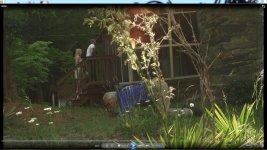
Seems pretty good from what little i could find on the web about them, the weak link on any CRT is drifting due to ageing components.. make it last as long as you can, turn it off when you don't need accurate color... and maybe look at something like this, and make a profile it every few days;
http://www.bhphotovideo.com/c/product/798928-REG/X_Rite_CMUNDIS_ColorMunki_Display.html
 
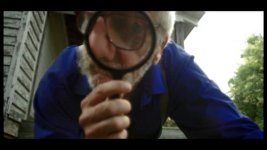
OK, so I did some testing. The CRT matches my SD TV almost perfectly. My TV has everything set to factory except a little added contrast. Here is something I graded with this set up. I think it turned out much better:

Also, here are the high res stills:

7188509846_4930aaa5cb_b.jpg
7188532268_d4096c4c8b_b.jpg
7188558964_1ba47258b2_b.jpg
 
I just can't believe people are wasting time on these low-res files.... If I didn't know anything about the FS100 this would scare me away.
 
Back
Top