
Navigation
Install the app
How to install the app on iOS
Follow along with the video below to see how to install our site as a web app on your home screen.
Note: This feature may not be available in some browsers.
More options
You are using an out of date browser. It may not display this or other websites correctly.
You should upgrade or use an alternative browser.
You should upgrade or use an alternative browser.
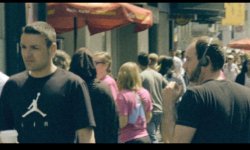
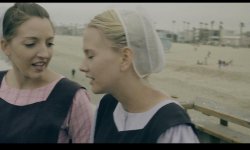
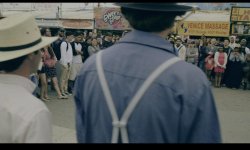
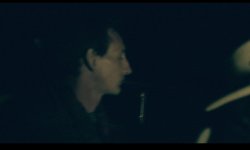
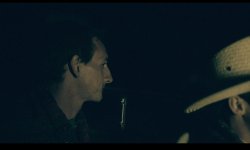
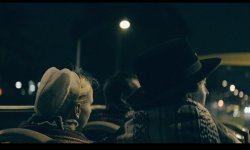
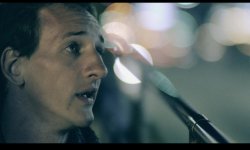
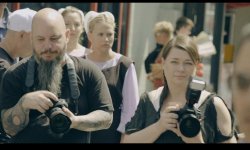
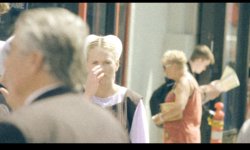
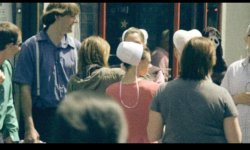
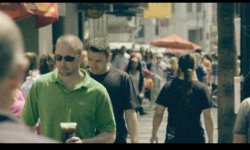
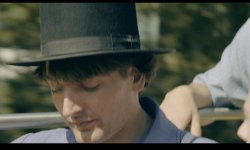
Stills using Filmconvert with F35
- Thread starter eddavid
- Start date


jenningsp
Well-known member
Looks pretty sick man! i've been messing with film convert a bit too. can't quite figure out a way to process s-log nicely though. everything feels a little to brutal. how are you going about it?
i'm using the slog-cineon LUT and then arri alexa filmLOG setting as a base.
i'm using the slog-cineon LUT and then arri alexa filmLOG setting as a base.
Jusgorilla
Well-known member
Looks pretty sick man! i've been messing with film convert a bit too. can't quite figure out a way to process s-log nicely though. everything feels a little to brutal. how are you going about it?
i'm using the slog-cineon LUT and then arri alexa filmLOG setting as a base.
Which software are you using to grade?
What codec is your footage?
Firstly, Arri alexa LogC profile is more suited, C stands for "cineon"
If you using prores on mac, the infamous gamma issues are plaguing your results, the footage will appear darker/more contrasty to start off with prores.
Jusgorilla
Well-known member
Ed! so film like!

jenningsp
Well-known member
Which software are you using to grade?
What codec is your footage?
Firstly, Arri alexa LogC profile is more suited, C stands for "cineon"
If you using prores on mac, the infamous gamma issues are plaguing your results, the footage will appear darker/more contrasty to start off with prores.
Yeah I meant LogC
 I'm using a mac, prores, and filmconvert within premier CC. but that gamma shift and not using the full range (100+%) within premier is what's killing me i think. As soon as i bring it into davinci + data levels, it's amazing every time. Might have to test some more… is DNxHD the answer? i have a vague memory it doesn't record the full range?
also sorry for going off topic Ed!
Jusgorilla
Well-known member
Yeah I meant LogC
also sorry for going off topic Ed!
I haven't tried dnxhd, but Ive heard it handles full range without issues.
Yes Resolve "data levels" is the answer.
In Premiere use a "fast colour corrector" first, and bring up the blacks and bring down the whites (to get the full range in)
Then use lumetri with Slog-> cineon
Then film convert with arri logC

eddavid
Carbonite Member
Thanks guys - looking at some of those stills too green - I could go back in and fix that - the dreaded F35 green look
Public Enemies shot on the f23 - man that movie gives me so many nightmares about what the F35 - well what kind of you don't want it to look like - no offense to anyone invovled in that film if you happen to read this by some random reason which I kind of hopefully doubt.
I was using the Canon 5d Standard profile but now I'm using the Arri Alexa log c profile - more control over saturation and curve.
I am loving film convert - more than Osiris - I bought that LUT kit too after I saw some amazing videos on their website. The stand alone program is quick and easy enough for me to make dailies on set with a look that is more LUT-ready than the log stuff. That was one of my problems shooting flat and log - trying to make sure when it came to color time they added a s curve and saturation and all that good stuff - now I have some control over it and can still give them the log stuff.
F35 is great - you gotta believe. Thanks again Mac.
Public Enemies shot on the f23 - man that movie gives me so many nightmares about what the F35 - well what kind of you don't want it to look like - no offense to anyone invovled in that film if you happen to read this by some random reason which I kind of hopefully doubt.
I was using the Canon 5d Standard profile but now I'm using the Arri Alexa log c profile - more control over saturation and curve.
I am loving film convert - more than Osiris - I bought that LUT kit too after I saw some amazing videos on their website. The stand alone program is quick and easy enough for me to make dailies on set with a look that is more LUT-ready than the log stuff. That was one of my problems shooting flat and log - trying to make sure when it came to color time they added a s curve and saturation and all that good stuff - now I have some control over it and can still give them the log stuff.
F35 is great - you gotta believe. Thanks again Mac.
Last edited: