

cathstrat
Active member
Hi All,
I haven't been here in a while but now I'm having a problem with my AF100 and I need help!!
The other day, before shooting, I noticed when I looked through the camera that there was a weird fuzzy round spot. I thought at first it was a dirty lens at first. Cleaned the lens, cleaned the lcd and viewfinder -- no luck. So, I changed the lens to see if it still appeared. It did.
Next I decided to see if one of the ND filters -- that cover the sensor -- were dirty. Cleaned them all. No luck.
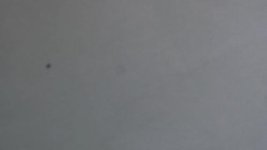
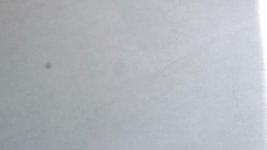
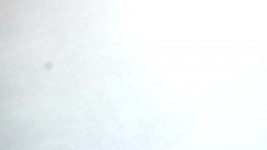
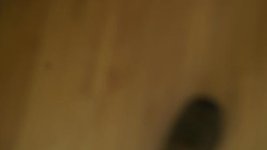
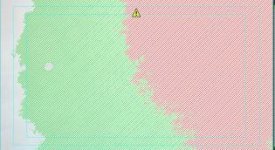
Not sure what to do next. I have attached screen shots for you to look at shot at different exposures -- just cause it looks different at different exposures. These are pngs. I also did a 'grab' of a frame showing overexposed range check green and red lines. I did this so you can see that the circle (spot) I have does not seem to be affected by the overexposure indicated in the rest of the frame.
I hope you all can figure it out for me and that the overall judgement is -- your camera is fried . . . .
please see attachments . . .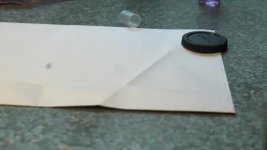
I haven't been here in a while but now I'm having a problem with my AF100 and I need help!!
The other day, before shooting, I noticed when I looked through the camera that there was a weird fuzzy round spot. I thought at first it was a dirty lens at first. Cleaned the lens, cleaned the lcd and viewfinder -- no luck. So, I changed the lens to see if it still appeared. It did.
Next I decided to see if one of the ND filters -- that cover the sensor -- were dirty. Cleaned them all. No luck.
Not sure what to do next. I have attached screen shots for you to look at shot at different exposures -- just cause it looks different at different exposures. These are pngs. I also did a 'grab' of a frame showing overexposed range check green and red lines. I did this so you can see that the circle (spot) I have does not seem to be affected by the overexposure indicated in the rest of the frame.
I hope you all can figure it out for me and that the overall judgement is -- your camera is fried . . . .
please see attachments . . .


