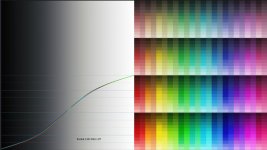
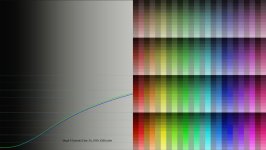
F55: Split Screen comparison of Venice-like LUT vs. LC709TypeA LUT

In Resolve 12 and 14, I always used RCM to transform from S-Log3/S-Gamut3.Cine to Rec.2020/St.2084 when grading for HDR10. But since I do agree with both Doug and Alister about the advantages of 1-2 stops over-exposing, it always bit me that the conversion takes place before I reduce the exposure to the proper levels.
If you over expose two stops you potentially clip two full stops off your dynamic range at the high end, for HDR it is even more critical to expose right.

Introduction of OFX gamma/color space transform in Resolve 15 has totally solved this problem for me, as - using the basic DaVinci YRGB workflow - I can now bring the levels down to the right ballpark in the first node
OFX gamma/gamut transform is not new in Resolve 15, what is new is to apply adjustments for a particular color space/gamma for a single node. This was already enabled for certain formats like L*a*b or YUV but is now extended to all available gammas and gamuts.
 
Last edited:
If you knew what they were going in, then even picking one LUT to be "A" and the other to be "B" is a biased decision. That's the rationale behind a true double blind test. .

You've got two eyeballs don't you? That makes it double blind! :-)
Seriously, I get what you are saying.
 
I guess we have to agree to disagree on preferring color space tranforms over LUTs and on exposing right instead of being two stops off. :)

Not yet. I repeat the question you conveniently ignored. Which of the S-LOG capable cameras do you own and how do YOU expose for LOG or RAW? Also, please show us some footage that was shot and graded with your methods.
 
Not yet. I repeat the question you conveniently ignored. Which of the S-LOG capable cameras do you own and how do YOU expose for LOG or RAW? Also, please show us some footage that was shot and graded with your methods.
You apparently want to get personal, well I pass on that.

Perhaps you might want to review things, you state you expose 2 stops off because "Sony is wrong", now ACES is apparently wrong too, and mathematical color transforms are causing highlights to be unrecoverable unless blacks get blocky, I suppose they are wrong as well too.

See the pattern? Everything is wrong, Sony, the Academy, BlackMagic and even the people who want to bother to help and offered to walk you through it using Resolve are now wrong.
And now on top you want to get personal?

Have a nice day but I pass!
 
There is no wrong, but a better way might be to think..

Sony suggest some settings that are optimal to a different scene to Dougs typical scene.

Once Sony and Doug deviate, then Aces goes wrong because it is getting a wrong input.

The thing is most people shooting a lot with these cameras have a similar exposure approach to Doug, even those who are certainly not prone to agreeing with him on all matters :)

--

There are many cultural reasons why large organisations might be 'wrong'
Academy would doubtless be conservative with some evaluations, to maintain quality.
Sony could be generous to get headline specs.
Most of us operate in a practical middle between the two.
 
Cary, I found your mistake, two if you count the egregious one of not testing your own workflow. I appreciate that within about a minute of posting mine, Doug had tried it. If you had done the same with your own, you'd have found the problem. Or maybe you missed the part about Doug wanting to use a Venice lut, or you assumed too much by leaving out important details when Doug tried it exactly as you posted it. Whichever, Doug was being fair because he tried yours too and gave honest feedback.

The process of using OFX nodes is fine, the color space transforms are identical to the ones in the project settings but with the additional benefit of being clip by clip, but the input to the Venice lut requires S-Log3/S-Gamut3.cine. Your OFX color space output recommendation was for Rec709/Gamma 2.4 so the lut wasn't receiving the expected input. Change the output space to S-Log3/S-Gamut3.cine and try again.

I have since tried it, it works perfectly, maybe Doug will give it another whirl, maybe not.
 
Last edited:
Your OFX color space output recommendation was for Rec709/Gamma 2.4 so the lut wasn't receiving the expected input.
I was showing a workflow without the use of LUTs, you do not need LUTs. There was no mistake.

Why people want to use Resolve, which has top quality color space management, and still use LUTs for technical transforms is beyond me.
 
Doug,
I commented on Vimeo, did not know there would be a discussion here. Oh and by the way I do the same two stops different then Sony recommends with great results using SLOG 2 or 3 with my FS7. Grading is personal taste and we all have our way of adding our touch.
 
I was showing a workflow without the use of LUTs, you do not need LUTs. There was no mistake.

Why people want to use Resolve, which has top quality color space management, and still use LUTs for technical transforms is beyond me.

He's not needing the Venice lut for a technical transform, it's an artistic one. There is no equivalent transform in Resolve.
 
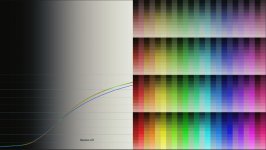
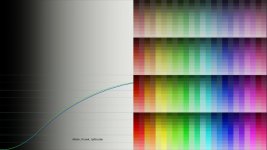
Out of curiosity I looked at the Venice LUT and compared it with the standard SLog3.Cine gamma/gamut LUT, I also used a Kodak film LUT (50%) after using a color space transform to Rec.709 for comparison based on a 100 IRE max value.
I noticed the Venice LUT does not expand fully into the Rec.709 range.
Perhaps the Venice camera uses the SLog3 range differently?
I don't know if that is the case but then I would question the suitability for cameras that do not have this higher range.
 

Attachments

  • Kodak.jpg
    Kodak.jpg
    45.5 KB · Views: 0
  • Venice LUT.jpg
    Venice LUT.jpg
    44.7 KB · Views: 0
  • Venice LUT Resolve.jpg
    Venice LUT Resolve.jpg
    45.7 KB · Views: 0
Last edited:
"I don't know if that is the case but then I would question the suitability for cameras that do not have this higher range.:

Good point Cary. I think this is why Alastair did his slightly modified version (on his website).
 
"I don't know if that is the case but then I would question the suitability for cameras that do not have this higher range.:

Good point Cary. I think this is why Alastair did his slightly modified version (on his website).
I checked Alister_V-Look_1p00.cube and that range seems to be ok (the charts use Ref 0-100 IRE).
 

Attachments

  • Alister.jpg
    Alister.jpg
    44.1 KB · Views: 0
Hi Dennis, thanks for the suggestion. So I watched Juan's video and then followed his steps precisely on several of my clips. Then I compared those results to the results I got grading my normal method (the one that Cary says is all wrong) and the results were surprisingly similar, but in every case I liked mine better. His method really created some ugly banding in some shots, particularly the lit match on the black background. The flame was a mess. But even if, for the sake of argument, I say it was a tie between the two methods and they both looked equally good, my method still wins because it so so much simpler. 1/10 as many steps as he shows, plus he never even actually does any grading in his video. It takes him dozens of steps just to get to the point where he's ready to use the wheels for grading. Juan seems hell bent on getting S-LOG converted to LogC so he can deal with it on familiar terms. But I don't come to the table with his bias towards S-LOG and I don't have any need to mix S-LOG into an Arri workflow, so all this floundering about to get the footage transformed is a complete waste of time for me. I don't mean any disrespect to Juan because I'm sure he's 10x the colorist I'll ever be, but I wonder what would happen if he really spent some time learning how to grade S-LOG as S-LOG rather than immediately bailing out and converting it to something else?

The bottom line is that I'll stay with the methods I've been using for the last four years -- with one exception -- I do do like the look of starting with the new Slog3-S-Gamut3.Cine_To_s709_V200 LUT as my base rather than the old Slog3SGamut3.CineToLC-709TypeA LUT or the Arri Alexa LogC to Rec709 LUT.

Out of Juan's workflow, Cary's worklflow, and Tom's workflow, the only one that even came close to being good enough is Tom's. I could use his method and be happy, but ultimately I still prefer my own.

BTW, everyone is correct.
Side A is Slog3SGamut3.CineToLC-709TypeA
Side B is Slog3-S-Gamut3.Cine_To_s709_V200

Hey at least you tried and gave it a fair shot!

Sometimes simplicity is best.
 
RECAP:

The LUTs used in the first split screen test were:
A: Slog3SGamut3.CineToLC-709TypeA
B: Slog3-S-Gamut3.Cine_To_s709_V200

As everyone knows by now, LUT B was released by Sony to give the F55, F5, and FS7 a "look" that is similar to their new Venice camera. I can't say whether it accomplishes that or not because I have not shot with the Venice, but I can say that I do prefer using this new Venice LUT as a starting point for grading S-LOG3/Cine footage rather than the older LC-709TypeA LUT. The video you see on this page is what I personally like as a final grade of the footage using the Venice LUT as the starting point. I'm not saying the grade is perfect, but I didn't spend too much time on it and I think it looks good enough for most purposes. You may have done the grading differently, and I might even have graded some shots differently on a different day, but this is what looks good to me today. If you are interested in seeing a split screen between my final grade and the footage from the previous test that only had the Venice-like LUT applied but no actual grading (labeled as LUT B), you can jump ahead to timecode 1:09:30. Note that on the right side of the screen (B) you will be looking at exact same footage you saw on the right side of the screen in the first video. But on the left side of the screen you will now be seeing the graded version of the footage from the right side of the screen. I hope that makes sense.

 
I checked Alister_V-Look_1p00.cube and that range seems to be ok (the charts use Ref 0-100 IRE).

Alister gave me the following explanation for the nomenclature of the lut names:

"Those are the offset LUT’s for different Exposure Indexes or different offset exposures. -2p00 is -2.0 stops for footage shot 2 stops bright. The LUT bringing the 2 stops bright footage down by -2.00 stops."

So the one you tested would be for footage 1 stop under exposed. He said in his blog that he created them as an alternative to the Sony lut because it wasn't quite full range because the Venice is a 15 stop DR camera but the F55/F5/FS7/FS5 are 14 stop DR cameras.

If Doug or anyone were to use these luts there he could choose the one corresponding to -1p00 or -2p00 and not need to make any exposure correction in a grading node, or so the theory goes.
 
Last edited:
I checked Alister_V-Look_1p00.cube and that range seems to be ok (the charts use Ref 0-100 IRE).

Did you try 'Alister_V-Look.cube' to see if it was any "better"? It is the single file in the folder Sony Cine EI Camera. It is the LUT I loaded into my F55. My presumption being, since it was in a folder labeled "Sony Cine EI Camera", that it is specifically intended for the F series cameras. And he even says that the LUT's work best with the F55("The LUT’s work best with the PMW-F55 as this has the closest native color to the Venice camera...").
 
Tom, all other things being equal, do you think there would be a visual difference between using a modified version of a LUT to bring down over exposure vs. pulling it down on node 1 with Offset?
 
Tom, all other things being equal, do you think there would be a visual difference between using a modified version of a LUT to bring down over exposure vs. pulling it down on node 1 with Offset?

I doubt that I could spot a difference like that. Where it could be helpful is if I don't know exactly how much of a gain adjustment in Resolve corresponds exactly to one or two camera stops, but still mostly academic.

I did find it interesting how the Venice lut seems to darken the skies in the Blue Angels shot (and others) of your video comparison, which were beautiful by the way.
 
Just to clarify a couple of things.

The Sony s709-V200 LUT is not designed to make an FS5, FS7 etc look like a Venice. It is the LUT designed to be used with a Venice camera so that the graded S-log3 or raw from a Venice looks the same as the images that come out of the Venice SDI's when you have selected it's built in s709 monitoring LUT. It's designed for a larger dynamic range and gamut than that of the FS cameras. This is why I created a set of adapted versions for use with the 14 stop range and more limited gamuts (and also different color filters) of the FS series cameras and PMW-F5/F55. Of course you can use the Venice LUT on any camera you wish, but it's only really meant to be used with Venice footage.

If you want to adjust the exposure of a clip in Resolve using ACES you need to use the Log Offset control. This will give the equivalent of a direct exposure shift. Lift, gamma or gain will not give a true exposure shift.
 
Back
Top