Sony F35 frame grabs and camera settings

Its not uncompressed, but shows some differences....

Thanks! I think it would be easier to see the difference in some side-by-side 1080p stills, though.
Your video is great for evaluating dynamic range! However, I think people should get in the habit of uploading things in 1080p, especially camera tests :)
 
To follow on from some of the screen grabs that have been posted, i wanted to add some more to the thread.

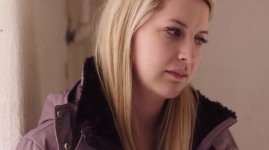
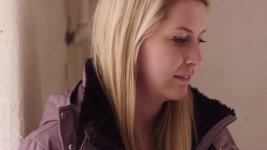
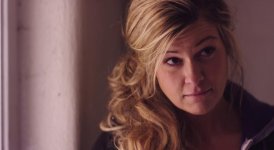
I had a Casting Session today, and shot some sections of some scene read throughs with the F35. I was shooting specifically to be able to use the workflow in Resolve that uses the Cineon 3D Imput LUT, and the ArriC to Rec709 Output LUT. In the middie i added another Node, and with that node i adjusted some things by hand. I will post the workflow screencast in the next day or so... for now here are some grabs and some video. Lots of different skin tones and hair colors!


Casting2.jpgCasting1.jpgCasting3.jpgCasting4.jpgCasting5.jpg
 
Oh, and yes the color grade changes from shot to shot, i wasnt attempting to match them, was deliberately doing it differently on different shots....
 
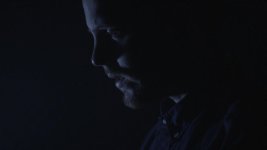
Very Low light frame straight out of camera (S-Log w/ Tugsten WB), from new project : )

BC2_T.jpg
 

Attachments

  • BC2_T.jpg
    BC2_T.jpg
    15.7 KB · Views: 3
Hunter, what asa what it shot at? An low light as in, stopped down exposure, or like low low light? :) I think it's quite fine grained compared to what usually comes out of the F35.
 
450asa (base for extended s-log mode), it was very dark- lit by a tiny ~60w flickering party light 6 feet off camera.

I think shooting at Tungsten WB in low light might make the image a bit cleaner/finer grain as the camera is native 3200k?

I also Black balance in between scenes when I have time- I wonder if that helps
 
One more, ~T2.5- lit by ~200w hmi lamp from ~25' away.
S-log straight out of camera, Tungsten WB, 450asa, 180 shutter, 30fps:
BC2_T2.jpg
 
Nice! Thanks for sharing that, Hunter.
Since I have a night film shoot coming up I've been super interested in the low light abilities of the camera.

I'll toss my latest low light test into the fray....
https://vimeo.com/87369035

You can download the original 1080p there.

This little 5 minute test was just in my driveway after getting back from a late night hockey game. The fog looked cool so I thought I'd see what I could get. I used the Normal DR setting, recording in s-Log with a recently acquired 35mm Rokinon Cine prime at T1.5. These are ambient and household practical lights only. Graded in Resolve. Used the slog_to_cineon10 as an input LUT and the Arri Log C to Rec709 as the output LUT. Crushed the blacks a tiny bit and adjusted the WB a wee bit in another node. I didn't bother with a secondary to pull back on the green cast coming off the pigtail flos I'm using around the house.

Overall I'm pretty pleased. The blacks are nice and quiet, and the highlights still bloom out and fall off in a pleasing way. Also the Roki surprised me a bit. Certainly a lot of value for the price.

EDIT: The embedding here in the forum borked the gamma on that video, so I took it out. Head to Vimeo to watch it- it looks right there.
 
Last edited:
I think when dealing with night the F35 is absolutely fine. The reality is most of the night exteriors I tend to shoot are urban ones, where there are a lot of "point" sources which are still quite bright so having those not hideously blown out is quite important to me.

In fact I find a gentle pro-mist on top of the F35 really gives it an old-school film vibe. I'm a sucker for filters.

Black balancing can often help, especially if you've just experienced a temperature shift (eg. gone from a heated house to a freezing night, or vice versa)
 
My images seem to have significantly more noise. Have been using CINE-EI mode. The only mode that allows Normal DR for me is CUSTOM Shoot Mode. (S_GAMMUT still selected).
Is this correct?
Thx
 
That's correct, custom mode will give u more control. However just go through the paint menu and make sure no artificial setting are on like "detail" and "noise suppression" etc. Basically everything must be off or standard, then set range to normal.
 
That's right. Both Cine and CINE-EI mode lock the DR setting at extended.

S-Gamut is a gamma setting, S-Log is the really important one.
 
Maybe I've had things set wrong…almost always used CINE-EI.
In P01, I had GAMMA turned on. In M01, it's set for SHOOT: Custom, D-RANGE: Normal, COLOR-SPACE: S-gammut.

Anything else?
Thx

Edit: Under GAMMA/TABLE: Special/SLOG-A is selected.
 
Last edited:
I am sure you're all sick of my screen casts by now, but here is one that i put together using the whole i sea of 3D input and Output LUT's, with a YRGB adjustment in the middle...

 
Back
Top