Sony F35 Codex M Recorder Complete Setup

Thanks for the info! I know you've spent a lot of hours finding this information and it's greatly appreciated. Are you still doing any work on your F35 or have you moved onto bigger things? You've gone the furthest reverse engineering the F35 dock, it's fascinating how much horsepower and upgradeability Sony built this camera with, and then abandoned the upgrades. What is the purpose of the 6 SDI ports? Does any piece of hardware fully use all 6 when communicating with the camera?

Has anyone looked into the S. Two OB-1 recorder? They seem to be cheaper than the Codex (not quite as sexy as the Codex) for a package with the mags. I have looked into it briefly, and it seems the OB-1 should be able to record 12-bit 444 DPX also. The F35/F23 dock for the S. Two seems impossibly hard to find. Also you will have the same problem of needing to find the very expensive transfer station. It would be a gamble to experiment with, now that we know the Codex is capable, but I still wonder if the S. Two package could be found for less than a Codex system and still perform all the same functions.

I'm not sure about 12bit, but from the reading I did the S.two OB1 did not support the ramping and Select FPS feature. Hard to know since they appear to have gone out of business!

I'd love to be shooting on my F35, but recently it's been corporate work with the FS7 or client gear. Therefore, I've also held off on doing more modification to the F35.

The six SDI ports are all single speed (1.5). Four of them are outputs, and two are return feeds. The SRW1 was capable of recording 60p RGB 444 10bit, and that requires quad link at 1.5. The returns feed the VTR playback and loop feed back to the camera for verification and viewing. There are only two of these, when doing quad recording only a dual link signal is returned. Also, by design the SRW1 only records 60p for 30p or slower playback. Hence, six ports.
 
Can you confirm that you recorded to the docked Codex with the camera set to 12bit RGB 444? Did the camera not generate an "unsupported format" warning? In my testing with the SRW1 and SRR1 the dock seemed intended only for 10bit communication and the camera threw a warning when i force set it to output 12bit to a docked recorder.

That's a very good question Viddovation and something I am looking into with Codex. The viewfinder does flash the "unsupported format" warning but still outputs the signal and the Codex has no problem reading and recording it - the Codex, in fact, displays no warning whatsoever. I am certain it is a 12bit signal because when I change to 10bit the viewfinder scrambles the video signal for a couple of seconds while changing. Now the only inconvenience, other than seeing the "unsupported format" warning (which can be deactivated by removing warning messages in the menu system), is that when you set the camera to 10bit it will not let you go back to 12bit unless you shutdown and temporarily detach the Codex from the multipin connector. With the Codex detached from the connector the F35 lets me go back to 12bit, then I reconnect and turn on the Codex and I'm good to go. It is a bit inconvenient and you do waste maybe 30-40 seconds in all, so I'm trying to see if there is a better solution with the Codex support team (who are fantastic, by the way) - after all the F35/Codex Onboard combination has always been advertised as being 12bit capable; it would seem strange to me that on a big budget movie set they would not have an issue with seeing the "unsupported format" warning when recording in 12bit.

I wanted to write to Sony Support as well since this is actually a camera issue and not a Codex one, but cannot seem to find a direct email address to expose this issue. If anyone has any leads as to who/where to write please let me know.

Viddovation, if you have any ideas on a solution or any test I could conduct on the active mount I would gladly like to hear them.

Regarding uploading some DPX material, I will make a selection and upload them to my server tomorrow. I will add links to download them here.

Cheers.
Igor
 
That's a very good question Viddovation and something I am looking into with Codex. The viewfinder does flash the "unsupported format" warning but still outputs the signal and the Codex has no problem reading and recording it - the Codex, in fact, displays no warning whatsoever. I am certain it is a 12bit signal because when I change to 10bit the viewfinder scrambles the video signal for a couple of seconds while changing. Now the only inconvenience, other than seeing the "unsupported format" warning (which can be deactivated by removing warning messages in the menu system), is that when you set the camera to 10bit it will not let you go back to 12bit unless you shutdown and temporarily detach the Codex from the multipin connector. With the Codex detached from the connector the F35 lets me go back to 12bit, then I reconnect and turn on the Codex and I'm good to go. It is a bit inconvenient and you do waste maybe 30-40 seconds in all, so I'm trying to see if there is a better solution with the Codex support team (who are fantastic, by the way) - after all the F35/Codex Onboard combination has always been advertised as being 12bit capable; it would seem strange to me that on a big budget movie set they would not have an issue with seeing the "unsupported format" warning when recording in 12bit.

I wanted to write to Sony Support as well since this is actually a camera issue and not a Codex one, but cannot seem to find a direct email address to expose this issue. If anyone has any leads as to who/where to write please let me know.

Viddovation, if you have any ideas on a solution or any test I could conduct on the active mount I would gladly like to hear them.

Regarding uploading some DPX material, I will make a selection and upload them to my server tomorrow. I will add links to download them here.

Cheers.
Igor

This is essentially what I was talking about. When I reverse engineered the dock protocol using the SRW1 I ran into this problem, and essentially it occurred exactly as you're describing it:
- the camera can only be set to 12 bit when it's not got a docked recorder
- if the camera is set to 12 bit and has a docked recorder using the same settings in 10bit it will flash unsupported format
- if recorder (SRR1 in my case) receives the 12 bit signal just fine and has no errors itself

The 12 bit update came late in the F35's life cycle. Most of the large productions had worked in 10 bit with this camera.


So.... I can possibly shed some light on why these things are happening.

When the F35 detects a docked recorder (and vice versa) communication begins. There's a handshake of sorts. It's very specific, in a specific order, etc.

One of the pieces of information shared is the current format settings. These include:
- Interlace/Progressive
- Frame Size
- Frame Rate
- 422/444
- Single-link/Dual-link/Quad-link

It's a little more complicated than that, but that's the gist. If a user switches formats on the SRW-1 the recorder sends the new format settings to the camera. The camera approves or rejects the settings, based on whether those settings are supported or not. If yes, the camera and recorder both switch formats, reboot if needed, and are good to go. If not, the recorder gives the user an unsupported format message, and stays on the current settings.

If the user tries to change settings on the camera the reverse occurs - the camera sends the format change request to the recorder, and the recorder approves or disapproves. If the recorder doesn't approve, the camera keeps the current settings.

I've read all these messages on the bit level, and decoded them. Here's the relevant thing. When I sent requests from the camera for 12bit RGB 444, the message was identical to a 10 bit RGB 444 request. Essentially, there was no distinction that would allow a recorder to know 12 bit was selected instead of 10 bit.

For this reason I think the VTR dock subsystem (and I mean VTR, not IF) was only built with 10bit capacity in mind. I suspect that the way the format settings are encoded that they're stored in a hardware register somewhere, which means it's not something that could simply be updated by Sony via firmware.

Where in the menus do you turn off warnings? This could be very useful.
 
Viddo very interesting. Am I right that you are saying the Sony F35 is limiting the output to 10-bit and the Codex records this to 12-bit? Makes the gemini/Aja LUT box a little more interesting if that's the case.
 
Viddo very interesting. Am I right that you are saying the Sony F35 is limiting the output to 10-bit and the Codex records this to 12-bit? Makes the gemini/Aja LUT box a little more interesting if that's the case.

No, not what I'm saying.

In the camera LCD reads 12bit output, that's what you're getting (from IF box/Codex/dock -- not monitor port). It's true 12 bit, the Codex isn't padding it.

What I'm talking about is the CAM/VTR data communication protocol, and the info they share when changing settings. Please carefully reread what I wrote - I'm not sure I can explain it better. The camera and VTR share bit flags to denote settings like frame rate, frame scan, sdi link, etc. These seem to be stored in hardware bit registers. There is not a space in the communication for a 10bit/12bit flag. It sends the same message for 10 bit RGB 1080p23.98 as it does for 12bit RGB 1080p23.98. So there's no way for either device to detect the setting from the other. It's like if you asked me for book prices and I always would answer "X Dollars" regardless of whether I was giving you a price in United States Dollars or Canadian Dollars. If I don't specify, there's no way for you to be sure which I mean, so you'll go for the default assumption (10bit).

If you set the camera to 12 bit with the Codex powered off it will still be 12bit when you power the Codex on. But the camera doesn't think the recorder is capable of handling 12 bit (it's wrong) and will flash an error message "Unsupported Format" in the viewfinder, assuming error messages are enabled.
 
I have found someone with 2 complete Codex setups (recorders, 4 drives each, cables and very hard to find dock) willing to sell for a very low price. They do not want to split the package up. If anyone is really interested please PM me and we can go in on the 2 packages together.
 
Hello everyone,

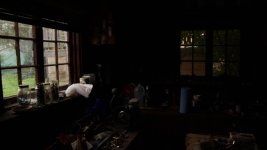
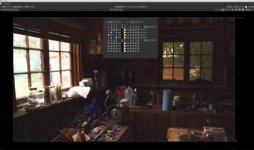
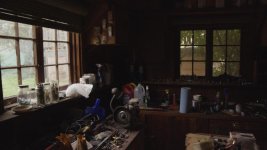
I apologize for not updating this thread with more information about my setup and experience and for not answering question, however I just returned from my trip in Europe where I've been for the past 6 weeks. I can now finally continue writing about my experiences with the F35 and Codex system. This evening I will upload a short sequence I filmed in my (messy) garage with the On Board recorder in 12-bit 444. It's a 7GB clip, so it will take some time to upload. I will compress it in one or more zip files to download them with more ease. I think it's a good example because it is a dark environment with with bright light coming from the window and the door.

Regarding my experience with this system I must say that this it is absolutely fantastic! It is so easy to use, records everything the camera has to offer and thanks to the desktop transfer station, which I set it up so that it will create QuickTime proxy files in Prores 422 (I can choose 4444 as well or avid DNxHD) with Macgregor's slog LUT applied, that it does on the fly, I download all the material to my mac in a breeze. It's just a perfect turn-key system that, once setup, you don't have to think about again and gives you the highest quality images the camera is able to output. I highly recommend it.

Viddovation, I'm answering you a bit late, but you can remove all warnings from the viewfinder by going into the VF DISPLAY menu. It's the last option of the list MESSAG: ALL. You have to wait for the "unsupported format" warning, which flashes on and off, to be on the "off" cycle before setting the warning option to "OFF". You have a couple of seconds to do this before "unsupported format" warning flashes on again, otherwise it will remain constantly on. I keep my warnings on, though, because otherwise the camera will not advise me when I am low on power. I am used to the "unsupported format" warning and doesn't bother me anymore. Anyway if I remove all the data from the viewfinder by pressing the VF MENU/DISPLAY button on the side of the camera it does not appear - it only shows up when you have data displayed in the viewfinder.

Cheers,
Igor
 
Last edited:
Good morning everyone,

Here is the link to the clip I filmed in my garage. It is a 7 GB zip file so it may take some time to download:

www.igorbertolucci.com/codex/garage12bitdpx.zip

The camera settings were set to:
12bit 444
24fps
Daylight WB
+6 dB

The lens was a Red Pro Zoom 18-50 set to 18mm at f4.

The Codex On board Recorder was recording in 12bit uncompressed dpx.

It was shot handheld and I walk from inside the dark garage to outside which was quite bright. I believe it was around 3 in the afternoon.

That's all I can think of as of now.

Enjoy.
Igot
 
that's a pretty big file to download :) could you post a few frames for us to play with?

cheers and thanks for the work!!!!
 
OK. I put some more thought and time into this as I realize downloading a 7GB zip file is a bit absurd, so I have uploaded some frames and short 3 second clips (to see the "grain" of the moving image) from various quick shoots/tests I have done since I have the codex system. All frames are filmed in 12 bit 444 uncompressed dxp on the onboard recorder. The frames are typically 9 MB in size and the clips are about 650 MB. Here are the links:

www.igorbertolucci.com/codex/garage_sc1_3sec_clip.zip
www.igorbertolucci.com/codex/garage_sc1_frame_1.dpx
www.igorbertolucci.com/codex/garage_sc2_3sec_clip.zip
www.igorbertolucci.com/codex/garage_sc2_frame_1.dpx
www.igorbertolucci.com/codex/kitchen_sc1_frame_1.dpx
www.igorbertolucci.com/codex/kitchen_sc2_frame_1.dpx
www.igorbertolucci.com/codex/xmas_sc1_frame_1.dpx
www.igorbertolucci.com/codex/xmas_sc2_frame_1.dpx
www.igorbertolucci.com/codex/xmas_sc3_frame_1.dpx
www.igorbertolucci.com/codex/cat_sc1_frame_1.dpx
www.igorbertolucci.com/codex/cat_sc1_frame_2.dpx
www.igorbertolucci.com/codex/cat_sc1_frame_3_overexp.dpx
www.igorbertolucci.com/codex/bathroom_sc1_3sec_clip.zip
www.igorbertolucci.com/codex/bathroom_sc1_frame_1.dpx

I will shoot a short example of speedramp this Sunday and will post it here next week.

Cheers.
Igor
 
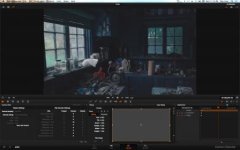
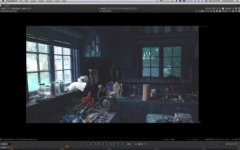
I wanted to see how your footage would grade, as well as track. I made up 4 masks in the picture, and didn't correct the footage for lens distortion, so the masks don't track that well - I just didn't think it was important for the test.
First - tracking was phenomenal. In spite of all the noise, the trackers never got lost. Even when I tracked a reflection on the red funnel.
Second - bringing whites back into detail wasn't amazing, but definitely an improvement. And being able to easily track the extremes for their own treatment made the process pretty easy (aside from building the masks themselves).
Third - I wanted the final grade to have the warmth of older print film - something you might get from a photolab in the 70's.

Here's the original (compressed) footage, if you haven't seen it yet.
http://www.sandboxproduction.com/F35_DPX_Original.mp4

Here's my treatment.
http://www.sandboxproduction.com/F35_DPX5.mp4
 
Hi Sandbox,

I believe there is a problem with your secondary colors as they are very off, especially the cyan. Infact the roll of paper towels are supposed to be light blue.

Also I think there is quite a bit to recover from the highlights. I have done a quick grade in Assimilate Scratch (that I much prefer compared to Resolve) and am attaching some frames here and a compressed video.

The first image is simply the video file brought into Scratch and with MacGregor's LUT applied and nothing else done.
The second is exposing a little more for the shadow areas.
The third is exposing for the highlights outside.
The fourth is an hdr image I made in Photoshop with the above three (it's a bit strong, the shadow areas should be a bit darker I think - it's just a test).

I think that by tracking some power windows one can get a very wide dynamic range in this shot.


X _Steven_ I will do a speed ramp this coming weekend. This past weekend I did not have much time.

Also I will later post examples of the wavelet compression that is possible with the Codex.

Cheers,
Igor

garage_med.jpg
garage_light.jpg
garage_dark.jpg
garage_hdr.jpg


Download 1080p 16bit DPXs:
www.igorbertolucci.com/codex/garage_medium.dpx
www.igorbertolucci.com/codex/garage_high.dpx
www.igorbertolucci.com/codex/garage_low.dpx

Download 1080p 8bit JPG:
www.igorbertolucci.com/codex/garage_hdr.jpg

Download 1080p video:
www.igorbertolucci.com/codex/garage_low.mov
 
Last edited:
Turns out the color channels are swapped. Uncorrected, the images show brown paper and a red dust pan.

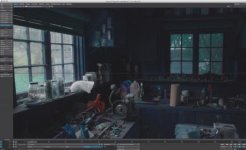
While trying to understand the problem, I opened them up in Lightwave 3D, NukeX, and Davinci Resolve with MacGregor's LUT applied. They all show a brown roll of paper and a red dust pan next to the window.
Your posted images - ungraded - had very different colors.
DavinciImport.jpgNukeImport.jpgLightwaveImport.jpg

So I went back into Nuke and swapped out the Red and Blue Channels.


Here's the result, w/ Mac's Lut applied. Don't know why the DPX are reading with crossed channels, though.
RedBlueSwapNuke.jpg

You did a beautiful job on the grade, pulling exterior detail in better than I could. Do you care to explain your preference of Scratch over Resolve? Does it do a better job of restoring highlights, for instance?
Thanks for sharing all these links, as well as your own experience with grading these.
 
Last edited:
Hi Igor, I did some quick color grading on your file (using the Davinci/ACES process I've outlined in other posts.) I wanted to see how close I could get a combined HDR look (using straight up curves, no power windows here)

I'm pleasantly surprised at how much dynamic range the camera really does capture. (With 12bit uncompressed it feels in the neighborhood of 12-14 stops to me) Thank you for capturing a scene with a good mix of light and dark. It really shows what the camera can do.:)


2-08_001.0086472_.jpg2-02_001.0086400_.jpg
 

Attachments

  • 2-02_001.0086400.jpg
    2-02_001.0086400.jpg
    18.4 KB · Views: 0
  • 2-08_001.0086472.jpg
    2-08_001.0086472.jpg
    19.6 KB · Views: 0
Last edited:
I too had trouble with the original dpx files, Igor. I had to switch the red and blue channels in AE. Hopefully I didn't loose any information in the process...
Manuel, I feel there's a bit much cyan in the highlights, did you have an issue with the dpx's?

Here's my take on the grades! I pushed the shadows a bit in before/after, a lot of texture and noise, great overall gritty look but with skintones it might be too dirty. We're pushing 13-14 stops here!
Gotta preserve the highlights with the f35 and any other digital cinema camera. There's just so much room in the shadows, really convinced that 12 bit helps here a lot. Check out my 4a & 4b comparison...

http://jokami.net/cine/1b.png
http://jokami.net/cine/1a.png
http://jokami.net/cine/1b.png
http://jokami.net/cine/2a.png
http://jokami.net/cine/2b.png
http://jokami.net/cine/3.png
http://jokami.net/cine/4a.png
http://jokami.net/cine/4b.png
 
I too had trouble with the original dpx files, Igor. I had to switch the red and blue channels in AE. Hopefully I didn't loose any information in the process...
Manuel, I feel there's a bit much cyan in the highlights, did you have an issue with the dpx's?

Yes I too had an issue with the DPXs, same problem as Sandbox where I needed to swap the Red/Blue channels in DaVinci.
 
hi dvx F35 users,

not to take this too off topic, I'm really impressed with the effort you guys are putting into this system.

sorry I have been MIA for a few weeks, I was very busy traveling for work. I think I have PM'ed anyone interested in the 2 codex packages I found, please send me a PM if you want the contact for the seller. I couldn't get him to budge below 6k for both packages, it's an ok deal but as Viddo pointed out, these Codex systems aren't really useful to the Alexa crowd anymore so they are just sitting on shelves. It looks like Claremont camera has the "wet docks" but they are still looking to get over 2k for them.

I am going to hold out for the 7Q progress to get 12-bit. Hyper deck is simple and cost effective right now. For the price of a codex, it's almost worthwhile to just buy a 9000PL and shoot tape when I want to speed ramp, then it could be played back onto a hyper deck to get the footage to an easy transferable format.
 
Back
Top