Sony a7s s-log 2 Grading Tutorial

Even better is to throw all of these effects on an adjustment layer if you need to see some contrast while you work. I would still personally try to touch every shot, but at least you get a good idea of what final contrast could look like.

It's also useful when editing with clients in the room.

Slog2 is very versatile, but you need to know what you're doing with it. I was skeptical at first that it could be useful in 8-bpc but i've found that you can really make some sexy looking footage from it if you take the time to learn how to expose it properly, and manipulate it properly in post.
 
Even better is to throw all of these effects on an adjustment layer if you need to see some contrast while you work. I would still personally try to touch every shot, but at least you get a good idea of what final contrast could look like.

It's also useful when editing with clients in the room.

Slog2 is very versatile, but you need to know what you're doing with it. I was skeptical at first that it could be useful in 8-bpc but i've found that you can really make some sexy looking footage from it if you take the time to learn how to expose it properly, and manipulate it properly in post.

how do You expose, with gray card?
 
On my FS700 I expose using the histogram and trying to get a majority of the signal in the middle of the histogram. I know this would make some DoPs go nuts, but it fits my run and gun style of shooting.

If you see a large lump on the left side (underexposed) you're going to play hell trying to make it look acceptable in post.
 
Slog2 is very versatile, but you need to know what you're doing with it. I was skeptical at first that it could be useful in 8-bpc but i've found that you can really make some sexy looking footage from it if you take the time to learn how to expose it properly, and manipulate it properly in post.

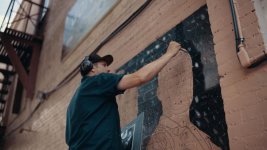
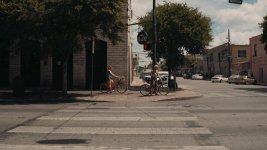
Agreed! It's not really been that different than how I'd treat the BMCC. I'm sure I'm not exposing "properly" but I came away with these. mural painter 2 copy2.jpgmural painter 3 copy2.jpg
 
nice test
I still think I'm going to overexpose two stops routinely on the a7s, at least in daylight (solves the ND and noise issues)
 
I've had no problems overexposing with SLOG2 and bringing it back down. Just look at your scene and decide what to dump. I just set zebras to 100% and eyeball it...lazy but it works.
 
This is awesome, Thank you!
Is there any chance you could give a tip on using this method - but without Lumetri - say with something like a filmconvert profile instead ? - for us that doesn't have adobe CC.
Your approach also seems fit for fs700 Odyssey 7q material actually - I tried with very good results (but missing the Lumetri though). Thanks again - it's very much appreciated!
 
This is awesome, Thank you!
Is there any chance you could give a tip on using this method - but without Lumetri - say with something like a filmconvert profile instead ? - for us that doesn't have adobe CC.
Your approach also seems fit for fs700 Odyssey 7q material actually - I tried with very good results (but missing the Lumetri though). Thanks again - it's very much appreciated!

I'll chime in if that's ok. If you download the FS700 profile for FilmConvert 2 and just use the 3 way to correct for the magenta push, I find the footage comes out just fine using the Slog2 preset. Adjust the film color slider to get the contrast how you want rather than the color slider. Make sure to correct for the clipping using the colorboard or quick color corrector depending on whether you use premiere or FCPX. ( I use FCPX 90% of the time). If you want to add a little extra magic, add an Orisis or Implulz REC 709 LUT of your choice and mix to taste. I find that is giving me the best results and people seem to dig it. Example Resolve Grade 4_1.4.2.jpg
 
Last edited:
I've also found that the Sony F55 Slog2 profile works well on the FS700 for a less magenta look. I'd imaigne it would work well for the a7s.

When I get my a7s in i'm going to try to find some time to post some clips between the cameras shooting the same thing. I want to see how well they cut together.
 
I'll chime in if that's ok. If you download the FS700 profile for FilmConvert 2 and just use the 3 way to correct for the magenta push, I find the footage comes out just fine using the Slog2 preset. Adjust the film color slider to get the contrast how you want rather than the color slider. Make sure to correct for the clipping using the colorboard or quick color corrector depending on whether you use premiere or FCPX. ( I use FCPX 90% of the time). If you want to add a little extra magic, add an Orisis or Implulz REC 709 LUT of your choice and mix to taste. I find that is giving me the best results and people seem to dig it.

I'll try that. Thanks alot cyork!!
Demistate I'll try that too. Thanks guys.!
 
Back
Top