So... what is the DR with slog?

Or Premiere. Or After Effects. Or FCP/Color. Or any modern NLE that has a "high bit depth" switch.
 
Okay, stupid question, but I've never seen a high bit menu item in Premier. I have CS3 still, mostly because I can't transfer my plug-ins to CS5. Where is it?
 
Can't remember where it is in cs3, but should be similar.

To edit using the highest bit depth available, go to your sequence settings and check the highlighted. The red box on the left shows what plugins support deep bit rendering, those without will crunch you right back down to 8/10 (I don't think cs3 shows you this, actually I'm not sure if any plugins in cs3 support this)

http://i.imgur.com/pHwkN.jpg

To actually render out and export using 32-bit calculations, check these boxes in media encoder - http://i.imgur.com/5qEb0.jpg

the "maximum render quality" has to do with the scaling algorithm it uses, makes for much nicer scaling. (I think it bumps it up to lanczos from bilinear). The render performance hit isn't that much so you might as well just leave it on and forget about it.
 
Same as usual. I got banding when grading at 8bits, but it was completely fine at 32 bits.
I used Sony VEgas for editing and grading. ACtually the worst thing about working with Slog Xdcam was to deal with the mosquito artifacts caused by the mpeg2 codec in the shadows and the way the whites when clipping show some sort of edge outline.
But there was no massive posterization or any other issues related to having 13 stops. After all, the standard F3 holds at least 11 stops which is a lot.

I´ve also compared footage recorded as XDcam and the QTs from the AJA, and while the prores looks better, unless you´re trying to spot differences, they are very close.

I´d still would shoot at 10bit422 for most projects, but it´s good to know that XDCAM might be quite good in some situations.
 
Same as usual. I got banding when grading at 8bits, but it was completely fine at 32 bits.
I used Sony VEgas for editing and grading. ACtually the worst thing about working with Slog Xdcam was to deal with the mosquito artifacts caused by the mpeg2 codec in the shadows and the way the whites when clipping show some sort of edge outline.
But there was no massive posterization or any other issues related to having 13 stops. After all, the standard F3 holds at least 11 stops which is a lot.

I´ve also compared footage recorded as XDcam and the QTs from the AJA, and while the prores looks better, unless you´re trying to spot differences, they are very close.

I´d still would shoot at 10bit422 for most projects, but it´s good to know that XDCAM might be quite good in some situations.

Thumbs up to all of this.
 
The KPM captures above broadcast limits, but then you need to move the upper highlight data back into the safe zone or it won't be displayed.

This is interesting to me. Will the KiPro record 110?
Thanks.
 
Isn't there a limitation on QT to 100? I was led to believe that using the Avid codec is better to get signals up to 110 which later can be brought down in post. Timur had some experience with this stuff way back when he first got his F3... Maybe he can advise?
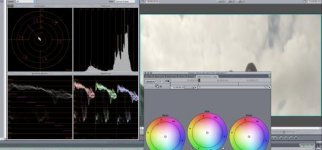
 
I don't use FCP so I can't say if its user error from the wrong settings or the program mishandling the prores files (which would be ironic). In CS3 I can use After Effects to squeeze the data into legal limits.
 
I'm not the only one to get more detail out of what would otherwise be a clipped area. I think people assume its the codec since FCP doesn't see it. However, it will soon be moot as AJA announced that DNxHD will be in a firmware update.
 
FCP has the ability to handle "Super-whites" through the sequence settings. Final Cut X probably no longer has it since i-Things can't display it. :-(
 
Back
Top