

sam rides a mtb
Active member
simple method to allow seeing thumbnails of avchd (including gh1's mts files) within windows xp. sorry if this was already posted somewhere on here.
came across this today. worked like a charm so figured i would share this here:
http://www.microstockgroup.com/gene...2t-thumbnails-to-show-up-in-windows-explorer/
Open Notepad and paste in the following text (in green below):
Windows Registry Editor Version 5.00
[HKEY_CLASSES_ROOT\.mts\ShellEx\{BB2E617C-0920-11D1-9A0B-00C04FC2D6C1}]
@="{c5a40261-cd64-4ccf-84cb-c394da41d590}"
[HKEY_CLASSES_ROOT\.m2t\ShellEx\{BB2E617C-0920-11D1-9A0B-00C04FC2D6C1}]
@="{c5a40261-cd64-4ccf-84cb-c394da41d590}"
[HKEY_CLASSES_ROOT\.m2ts\ShellEx\{BB2E617C-0920-11D1-9A0B-00C04FC2D6C1}]
@="{c5a40261-cd64-4ccf-84cb-c394da41d590}"
Save the file as
AVCHD Thumbnails.reg
Then double click the file which will run it, then accept the merge.
and remember you must reboot to have registry edits take effect
and when you open a folder with avchd files simply select 'thumbnails' under view
came across this today. worked like a charm so figured i would share this here:
http://www.microstockgroup.com/gene...2t-thumbnails-to-show-up-in-windows-explorer/
Open Notepad and paste in the following text (in green below):
Windows Registry Editor Version 5.00
[HKEY_CLASSES_ROOT\.mts\ShellEx\{BB2E617C-0920-11D1-9A0B-00C04FC2D6C1}]
@="{c5a40261-cd64-4ccf-84cb-c394da41d590}"
[HKEY_CLASSES_ROOT\.m2t\ShellEx\{BB2E617C-0920-11D1-9A0B-00C04FC2D6C1}]
@="{c5a40261-cd64-4ccf-84cb-c394da41d590}"
[HKEY_CLASSES_ROOT\.m2ts\ShellEx\{BB2E617C-0920-11D1-9A0B-00C04FC2D6C1}]
@="{c5a40261-cd64-4ccf-84cb-c394da41d590}"
Save the file as
AVCHD Thumbnails.reg
Then double click the file which will run it, then accept the merge.
and remember you must reboot to have registry edits take effect
and when you open a folder with avchd files simply select 'thumbnails' under view
Last edited:

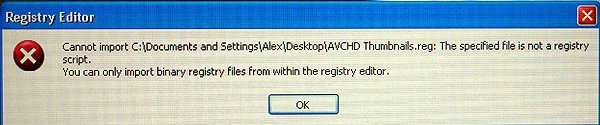
 I'm going to to stop experimenting for now, let's see if others are successful with it.