
Navigation
Install the app
How to install the app on iOS
Follow along with the video below to see how to install our site as a web app on your home screen.
Note: This feature may not be available in some browsers.
More options
You are using an out of date browser. It may not display this or other websites correctly.
You should upgrade or use an alternative browser.
You should upgrade or use an alternative browser.
shoot 4:2:2 or 4:4:4
- Thread starter JordyF
- Start date


PerroneFord
Deals in Lead
4:2:2 yes. 4:4:4 no. But not with a Firestore. Cheapest option to get there is the Convergent Design Nanoflash.
Joe Calabrese
Well-known member
You can only get a true 4:4:4 video if you have an HD-SDI out that provides an uncompressed 4:4:4 signal, and you have an external recorder that can record 4:4:4. I believe the only Panasonic camera to allow this (the uncompressed 4:4:4 HD-SDI) is the Varicam 3700.

Mike Harvey
Veteran
Yeah, HMC150 is 4:2:2 only to the best of my knowledge when taking it straight from the chips.

Robert M Wright
Well-known member
Cineform was supposedly working on something like a nanoflash (but using their codec - which could be pretty cool). I wonder if they will ever get that finished. A bit of competition would be a good thingy.
I sort of wonder why Panny didn't buy out Cineform, and use that codec, as their acquisition "codec for the future", rather than AVC-I.
I sort of wonder why Panny didn't buy out Cineform, and use that codec, as their acquisition "codec for the future", rather than AVC-I.
studio1972
Well-known member
The Varicam has much higher resolution sensors than the HMC. The HMC is basically capturing all the info from the sensors at 1080p 4:2:0 so you wouldn't gain anything in image quality by going to a 4:2:2 or better recording codec. You might gain in other ways if there was less compression or there was better dynamic range .10 bit recording etc, but you wouldn't gain from it being 4:4:4 or 4:2:2.
Robert M Wright
Well-known member
Vericam has much larger sensors. Off the top of my head though, I think pixel count on the sensors is about the same (would have to double check to be sure). If it was effectively 4:2:0 from the imaging block (with the HMC40), that would cause problems. (4:2:0 progressive would convert to 4:2:0 for recording interlaced video pretty poorly.)
Barry_Green
Moderator
The HMC40 imaging block is unquestionably 4:4:4.If it was effectively 4:2:0 from the imaging block (with the HMC40)
Well, fortunately, this is answered very easily, by comparing the 150 against the 170. The question is whether the pixel-shifted arrangement of the HMC150 block results in higher-than-4:2:0 color sampling. I would contend that it certainly does, as evidenced in The Great Chroma Key Smackdown, where I put up specifically challenging footage from a variety of cameras, including the HMC40, the HMC150, and the HPX170. The HMC40 and HMC150 record as 4:2:0, the HPX170 records as 4:2:2. And yes, it can make a big difference.The HMC is basically capturing all the info from the sensors at 1080p 4:2:0 so you wouldn't gain anything in image quality by going to a 4:2:2 or better recording codec

Look at the red hair dryer against the green screen. No question at all that the 170's 4:2:2 recording is quite superior to the HMC150's 4:2:0. That's the exact same chipset, same pixel-shift, same lens, same DSP, same everything -- but the 4:2:2 of DVCPRO-HD is just significantly cleaner than the 4:2:0 of AVCHD. (and that's after factoring in the pre-filter from 1920 down to 1280 in the 170!)
Therefore, I would say that it's quite likely that the uncompressed HDMI 4:2:2 output from the HMC150 is going to look better than the 4:2:0 recorded footage. Unfortunately I can't test that, but I think it's a reasonable assumption to make.
Last edited:
studio1972
Well-known member
Vericam has much larger sensors. Off the top of my head though, I think pixel count on the sensors is about the same (would have to double check to be sure). If it was effectively 4:2:0 from the imaging block (with the HMC40), that would cause problems. (4:2:0 progressive would convert to 4:2:0 for recording interlaced video pretty poorly.)
This is the HMC150 forum, not the HMC40. The HMC 40 has full resolution sensors for each colour, but the hmc only has 960 x 540 for each colour so for a 1080p image the chroma information is only physically there for 1 in 4 pixels (half res vertical and half res horizontal. So a 4:2:0 scheme (subsampling with half the res horizontally and vertically) will actually capture all the available info from the sensors.
In other words, 4:2:2 or 4:4:4 would benefit the hmc40, and the hmc150 in 720p mode, but not the hmc150 in 1080p mode. At least that's my understanding. I guess maybe you could record some kind of interpolated data, but I'm not sure that would give you a better image?
studio1972
Well-known member
The HMC40 imaging block is unquestionably 4:4:4.
Well, fortunately, this is answered very easily, by comparing the 150 against the 170. The question is whether the pixel-shifted arrangement of the HMC150 block results in higher-than-4:2:0 color sampling. I would contend that it certainly does, as evidenced in The Great Chroma Key Smackdown, where I put up specifically challenging footage from a variety of cameras, including the HMC40, the HMC150, and the HPX170. The HMC40 and HMC150 record as 4:2:0, the HPX170 records as 4:2:2. And yes, it can make a big difference.
Look at the red hair dryer against the green screen. No question at all that the 170's 4:2:2 recording is quite superior to the HMC150's 4:2:0. That's the exact same chipset, same pixel-shift, same lens, same DSP, same everything -- but the 4:2:2 of DVCPRO-HD is just significantly cleaner than the 4:2:0 of AVCHD. (and that's after factoring in the pre-filter from 1920 down to 1280 in the 170!)
Therefore, I would say that it's quite likely that the uncompressed HDMI 4:2:2 output from the HMC150 is going to look better than the 4:2:0 recorded footage. Unfortunately I can't test that, but I think it's a reasonable assumption to make.
Is the ragged edge on the hmc-150 image due to the colour sampling?
I was wondering if maybe there was something wrong with the HMC150 you had. Please see the attached 200% frame (part of), this was taken hand held with my HMC151 at 1080 25p (converted to pro-res LT on import) and I cant see any of the artefacts you had in your HMC150 image. Obviously the subject is different, but still very strange how yours is so much worse. Your image looks more like what I would get off my XM2!
Attachments

Barry_Green
Moderator
The ragged edge is the color sampling, both cameras were set to 1080/24p mode, exact same settings on each.
studio1972
Well-known member
The ragged edge is the color sampling, both cameras were set to 1080/24p mode, exact same settings on each.
Why am I not seeing it on my sample then, at the same 200% magnification? Those edges look more like what you see when an image is over compressed so the 4x4 and larger compression blocks start showing. Was there a lot of movement in your shot? Sorry to question you but I see nothing like this in 25p mode so I can't see why you should be getting it in 24p?
Barry_Green
Moderator
Locked down shot. How did you make your 200%? Zoom up in photoshop? I went to 200%, then screen-captured. If you resized to 200%, it would probably look a lot cleaner; I'm trying to show pixel-for-pixel accurate, just magnified.
studio1972
Well-known member
Locked down shot. How did you make your 200%? Zoom up in photoshop? I went to 200%, then screen-captured. If you resized to 200%, it would probably look a lot cleaner; I'm trying to show pixel-for-pixel accurate, just magnified.
I imported into FCP7 as ProRes LT and simply set the viewer window to 200% and took a screen grab. Then saved the screen grab as a jpeg. If I zoom to 800% it looks much worse of course and at that magnification you can see the discrepancy between the luma and chroma resolution resulting in a sort of black and white line around the edge of the letters, but it's barely noticeable at 200%.
Here's what 800% looks like BTW:
Attachments

Last edited:
studio1972
Well-known member
Also, looking at the right hand edge of the hair dryer in your image, there are blocks visible that appear to be 16x16, given that they are magnified the original would be 8x8. This is much too large to have anything to do with the chroma sub-sampling. It must be something else causing this surely.
There are some differences in your testing methodology:
1) You converted to ProRes, which upsamples to 4:2:2 this will help to fill in the "stair stepping" to make it smoother when keying.
2) You're using different resize/zoom algorithms. Photoshop's zoom uses a point resize or nearest neighbor algorithm, you're using something like a bicubic or lanczos in FCP. Those larger "blocks" you are referring to in Barry's picture are intensified due to the resize errors
Here is your original 2x picture posted above, enlarged 4x with different algorithms , and cropped. Notice the larger block errors on the point resize, in addition to the edges

1) You converted to ProRes, which upsamples to 4:2:2 this will help to fill in the "stair stepping" to make it smoother when keying.
2) You're using different resize/zoom algorithms. Photoshop's zoom uses a point resize or nearest neighbor algorithm, you're using something like a bicubic or lanczos in FCP. Those larger "blocks" you are referring to in Barry's picture are intensified due to the resize errors
Here is your original 2x picture posted above, enlarged 4x with different algorithms , and cropped. Notice the larger block errors on the point resize, in addition to the edges
Last edited:
Superfresa66
Well-known member
I imported into FCP7 as ProRes LT and simply set the viewer window to 200% and took a screen grab. Then saved the screen grab as a jpeg. If I zoom to 800% it looks much worse of course and at that magnification you can see the discrepancy between the luma and chroma resolution resulting in a sort of black and white line around the edge of the letters, but it's barely noticeable at 200%.
Here's what 800% looks like BTW:
And thats using ProRes LT, imagine if you use one of the better ones :happy:
studio1972
Well-known member
There are some differences in your testing methodology:
1) You converted to ProRes, which upsamples to 4:2:2 this will help to fill in the "stair stepping" to make it smoother when keying.
2) You're using different resize/zoom algorithms. Photoshop's zoom uses a point resize or nearest neighbor algorithm, you're using something like a bicubic or lanczos in FCP. Those larger "blocks" you are referring to in Barry's picture are intensified due to the resize errors
Here is your original 2x picture posted above, enlarged 4x with different algorithms , and cropped. Notice the larger block errors on the point resize, in addition to the edges
Yes, I can see there is a difference in the result, but it's not just down to the resizing method. Firstly, Barry said that he resized in his editor, not in photoshop, so we both used the same method, although he doesn't use FCP so maybe his editor does it a different way.
Secondly, the blocks I was talking about were 16x16 in a 2x magnified image, these cannot be caused by magnifying a 2x2 chroma block to 200%. There must be another factor causing these larger blocks.
I've downloaded barry's original clip from and had a look to see if I can find what the problem is. My observations are that:
1. there is a lot of very fine detail in the rest of the image which may be taxing the AVCHD compression which has less than 1/4 of the bits of DVCProHD.
2. There is also movement in the shot with even the hairdryer moving slightly.
However, when I blew up the image I found that the large blocks noticeable in Barry's image were not there. At 200% small 4x4 blocks were apparent but not the larger blocks that you can see on barry's image.
Of course, barry's image will almost certainly be from another frame in the clip so maybe some frames are better than others, but that also wouldn't be consistent with the problem being due to 4:2:0.
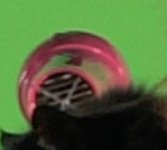
The image is attached, it was imported to FCP as Pro Res LT and magnified to 200% in Pixelmator (similar to photoshop) to avoid any argument that Final Cut is somehow improving the image. I think you'll agree it looks much better than barry's version and more similar to the 170 image he posted.
Attachments

Thomas Smet
Veteran
Barry are you sure that was progressive footage? The chroma lines look alternated like they are with interlaced based 4:2:0 sampling. The red lines skip every other line. True progressive encoding would not have these gaps and use a nice 2x2 pixel block for chroma.