Settings to Match HMC150 to Canon dslr

rszebras

Well-known member
I'm trying to determine the best settings to get my HMC150 to match my Canon t2i footage. Here is a screen shot from Premiere Pro to see what we're looking at. It is indoors under fluorescent light so the color temp is 3400k with +4 Magenta (to overcome the green spike from the lights). My additional camera settings are as follows:

1080/24p
1/48 shutter
F1.8 with 50mm prime
ISO 400
Picture Style Neutral with
sharpness 1
contrast -4
saturation -2
color tone 0

I'm underexposing by one stop to prevent the highlights from blowing out. The histogram shows the image exposing strongly to the right but not crushing the blacks.

What settings can I try in the HMC150 to match this look in the same environment? I will be zooming in with the HMC150 (which is one of the reasons I purchased the camera) so I assume I can expose at maybe F2.5 or so -- maybe lower. Did I make the right decisions trying to replace my Canon with the HMC150 under these circumstances? Any advice is greatly appreciated.ScreenHunter_01 Jun. 08 11.19.jpg
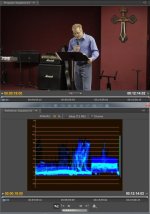
 
So I'm in the process of trying to get the best picture from the HMC150, and perhaps trying to match my Canon t2i so I can use two cameras on some of the shoots. Anyway, here are grabs from my first go. The first thing I noticed is the vectorscope on the HMC150 is not accurate. I was trying to set up a shot and could not get the skin tones along the skin tone line in the vectorscope. I spent hours trying to figure it out. Then I opened test footage in Premiere Pro CS5 and the vectorscope showed the skin tones almost right on the line. So I learned I can't trust the vectorscope on the HMC150, or there is some configuration issue that I need to fix.

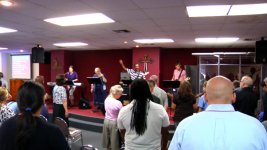
The second thing I learned is this. I spent a couple hours at home feeding the signal from the HMC150 into an hdtv so I could tweak the settings. I went through Barry's book setting by setting and adjusted it to get something that looked cinematic using the cinelike-d gamma. The settings were:

V DETAIL LEVEL: -5
DETAIL CORING : -5
CHROMA LEVEL: +1
CHROMA PHASE: 0
COLOR TEMP Ach: +1
COLOR TEMP Bch: +1
MASTER PED: -15
A.IRIS LEVEL: 0
DRS : 0
GAMMA : CINELIKE D
KNEE: AUTO
MATRIX: CINE-LIKE
SKIN TONE DTL : OFF

So I tried to use this since it looked good at home but the highlights were getting blown out at the facility I was filming at. I tried to underexpose but I would have had to really underexpose or let the highlights blow out. So I remember Barry Green saying in his book that the cine gamma has no knee to hold down the highlights. So I switched the gamma and tested a couple. I ended up using the above setting but with the b press gamma. That solved the highlight problem.

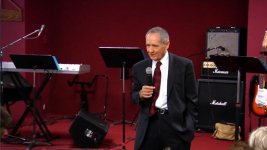
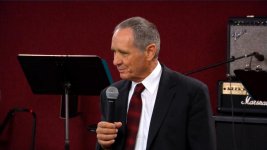
Now for my first time using the camera in an actual event, I think the medium and close footage looks good. It is, however, too saturated. So I need to either change the matrix to NORM1 or NORM2, or bring the chroma down to perhaps 0 or -1. It seems like there might be too much magenta in the image so maybe switching to NORM1 or NORM2 is the better option?

The wide footage, however, sucks. I think I overexposed it, plus there's way too much magenta hue. I need the settings I choose to work for both the wide and close shots so I'm trying to determine what the problem is with the shot and how to fix it. Any ideas would be greatly appreciated.

Give me some feedback on the shots and where I should go from here. Now that I have these base settings, I can probably start tweaking them to try to match the t2i, but that will be another time-consuming process.
wide.jpg
medium.jpg
close.jpg
 
Are you using auto focusing or manual ? Image looks a bit soft. When I am in a church setting, I always try to be in the center aisle and up close to stage as I can so I am not capturing someone's back.
 
I'm using autofocus. I don't have a separate monitor at this time and trying to focus with the HMC150's lcd display (even with the limited focus assist function) is a bear. It's like going back to my dslr for focusing, although with the dslr I have focus peaking from Magic Lantern. It's a shame Panasonic won't update the firmware on the HMC150 to include focus peaking. They really need to advertise the HMC150 as an ENG camera with poor autofocus. The purpose of buying an ENG camera is to have quick run-n-gun setups -- which includes autofocus. Anyway, there's my rant. I'll do what I can at this point and maybe down the road try a 1080p computer monitor which I may be able to use for manual focusing. If that doesn't work, I'll have to get an external monitor with focus peaking -- like a Marshall or SmallHD.
 
I'm using autofocus. I don't have a separate monitor at this time and trying to focus with the HMC150's lcd display (even with the limited focus assist function) is a bear. It's like going back to my dslr for focusing, although with the dslr I have focus peaking from Magic Lantern. It's a shame Panasonic won't update the firmware on the HMC150 to include focus peaking. They really need to advertise the HMC150 as an ENG camera with poor autofocus. The purpose of buying an ENG camera is to have quick run-n-gun setups -- which includes autofocus. Anyway, there's my rant. I'll do what I can at this point and maybe down the road try a 1080p computer monitor which I may be able to use for manual focusing. If that doesn't work, I'll have to get an external monitor with focus peaking -- like a Marshall or SmallHD.

The HMC150 only has slower autofocus at 24p. Switch to 720/60p and it's as fast as anything out there -- even today -- five years after the camera was released. Also, the HMC150 does have focus peaking. It's not colored or whatever, but it has it. Back in the days when I used an HMC150 -- I preferred the magnified focus assist and lived by it.

Going back to your original question about matching footage to a Canon DSLR -- the default Cine-V comes closer to Canon Standard. Taking this approach, shooting with a finished look and exposing accordingly, is the easiest way to try to match these cameras. The reason is because there's no way in hell you're going to get the HMC150 to come close in any way to the dynamic range of a Canon DSLR. Using Cine-D with the HMC150 only results in the noisiest image possible -- you're not getting usable dynamic range (Cine-D works great on a Varicam and it may be okay on an AF100, but it doesn't work out on the HMC150).

So, I'm recommending that you set your T2i to the default Standard picture style (maybe reduce color saturation), and set the HMC150 to the default Cine-V.

The big picture is that these are two entirely different cameras from different eras that do different things. Essentially, you're trying to get a Ford F-150 truck to match a Toyota Camry.
 
Well the image is going to be a little bit softer at the wide end anyway because the iris will be open but it definatley shouldn't be that soft. The HMC isn't the sharpest camera out there in the first place and I don't think putting the detail and v detail down to -5 is going to do anything good for your picture quality. Also, try shooting at least 30p with the shutter at 1/60 because as mentioned previously in the thread, the auto focus in 24P is always too slow.

I switch between two scene files on my HMC-150 and I've gotten great results with both of them:


For a cinematic/filmic look, I use this

DETAIL:0
V DETAIL: 0
CORING: 0
CHROMA LEVEL:0
AUTO IRIS: -3
COLOR TEMP ACH/BCH: 0
CHROMA PHASE: 0
MASTER PEDESTAL: -6
COLOR MATRIX: CINE-LIKE
GAMMA: CINELIKE D


For normal HD/DOCUMENTARY shooting I use the default F1 scene setting but with the Chroma level at +2 to boost the saturation a bit and everything else at default 0 with the NORM1 color matrix and HDNORM gamma.

Also, you can check the Panasonic pass website for free scene files that may be similar to a DSLR look:

http://www.panasonic.com/business/provideo/scene-files-main.asp
 
Last edited:
They really need to advertise the HMC150 as an ENG camera with poor autofocus. The purpose of buying an ENG camera is to have quick run-n-gun setups -- which includes autofocus.
You might be surprised to learn that many true ENG cameras don't even have autofocus. Pros focus manually.
 
Ditto that. Trust me - dive into manual focus. We use the distance meter a lot. Before the shoot we learn the exact distance of different points where the talent may stand. We zoom into a person at that location, tap focus assist, lock in focus and identify the next location. Then when they stand there live we know they are, say, 35 ft from the camera. We don't have to jeopardize a live shot by fiddling with the focus. Now and then we do anyway...just very carefully. Autofocus is AWFUL on the HMC150s. In no time you will become 100% manual and feel really cool about it. ;o)

Mountain Wolf's recipe looks pretty good...pretty similar to ours, as occasionally we use our Canon as a panic cam.
 
Back
Top