Samurai DNxHD more contrasty than AVCHD...

Just did a quick speed booster test with my Canon L. But what I noticed more was that the file recorded to the Samurai 220 dnxhd is darker and a lot more contrasty than the avchd to card. I can pull it up a bit in premiere cs6 but I would prefer it being not so contasty from the get go. Am I missing something here?

Does the picture profiles only apply to files written to the card?
 
Just did a quick speed booster test with my Canon L. But what I noticed more was that the file recorded to the Samurai 220 dnxhd is darker and a lot more contrasty than the avchd to card. I can pull it up a bit in premiere cs6 but I would prefer it being not so contasty from the get go. Am I missing something here?

Does the picture profiles only apply to files written to the card?

It's possible your playback or editing software is reading your AVCHD as full range 0-255, and your DNxHD as 16-235. It may be that the DNxHD is flagged to be decoded as 16-235. This is a common problem in a lot of workflows and why I prefer to always use picture profiles that are broadcast safe. Try increasing your black level and using a broadcast safe gamma curve like CINE2. What are you playing back your footage in?

Picture profiles do not only apply to AVCHD written to SDHC. You can see this by hooking your camera up to an external monitor and adjusting your PP.
 
There's zero diffrence between DNxHD and AVCHD in terms of levels and gamma, at least when use inside software that maintains full levels and bit depth.... unfortunalty that seems to cut out a few of the popular app's like Premier Pro and legacy FCP

what you may be seeing is Preimer dumbing down he DNxHD to get RT playback from the desktop decoder and in doing so trashing the image

Check out my screen grabs here they show the reality very clearly;
http://www.dvxuser.com/V6/showthread.php?301292-Clipwrap-VS-5dRGB-VS-BMD-shuttle

In short your issues are likely to be sorted by using alternative post software, nothing wrong with the camera or recorder
 
Last edited:
Ah, well i can jump in here :)

The DNxHD is almost certainly being clamped into 16-235 from the output of the QT decoder, so it's taking whatever was recorded (full range possibly), converting it to YUV in the data and then coming back out it's squeezed the full 0-255 in the range 16-235. So when i import an AVCHD in Premiere it comes in as i would expect, but when i import the DNxHD version it comes in clamped, so blacks are lighter for example.

However that's at odds with what you're seeing, because i would expect the DNxHD to be lighter and look like the blacks are raised. You're suggesting the opposite.

I would firstly check a few things - what about normal playback outside of Premiere? VLC? Other apps?

How is premiere set up? I just imported but don't really use Premiere that much but i know in AE you can interpret footage as REC709 or REC709(16-235) so it *seems* as though your DNxHD are being seen full range yet being read as 16-235, that doesn't make sense.

So what you're seeing is not right, nor does it fall into the usual issues - something else might be at play here. Can you post screens?

cheers
Paul
 
When it comes down to it, we can all agree its most likely a studio RGB vs computer RGB issue, so if you shoot broadcast safe so the images coming out of the camera fall within studio RGB 16-235 even if they are in a computer RGB 0-255 container, then you wont have increased contrast and your DNxHD will probably look like you are expecting it to look.
 
When it comes down to it, we can all agree its most likely a studio RGB vs computer RGB issue, so if you shoot broadcast safe so the images coming out of the camera fall within studio RGB 16-235 even if they are in a computer RGB 0-255 container, then you wont have increased contrast and your DNxHD will probably look like you are expecting it to look.

yea, good point... i have the advantage of finishing everything i shoot, and haveing decent tools to do that with... so i can afford to shoot 0-1023


d
 
Last edited:
Noah, Broadly true :)

But in this case i can mimic the same workflow except that the DNxHD are from a black magic shuttle, i think there's something else going on in this case IMHO

cheers
paul
 
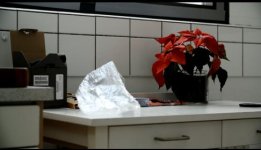
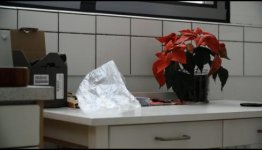
I have attached a couple of screenshots.... these are grabbed off VLC player. As you can see the Samurai is a lot more contrasty than the internal AVC. They were recorded at the exact same time... So it's not only in Premiere the contrast issue occurs :/

samu.jpg

avc.jpg
 
ok let me bend this in neon then.... the above issue is the EXACT same wether viewing the files in vlc or premiere. I might even say that the individual files looks the same in either program.
 
i got that... it may only mean the VLC decoder is possiably not doing a good enough job.. did you try;
VLC pref's/show all/Video output module/YUV video output?

Can you send me the files, then log on to my machine while i capture them and compare?
-or-
Capture them (not link) both in a recent Avid?
-or-
Resolve
-or-
Smoke on Mac

?

d
 
Last edited:
Ok so far so good... it looks better in AE, where the clips are virtually the same. Funny thing though that two programs from the same series can handle so differently.
But maybe it's time to get into the Avid world instead..... thanks so far.
 
Ok so far so good... it looks better in AE, where the clips are virtually the same. Funny thing though that two programs from the same series can handle so differently. But maybe it's time to get into the Avid world instead..... thanks so far.

I would avoid using DNxHD for anything that does not involve Avid as the NLE.
 
or avoid app's that do not decode correctly?

Things that seem to not decode DNx correctly;
Premiere on OSX (thanxs for the info guys)
FCP7 and earlier

Things that do seem to decode DNx correctly;
Avid MC / Symp / DS
FCX
Premiere on windows
Smoke on Mac
Smoke premium / Flame / Luster
Lightworks
Vegas
Resolve
Baselight
Pablo
Mystika
AE
Nuke
Digital Fusion

FCP will never work, Adobe seems to be working hard to get Premiere up to spec... but if you have to deliver to someone who is using one of the bad boys then you have to do what you have to do...

I'm lucky as i can decide the post workflow for the projects i'm working on

d
 
Last edited:
Ok so far so good... it looks better in AE, where the clips are virtually the same. Funny thing though that two programs from the same series can handle so differently.
But maybe it's time to get into the Avid world instead..... thanks so far.

So how is AE set to interpret the footage?

My guess (but i can't really tell looking at the jpgs) is that the Samurai or some other piece of the puzzle has marked the DNxHD files as full range from 0-255 but the DNxHD are expected to be 16-235 so Premiere is blindly clipping those blacks and probably the whites.

The reason is that if you take a DNxHD and AVC and just import them into AE then the DNxHD version will be clamped into 16-235 whereas the AVCHD will be 0-255, so the DNxHD will look lighter. If you manually set the interpret footage to Rec709 16-235 then they will match. The only difference between what you're doing and me is that you're using the Samurai and i've the BMD Shuttle, so either the samurai is doing something or another process in your chain?

The question is whether you can get premiere to not do that.

Now out of curiosity if you do have that in AE, can you switch to 32 bit float workspace and tell me if in the DNxHD you get decoding errors in the highlights, either black pixels or brightly coloured pixels. If you do, then can you tell me what graphics card you're on? There might be a 3 way interaction between DNxHD, 32 bit float and some nVidea cards...

cheers
paul
 
Are you in Mac OS or Windows?

I have definitely found VLC does not decode DNxHD properly, seriously clipping black levels, but in Premiere CS6 for windows, things generally look great when dealing with DNxHD. I use DNxHD for masters occasionally when editing in premiere, and have had no issues at all. But I am in windows.
 
Premiere CS6 (atleast for me - on Windows 7) decodes DNxHD perfectly. Quicktimes tend to have gamma bugs in OS X so that's one of the many reasons of me switching.
 
Hm that would make sense... I'm using it on an MBP 2011, so that clears up a lot.

I tried opening it in Avid MC 6 and it works out fine. So I guess I'll move that way from now on.
 
I tried Premiere on both Mac and Windows with the same file. Both do the same for me. The DNxHD files are clamped whereas the AVCHD is full range. Perhaps the project settings make a difference here - maybe they dictate what PPro expects to see.

cheers
paul
 
Same here.. DNxHD clamps the whites to 96 IRE on Adobe's scopes. ProRes 422 lets them go to 108 IRE. Premiere CS6 with the latest updates.
 
Back
Top