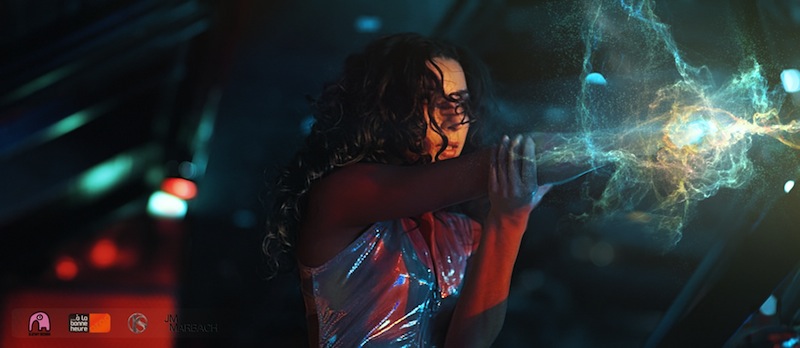
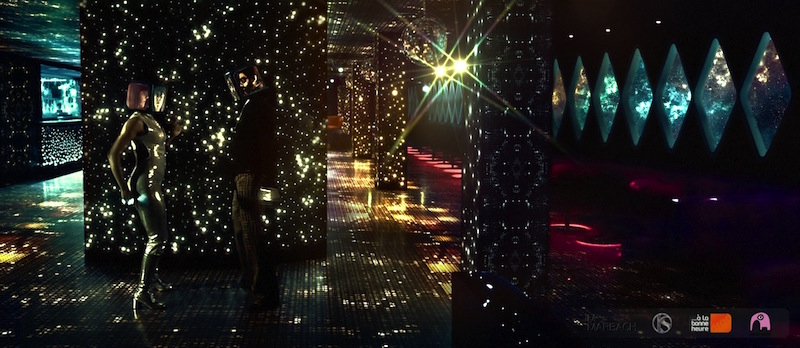
MUSIC VIDEO: Retro Sci-Fi / Space Disco indie music Video

Hi all,

This is a new music video produced with a 2000€ budget.
Shot in one day with a Canon C300, post production was done in After Effects (3D sets and set enhancements were created with Element 3D, and particle FX with Trapcode Mir & Form).
The pitch : Abducted Disco girls compete on an alien Disco ship.
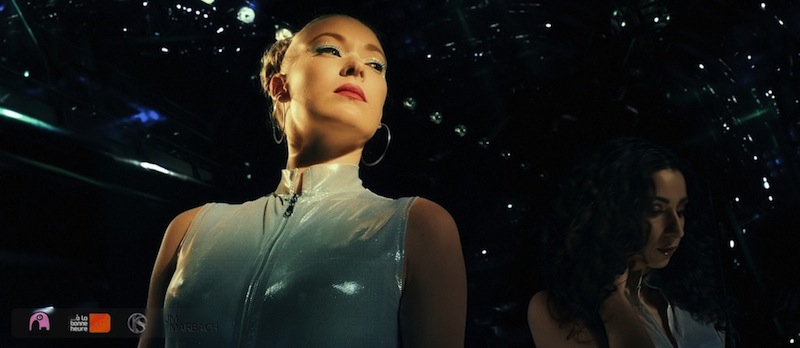
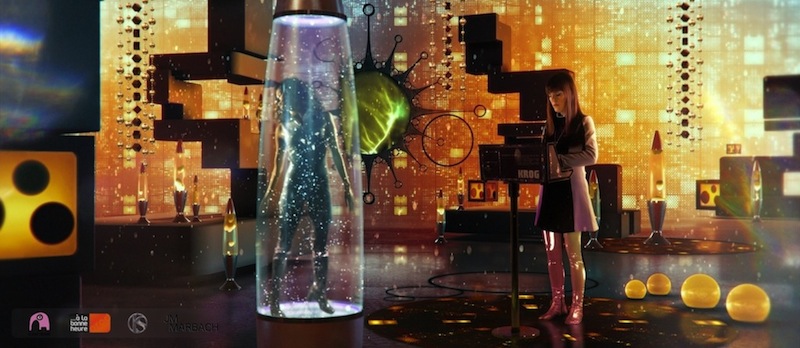
Modular_800_01.jpg


Modular_800_10.jpg


Modular_02.jpg


Modular_28_800.jpg


For those interested, the full HD gallery and additional infos are available here.

Thanks for your time, and comments are welcome!
 
Last edited:
Sure, what exactly would you like to know?
There is some additional info in this Imagineer Systems article (obviously focused on tracking and post production), and I'll gladly answer any question you may have.
Thanks for your comment and interest.
 
Last edited:
The link to the Imagineer Systems article doesn't work (points to localhost). As far as what I'd like to know - basically everything:). I recently completed a project (see trailer here: https://vimeo.com/182430987 ) done with the same tools you used (AE + E3D as the main compositing tool).

Though I used 3D models created separately (and where necessary enhanced with simple things with E3D so that I didn't have to call my 3D modeler). But most challenges I've encounted related to determining camera positions and blocking actors and props (the only props we had were three stools but that's a big departure from shooting standing people in front of green screen) so that the green screen footage composited nicely. Also, for this project I didn't use any camera movements (to avoid tracking and not to complicate further post-processing as it was my first project of the kind) - but in future I'll certainly want to use camera movement.

So, everything you can share about camera/actors/props positioning would be very interesting (and of course I don't have any computer controlled jobs/cranes interfaced with 3D model/compositing software).
 
Last edited:
I've corrected the link to the Imagineer Systems article, sorry about it and thanks for pointing it out.
I'll answer the rest of your post as soon as I can, hopefully tonight.
Thanks again.
 
Ok, Silyn, I watched your trailer.
Shooting for the stars, hey? :-) You sure didn't take the simplest path for a no-budget (I assume) project. In your case, there's not only the struggle to get the gear and crew, but the process of keying and digital set creation on top of it... So kudos for making it happen.

It's difficult to give you general input on camera angles and blocking actors. The more props you have on set, the easier it is for the actors to act in an environment which isn't there, no question about it.
About camera moves, they are possible even without tracking: You can shoot actors standing still with a tripod (for example during a conversation), and then once they're keyed and composited in your 3D scene (as 3D layers), you can animate your virtual camera, and if the move remains soft and doesn't cover too much distance, the shot can work, even if the actors were initially shot with a tripod.
So you may not be able to experiment with crazy and impressive camera moves, but a simple move from one side to the other can help giving more life to your shots.
A good example of this cheat in my video is the two shots of the singer on her keyboard at 1:52 : The camera is animated in my 3D scene, but the singer was shot with a tripod. And as she's quite far in the final composition, it's not a problem, and you can't tell she's actually a flat 2D layer in a 3D scene. My virtual camera may not be covering a large distance, but with the help of close foreground objets and far background set elements enhancing the parallax, it does the trick.
There are several shots in your trailer where you could do the same thing, and since your keyed characters would be 3D layers in your scene, you wouldn't have to track anything.

Regarding cameras and green screen, I don't have much to say that you surely don't already know... crank your shutter speed up a bit if you can (the reduced motion blur will allow an easier key), and avoid overly compressed video streams (like you still have with most DSLR cameras) because of resulting artefacts in your final key. Speaking of which, I noticed some light funkiness in some of your characters edges... I don't know what codec you used, but that may have been avoided with a de-artifacting tool (applied prior to keying) like Red Giant's Deartifactor (part of the Key Correct Pro / Keying Suite).

Diving in a project such as yours without a real budget is a challenge, as all the time spent dealing with technical stuff on your own is time you won't have for actual creation. In my last video, there were just a few shots done entirely on green screen, and the rest was "just" set enhancements. It's still a lot of work, and it does involve a lot of tracking, but having a real set to being with, no matter how flawed, makes it all far easier than dealing with 100% green screen shots. One of my previous music videos was shot entirely on green screen (with no budget whatsoever this time)... and it was a grueling process I don't wish to experience again.

Anyway, I hope this small rambling helps, keep shooting for the stars and good luck with your project!
 
Thank you very much for your tips - very interesting and helping. I'll certainly keep them in mind - I want to explore more this type of production. It does require a lot of effort - I grossly underestimated the post production work - took me nine month to complete and about 8 weeks of uninterrupted rendering (21-min film and I have Mac "trash can" with specs almost maxed out) . On a plus side, I learnt a lot. It also creates tremendous opportunities. As an indie filmmaker, I'd never be able to create sets like in the film (I keep it private and probably submit to festivals).

And since you mentioned using 3D layers for green screen footage compositing (and that's how I started). But what I discovered in AE - if you know exactly your camera position relative to actors (or, let's say to a point in space in studio) and match it in a virtual set (which I leant how to do with rather primitive tools), AE will drop the 2D footage exactly (!) in the right place in your comp - guaranteed. That was a surprise but saved a lot of time. Of course, it makes more difficult to handle the color correction and lighting the scene in the first place since 2D layers do not accept lighting from comp's lights, but eventually using other AE tools (like masking and color correction effects) it helped achieving a greater consistency which in its turn also saved time. So, I ended up using 2D layer approach. It'd also make the trick of moving virtual camera more difficult to implement. But regular tracking can help with that.

Finally, I'm thinking about trying Fusion or Nuke for the next production, but E3D is a real time saver, and it's difficult to ignore its simplicity and power. Did you give any thoughts on Fusion or Nuke?

BTW, I watched your other music video - both are very creative, congrats!
 
Of course, it makes more difficult to handle the color correction and lighting the scene in the first place since 2D layers do not accept lighting from comp's lights

Sorry if I wasn't clear: I meant using 2D sources (like video footage) as 3D layers in a 3D scene.
Anyway, I wouldn't advise color correcting using comp lights, that would quite tedious. :-)

Did you give any thoughts on Fusion or Nuke?

No, I'm a single software guy. Never really felt the need to try other VFX / Compositing softwares.

BTW, I watched your other music video - both are very creative, congrats!

Thank you very much for watching it, and also for your experience sharing.
I wish you all the best with your space endeavors!
 
Back
Top