

olof
DVXuser Sponsor
I have a good workflow in Resolve now for the DNG files from the O7Q.
Plug the SSD into your computer and it auto mounts.
Go to Resolve I use latest V10. Import the DNG folders as clips.
Then I have a LUT I built to "normalize" the image and I also have one that makes the DNGs look like they do on the Odyssey. They come in very dark looking.
Just right click and choose 3D LUT from the menu and load my LUT. Voila you have a balanced image. I will be refining my LUTs but this is a start. Then just render out to ProResHQ or whatever to your RAID. Now you are ready to edit in FCPX or whatever. Your choice if you keep a copy of the DNG's or not.
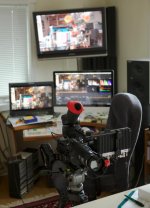
This shows my edit suite with the FS700 and Odyssey I run a SDI cable from O7Q to my eval monitor so I cam AB Resolve output to the Camera.
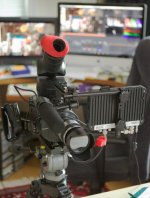
This shows my very sturdy and very adjustable bracket for the Odyssey. I have these in stock at my WEBstore.
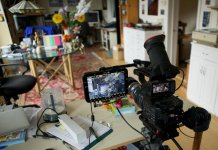
This is the scene I shoot. Northern light from the window on the left is the only light source.
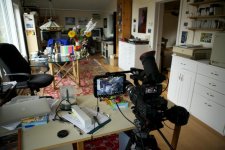
Ditto...
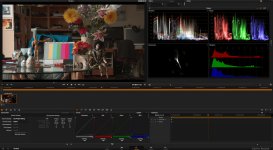
Screen grab from Resolve using Normalized LUT.
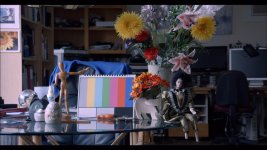
Corrected image as jpg.
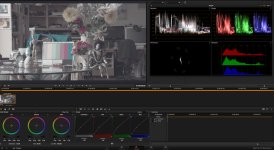
Using my Slog LUT image looks just like it does on the O7Q as do the scopes.
If anyone wants the LUTs I will share them PM me.
Plug the SSD into your computer and it auto mounts.
Go to Resolve I use latest V10. Import the DNG folders as clips.
Then I have a LUT I built to "normalize" the image and I also have one that makes the DNGs look like they do on the Odyssey. They come in very dark looking.
Just right click and choose 3D LUT from the menu and load my LUT. Voila you have a balanced image. I will be refining my LUTs but this is a start. Then just render out to ProResHQ or whatever to your RAID. Now you are ready to edit in FCPX or whatever. Your choice if you keep a copy of the DNG's or not.
This shows my edit suite with the FS700 and Odyssey I run a SDI cable from O7Q to my eval monitor so I cam AB Resolve output to the Camera.
This shows my very sturdy and very adjustable bracket for the Odyssey. I have these in stock at my WEBstore.
This is the scene I shoot. Northern light from the window on the left is the only light source.
Ditto...
Screen grab from Resolve using Normalized LUT.
Corrected image as jpg.
Using my Slog LUT image looks just like it does on the O7Q as do the scopes.
If anyone wants the LUTs I will share them PM me.