Removing a Blood Line???

crot0019

Well-known member
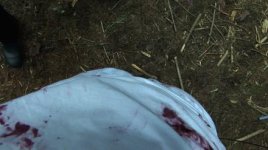
Hey guys I'm quite new to AE and I was just wondering how to remove a blood line that was pumping blood. It's to the bottom and right of frame in a 20 second clip. I assume it's the clone stamp tool? Would I use Photoshop or AE??

Appreciate any help you could give me :)

Cheers
 
Is the shot on a tripod? Do you have a "clean plate" (basically a frame of the same thing with everything out of it)?
 
One way to do this: Take the frame that shows the most amount of the line, load it into Photoshop and paint it out (if your using CS5 use the context fill, it's awesome). Then save that. Load the sequence in mocha and track the camera movement. Apply that back in AE and parent your painted out version to it. Mask the painted out version so just the part you painted is visible, feather the edges.

Here's a couple of tutorials I've bookmarked that might also help:
http://library.creativecow.net/articles/larsen_carl/simple25d_rig_removal/video-tutorial
http://library.creativecow.net/articles/drozda_jerzy/SimpleObjectRemoval.php
 
How can I paint the footage out in AE? When i click the brush I'm unable to use it??
Next to the "Brush Tool" is the "Clone Tool".. Double click the footage and edit.
Be sure is on "Layer Window" and not in "Composition Window"
Use "Brushes" window" and "Paint" window to control how work with the brush

How does one paint or clone one frame at a time, instead of having the effect carry through the whole clip?
In the "Paint" window look for Duration and Single Frame.

In Photoshop CS4/5 Extended you can import a Quicktime File, look for Windows menu, now Animation and now have a Timeline where you can move your playhead and work in any layer.
 
Back
Top