Recording sound on the 5D - lets get ready for it

Mike Brent

Carbonite Member
From the original post:

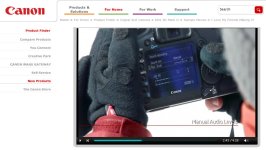
"Improved audio functionality will allow users to set sound record levels manually using a sound-level meter displayed on the LCD screen. The audio sampling frequency has also been increased from 44.1KHz to 48KHz, providing the optimum audio signal typically required for professional or broadcast material."

Now that we are going to actually be able to record sound on the camera properly, can someone guide me in the right direction in terms of what equipment should I get? My plan was to record sound on a zoom H4.

So how do I properly transfer the sound from the boom to the camera body? Do I need something in between? The camera doesn't have phantom power... so, how does that work?

Thanks.
 
From the original post:

"Improved audio functionality will allow users to set sound record levels manually using a sound-level meter displayed on the LCD screen. The audio sampling frequency has also been increased from 44.1KHz to 48KHz, providing the optimum audio signal typically required for professional or broadcast material."

Now that we are going to actually be able to record sound on the camera properly, can someone guide me in the right direction in terms of what equipment should I get? My plan was to record sound on a zoom H4.

So how do I properly transfer the sound from the boom to the camera body? Do I need something in between? The camera doesn't have phantom power... so, how does that work?

Thanks.

With the new firmware from Canon, a Juiced Link preamp will probably work perfectly supplying XLR in's, very quiet preamps and phantom power.
 
Before everyone gets all happy-happy about the improved audio specs on the 5D MKII, don't forget that the sucky audio quality isn't going to be significantly improved by an increase in sampling rate, that would be naive bowing to the Canon marketing department to think that.

Manual level control will help that bad audio quality more than the sampling rate but even so, I am in doubt if the actual sound quality of the audio chains in DSLRs will be as good as a 170/300 or an EX1, for instance. Generally, the sound QUALITY is still going to be noisy and will still have a really poor s/n ratio. We are really two steps forward with audio quality (comparing modern small sensor P2 and SxS video camera audio to the horrible sounding DV predecessors like the Sony 150/170) yet one step back with DSLRs. The audio will improve as the new camera models come out but as of today, any good portable recorder will still have siginificantly better audio quality than any camcorder, even a RED or an F35.

Dan
 
Of course this remains: if you want the best audio quality record it externally but for a lot of uses I just need decent audio without this annoying hiss background. From my experience with MagicLantern I know that the quality is more than good enough if I feed the 5D with a clean, hot signal from a quality preamp.

As for not beeing able to adjust the channels individually, this is something I can handle with the external preamp.

The same goes for probably missing audio meters in LiveView. Once the 5D is calibrated to the external preamp you can use the meters on the external device.
 
Last edited:
I wonder if you want toggle a button to let the 3" lcd to show the audio meter and sound level while output video to external monitor. if that is the case, Canon did have some thots about it.
Of course this remains: if you want the best audio quality record it externally but for a lot of uses I just need decent audio without this annoying hiss background. From my experience with MagicLantern I know that the quality is more than good enough if I feed the 5D with a clean, hot signal from a quality preamp.

As for not beeing able to adjust the channels individually, this is something I can handle with the external preamp.

The same goes for probably missing audio meters in LiveView. Once the 5D is calibrated to the external preamp you can use the meters on the external device.
 
Although the new firmware update will enable 24p recording with the 5D Mark II, the camera will still require a Magic Lantern update as well, IMO. Reason for this is, the Magic Lantern firmware allows for live viewing of the audio meters, and histogram while recording, whereas the Canon firmware does not. The Magic Lantern firmware also allows for custom crop marks to be overlaid on the screen. Good news is I am sure this update will help Hudson out tremendously.
 
Have to agree with Keith, I was just about to post about my biggest concern the ability to monitor audio with headphones through the video out port on Magic Lantern. I see no mention of this in the new firmware and this is critical as though you might be able to see healthy audio levels you would have no way of knowing if you are getting interference, windnoise, mic handling noise etc.
 
Let's say I wanted to plug a sennheiser g2/w Lav in the 5D and adjusted the volumes internally to optimum settings. Just HOW bad will it be without the Juiced Link?
 
Maybe it's just late at night as I type this, but I found this line amusing from Canon especially after being on these forums over the past year.


simply upgrading your cameras’ firmware to version 2.0.3 adds new features requested by many of our critical customers


...and I can almost hear in their tone: "Now shut the f#@ up, this is all your getting. Don't even think of asking for anything more." :-)
 
I'm not going to worry about it. The Production Mixer doesn't worry about what lens I use and I don't worry about how he records the audio to his recorder.
 
Back
Top