Hi Folks, I've just joined this forum today, although I have been watching you all for for over a year now whoo ha ha ha... :grin:
Anyway I've been a commercial photographer for many years working in advertising with 10x8 and 5x4 film and in the last 12 years digitally.
I'm now doing more video work these days and it's been interesting to see the recent evolution of the video camera, a medium that until recently remained largly untouched in the prosumer market.
These days we are all on a constant quest for quality at a budget, which brings me neatly to the HMC 151. As cameras go I'm very happy with it but I would like to think that I'm getting the most from it and would like your opinions on this.
Here are some settings I got from a BBC guru for the 151:
Detail Level 0
V Detail Level -2
Detail Coring +2
Chroma Level 0
Chorma Phase 0
Color Temp Ach 0
Color Temp Bch 0
Master Ped 0
A Iris Level 0
DRS OFF
Gamma HD Norm
Knee Mid
Matrix Norm 1
Skin Tone Detail Off
Now I've been using these for about a year now, but just recently I've been experimenting and I am finding that the above settings seem on the sweet spot with the exception of the
Gamma.
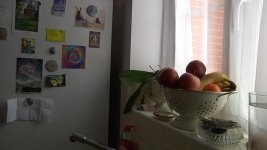
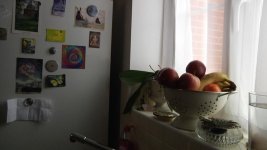
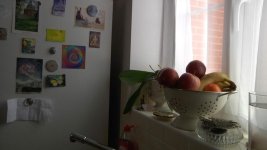
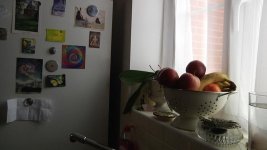
This I'm finding seems to give far more latitude and image information when set to Cine-Like D.
I was wondering what you folks think, and if you've tried this setting.
I will post up some like for like comparisons when I work out how to do it on this forum.
All the best :thumbsup:
Anyway I've been a commercial photographer for many years working in advertising with 10x8 and 5x4 film and in the last 12 years digitally.
I'm now doing more video work these days and it's been interesting to see the recent evolution of the video camera, a medium that until recently remained largly untouched in the prosumer market.
These days we are all on a constant quest for quality at a budget, which brings me neatly to the HMC 151. As cameras go I'm very happy with it but I would like to think that I'm getting the most from it and would like your opinions on this.
Here are some settings I got from a BBC guru for the 151:
Detail Level 0
V Detail Level -2
Detail Coring +2
Chroma Level 0
Chorma Phase 0
Color Temp Ach 0
Color Temp Bch 0
Master Ped 0
A Iris Level 0
DRS OFF
Gamma HD Norm
Knee Mid
Matrix Norm 1
Skin Tone Detail Off
Now I've been using these for about a year now, but just recently I've been experimenting and I am finding that the above settings seem on the sweet spot with the exception of the
Gamma.
This I'm finding seems to give far more latitude and image information when set to Cine-Like D.
I was wondering what you folks think, and if you've tried this setting.
I will post up some like for like comparisons when I work out how to do it on this forum.
All the best :thumbsup: