Preparing Camera for 16:9 Letterbox

Hey I have a GH2 and I was wondering what would be the best way to prepare my camera for shooting 2.35:1 widescreen. Would it be best to tape the lcd screen with gaffer tape or is there a more accurate way of doing it?
 
Last edited:
You could try shooting a still image, adding black bars of the right dimensions in photoshop, and then sending it back to the camera. That way you can bring the image up on the screen and use it to tape/mark exactly where the 2.35:1 cropmarks need to be. This works on the Canon DSLR's but not all cameras will play back at altered JPEG so I don't know if it will work with the GH2.

As for actually drawing the quides, the best option is to use a LCD screen protector to draw onto, that way you don't need to directly mark your GH2. Use thin lines of permanant marker rather than taping or colouring over the whole section, otherwise you'll block off a lot of the data that displays on the edges of the screen.
 
does not work, because the img preview 'placement' is different (centered) from the actual live view. :(

I think the best way is download magic lantern and if you don't want to use it, just use its cropmarks to mask the lcd.
 
I've done this and it works on the GH2 (magic lantern isn't for the GH2, btw)

Put your GH2 in photo mode. Change the photo aspect ratio to 16x9. Take a photo. Take the SD card out, put it in your computer. Open the photo in Photoshop or FCP and add your 2:35:1 crop marks. Save the photo as a JPEG, naming it the exact same thing as it was named by the GH2. Replace the old JPEG on the SD card with the new, 2:35:1 masked JPEG.

Put the SD card back int he camera, go to playback mode, and your image should show up, complete with correct aspect ratio. Then, either with tape or using a LCD screen protector, mask off the LCD according to the JPEG onscreen.

Hopefully that makes sense. It's easier than I'm making it sound. But i know it works, I've done it.
 
Also, there's a "Guide" mode on the GH2. I believe someone said that something like 55 clicks from the bottom was a 2:35:1 aspect ratio. I used that until I got a screen protector to sharpie on.
 
Thanks. I tried cropping a photo in photoshop from the camera and then putting it back in the camera, but it says "image cannot be displayed" so I'll try the click thing. Are you sure it was exactly 55?
 
I just know it was 55ish... I don't know an exact number... sorry.

Are you naming the cropped JPEG the same thing as the original JPEG? I think everything has to be the same in the new, anamorphic JPEG. Don't crop the photo (thus, changing the resolution). Keep the same resolution, and just add black bars to the top and bottom in the correct aspect ratio...
 
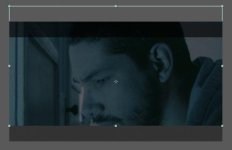
I like that mode on the T2i from the Magic Lantern hack, and the fact that you can use your own customized cropmarks, but the idea remains simple: you can use a mask/marks/guide or whatever you call it but in the end, your footage remains "adjustable" in post. Here's my point:
240 in 169.jpg
You can slide the footage up&down and add these black bars on top of it using a photoshop template like these ones attached.
Other than this, screen protectors or loupes/viewfinders can be slightly modified to add these cropmarks and be used as a guide as well.
 

Attachments

Back
Top