Picture profile thread. I have an idea.

cheezweezl

Veteran
As my firmware was updating I got an idea. Let's start an official picture profile thread, make it a sticky, and make it only consist of links to download picture profiles. Keep the discussion in seperate threads to keep it tidy.

So say I post a new picture profile. My post would consist of a link to download, a brief description, and a link to a separate thread I create to discuss the profile.

This could be a great resource for profiles that doesn't involve sifting through page after page of debate to find the profile you're looking for.

So if any mods are reading this and could start and sticky this kind of thread, I think it would be cool.
 
Nirv - great stuff

Whe nwe bought our FS100 there was a tiny book in B+W that looked like it was created using google translate!

S
 
What a great find, i assume this is all because of the V2 firmware, perhaps as a response to the confusion about settings. Don't you find the F3 match PP eerily similar to the spate of high knee ones here.

I few read throughs to absorb this properly but really appreciate the heads up on this

cheers
paul
 
Nirv - great stuff

Whe nwe bought our FS100 there was a tiny book in B+W that looked like it was created using google translate!

S

You are welcome.

I found it in a google search and assumed it was included with the camera. I bought mine ex-demo so wasn't sure if it was included in the box.

The manual is p1ss poor and does not explain the functions too well. Unless you come from a Pro.Sony background the terms can be meaningless. The handbook does a really good job of explaining parameters which will hopefully mean the production of profiles will be less hit n miss.

I can't claim any credit for the book, I just found it. If it is from Sony then why the heck isn't it included in the box?
 
Preset Naming

Preset Naming

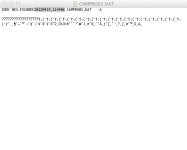
The attached image shows the guts of a saved profile. The highlighted text is the file name as it appears in the FS100. Can anyone say whether it would be possible to edit this to a more usable description?

Anyone with bigger hairier balls than me prepared to test this?

The camera reboots after the PP is reloaded which made me stop and think.
 

Attachments

  • Preset.jpg
    Preset.jpg
    35.3 KB · Views: 0
The camera reboots after the PP is reloaded which made me stop and think.

It's just data, so the answer is yes, but to work out what each part did would mean tweaking one setting, seeing what changed, go back and so on. Could take a while reverse engineering it. Not difficult just time consuming. You probably wouldn't want to guess just in case you bricked the firmware which is what i assume you're thinking when the camera reboots. (So it reboots when you load any new PP? That seems pretty odd)

The question is why, beyond convienence.

Unless of course one byte of that is marked as 'turn super-secret-slog: on' :)

cheers
Paul
 
The question is why, beyond convienence.

Unless of course one byte of that is marked as 'turn super-secret-slog: on' :)

cheers
Paul

All I want is to be able to rename the preset so in the camera it has a usable description like, HiconHilite for High Contrast Highlight Saving, etc etc.

Rebooting took me by surprise and bricking my camera is not what I want to do. :)
 
So at first sight, you can't rename picture profiles, and you can't save pictures profiles to file for sharing, just camera profiles. A camera profile contains all the settings of the camera, includion gain and white balance switch, etc, and the 6 picture profiles. Not really usefull for internet sharing unfortunatly. But great if you are shooting multi cameras with other users (which I do quite often).
 
I think it would be somewhat easy for someone with computer programming knowledge to reverse engineer the data file and find how are stored each parameter of the picture profiles inside the .dat file. After, it would be easy to write a simple GUI app that allows you to enter manually the values of a profile, or load them from a text file sharable on the internet, and after that the app build a compatible .dat file that you can load to the camera.

I'm pretty sure we will see those things appears sooner than later.
 
It's certainly possible, but surely time consuming.

Basically the easiest way is write out the file, go change ONE parameter, write out the file, you can start pulling apart the data. Might do it just for fun :) Depends on how my schedule is, been SUPER busy lately.
 
Back
Top