I shoot on a tripod in the theatre so auto focus is a real problem when the lights go to black and then a full lights up stage. Manual, set with touch focus solves this problem. But I agree that for 4K, focusing is a real issue and auto focus is the answer in most cases especially since the focus area and speed etc can be adjusted on the new UX series and HC-X1 .

Navigation
Install the app
How to install the app on iOS
Follow along with the video below to see how to install our site as a web app on your home screen.
Note: This feature may not be available in some browsers.
More options
You are using an out of date browser. It may not display this or other websites correctly.
You should upgrade or use an alternative browser.
You should upgrade or use an alternative browser.
Panasonic announces UX180 and UX90 pricing & availability
- Thread starter Barry_Green
- Start date
Barry_Green
Moderator
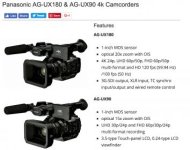
yes, I've been saying this for a while. The UX90 and the UX180 are NOT the same camera, and you cannot directly compare the images. The UX90 is the best camera they could make for $2,000. The UX180 has a higher price point ($3600) and so it has a better sensor, better processing hardware, more frame rates, more sensitivity, less noise, etc.they said that UX90 & UX180 have same sensor size but the sensors are different. UX180 produce less noise. So we can't compare directly the image quality between UX90 & UX180
They are decidedly not the same and you should not judge one based on the other.
Barry_Green
Moderator
It's not "marketing reasons", it's hardware limitations. There's only so much you can do at that price point. The UX180 can do it, but it draws way more power than the UX90 does, which points to the UX180 having upgraded processing hardware in it.The UX90 crops into the sensor for UHD but I expect for marketing reasons the UX90 is restricted to 30P UHD.
My initial evaluation shows that it does very very well with HD, even better than the DVX200's HD (although not as sensitive).We will have to see what the HD performance is as that will depend on how the interpolation works on the UX90.
I think I know what you're saying, but let me restate the situation clearly so hopefully there is no confusion:That video also mentions that the internal processing is 8 bit 4:2:2 as is the external outputs too. Though for UHD the specs clearly say that then the output is 8bit 4:2:0 HD. No mention of output in standby for UHD .
The output is always 8-bit.
When in HD, the output is always HD 4:2:2.
When in UHD 24/25/30, or 4K/24, the output is UHD 4:2:2.
When in UHD 50/60 in standby mode, the output is UHD 4:2:0.
When in UHD 50/60 and recording, the output is 1080p FHD 4:2:0.
Barry_Green
Moderator
Focus is always going to be challenging on a large-sensor camera with a smallish LCD. That's just a given. The autofocus system may be able to do better, and the UX180's autofocus is quite quick.Focusing is difficult in 4K and with my Sony FDR-AX1 I have found that autofocus is by far the better way to go most of the time.
For LCD focusing, during standby you have the option of the magnified focus assist, and during recording you can employ the LCD detail peaking, or you can use the focus-in-red LCD peaking. The focus-in-red is customizable to your taste, you can adjust it so that it is generous or picky, you can adjust the response to give you a little red or a whole lot of red, etc. And, the manual focus ring is active even during autofocus, you you can "help" the autofocus out, or fine-tune the focus for exactly what you want. Additionally, the UX180 has the pre-set focus transition feature, so you can pre-program up to three focus points and switch between them precisely and automatically (useful for locked-down shots, not useful for handheld run 'n' gun of course).
The area touch focus is very easy to use (obviously) and really helps the system know exactly what to focus on, which will improve its performance. You can fine-tune how you want the focus to perform too; you can choose the size of area for it to evaluate for determining focus (a generous or tight area, for example) and you can adjust the speed and responsiveness of the focus system. You can have it jump hyper-fast, or gradually transition to other focus points; you can also tell it how "sticky" you want it to be -- once it's focused, do you want it to stay there and ignore intervening objects (such as a passerby who walks between you and the camera) or do you want it to jump immediately to the closest object? Those parameters are in your control, you can tell it to be extremely responsive (like for a football game) or for it to be gradual and stable (for an interview, for example).So for me the area touch focus with size adjustment is one of the main features for me of these new cameras. If you really want to focus manually you will need a much larger external monitor with1:1 pixel setup. I think you may find touch auto focus a lot easier. That way it will be in focus and stay there and not hunt as if it is in full time autofocus.
Barry_Green
Moderator
Not necessarily. The HC-X1000 has a comparatively tiny sensor, so it has much deeper DOF, which really really helps autofocus out. The UX cameras have a sensor that's somewhere around 20x larger than the HC-X1000's sensor, so they have much shallower DOF, and that makes the autofocus system have to work much harder. They've invented new technologies to help with this, and the autofocus in the UX is really quick, but just recognize it's a lot harder job and so you may not see marked improvements over what you'd see from a smaller-sensor camera.With the HC-X1000 i have no problems at all when it comes to the camera being locked on a fast moving target in full AF, in 4K 50p (there is no way you could video for 5 hours+ what I do without doing it in AF), the 90 and 180 should be better than that! But I also always have it on a SS over 100 so i can get perfect freeze frames.
The reason I like the expanded focus during record is I set the focus and do not change during a performance. With the 1/3" sensor on the NX5U and shooting from the back of the theatre there is no need to continuously focus as the depth of field is adequate for all but very tight closeups ( which I do not do with my camera my wife does that with the AX100 ). I do however check every so often that the focus is OK with the expanded focus. Red peaking is on all the time as is zebra but this is often not enough to get sharp focus. The NX5U does not have touch focus which the AX100 and AX53 do have and is excellent so that is why I look forward to having that feature on a camera like the UX180/HC-X1. Reading the UX90 user manual still not clear how area touch mode works. I would like it to operate in manual focus, set the focus with touch and stay there until I change it. Is that how it works ? That is how the Sony's work. I do not want it to track . For me that is another feature I just want to use area touch focus as a manual focusing aid.
Assuming this works the same as the DVX200, as long as you have the camera in manual focus mode, it will work that way. Area mode is apparently also capable of adjusting the Iris too, so you may need to be in manual exposure mode as well. Note that when the area mode is active, the touch screen is useless for anything else. I commend to you the pages labeled 160 and 161 of the excellent (and long) DVX200 Guide (which pages are displayed to me as pages 172 and 173 in my pdf reader).
Yes I have Barry's DVX200 guide and was just trying to confirm if these camcorders work the same way. I run full manual on my camera most of the time. My wife and the other Sony's run with fixed shutter,AE shift set and limit on gain. The other thing I am finding out about on these camcorders as it would be used unattended some of the time as a full stage camera so that I can edit in HD afterwards. The whole point of UHD for me. Essentially would like to set as I do the AX53 or FDR-AX1 now. Gain limit, AE shift, fixed shutter and fixed touch focus ( though the AX1 does not have touch focus I set manually ). With the Sony's I can get out of touch focus mode returning to normal display and they will stay in that focus position until I change.
Barry_Green
Moderator
Yes generally it will work that way. It has to be in autofocus for the area touch function to work, but when it's locked in you then set the switch to manual and it will stay there until you want to change it again.
The area mode can be used to tell it where to focus, or where to expose, or to give you a readout of what the exposure level is at that position, or it can be set to do a combination (such as focus and expose, or focus and report exposure).
The function works the same as the DVX200. Most of the functions in the UX180 work the same as the DVX200. It doesn't have everything the DVX200 does, but it does have most of it, and the functionality is generally the same.
The area mode can be used to tell it where to focus, or where to expose, or to give you a readout of what the exposure level is at that position, or it can be set to do a combination (such as focus and expose, or focus and report exposure).
The function works the same as the DVX200. Most of the functions in the UX180 work the same as the DVX200. It doesn't have everything the DVX200 does, but it does have most of it, and the functionality is generally the same.
The Sony screen when in touch focus allows you to touch for focus and you then have two options to leave this screen. Just exit in which case you are in manual focus and it stays where you have set it or you can exit to auto focus in which case it will refocus to auto focus . Not what you want to have happen of course. How can this be done with the Panasonic system without the auto focus changing the focus as one gets out of area focus?
On my Sony's, in manual focus, I have an LCD " My Button " set for spot focus and when I touch this I go into a screen that I can touch the point I want in focus. If I then exit it will stay there in focus directly. Seems like a lot more button pushing and opportunity for errors to achieve the same think for the UX180. I do not want the camera to be in auto focus at all other than to touch focus. Is there not a way of setting user buttons to go directly into area mode in manual focus and then focus where I touch, then return to manual focus? If I am in manual focus and turn on auto focus it will focus on something that I do not want before I have time to area focus the point I want. For me this will be during a 1 hour performance while recording and I do not want the camera focusing where I have not directed it to focus with touch focus. I may want to do this repeatedly during the performance to check focus or refocus if I have zoomed in for a closeup. Just like the expanded focus issue this is something I will want to do while recording and without causing a noticeable change to the image being recorded. Seems like the focusing aids are in two modes. Those while in standby before recording and those that modify auto focus. The first is of use to me but I am beginning to think that while recording the available aids are limited for the way I want to work.
EDIT: Barry just re-read the DVX200 section on AREA mode from your book and that is close to how I would want the touch focus to work. So am interested if the UX180 work the same way. Assign a user button to area. while in manual focus press the area user button, touch the point on the screen I want in focus and then touch the area user button to return to manual focus mode. Only part is I would prefer no frame in area until I touch the screen. Not sure if that is how it works.
EDIT: Barry just re-read the DVX200 section on AREA mode from your book and that is close to how I would want the touch focus to work. So am interested if the UX180 work the same way. Assign a user button to area. while in manual focus press the area user button, touch the point on the screen I want in focus and then touch the area user button to return to manual focus mode. Only part is I would prefer no frame in area until I touch the screen. Not sure if that is how it works.
Last edited:
Barry_Green
Moderator
Yes, I deleted that last post because it was inaccurate.
On the UX180 you'd do it like this:
Set the camera in manual focus
Press the USER BUTTON to which you've assigned AREA (the AREA focus/expose function)
Touch the area of the screen you want it to focus on.
The camera will switch into autofocus, it will focus on that spot, and then it will automatically go back to manual. And it will stay in manual unless you touch another area on the screen, at which point it'll focus on that new spot and then switch back to manual.
So it does exactly what you're asking for.
On the UX180 you'd do it like this:
Set the camera in manual focus
Press the USER BUTTON to which you've assigned AREA (the AREA focus/expose function)
Touch the area of the screen you want it to focus on.
The camera will switch into autofocus, it will focus on that spot, and then it will automatically go back to manual. And it will stay in manual unless you touch another area on the screen, at which point it'll focus on that new spot and then switch back to manual.
So it does exactly what you're asking for.
Can't help you with that part; when you turn on AREA mode, it does display the frame and that frame will stay there until you turn AREA off again. It doesn't do or hurt anything if you're in manual focus, it's just an overlay that's there so long as the area function is active.Only part is I would prefer no frame in area until I touch the screen. Not sure if that is how it works.
Does it auto focus at that frame or wait until one touches the screen. If that is the case then that is OK. Just didn't want it arbitrarily focus on the frame at the last position it was set at. If that is the case it is just like the Sony ( which does not have a frame but does nothing until one touches the screen ). Looks like it will do what I want at least for touch and I have my external monitor for expanded image.
Being so far a Sony camera owner I have started to look at Panasonic stuff including the apps for controlling Lumix cameras like the FZ series etc. Just wonder why Panasonic did not use these apps that exist for iOS and Android that from some of the demonstrations on Youtube look very good. Sad that the only app for these camera is for iOS only which I guess is something to do with the fact wireless is not in the cameras but from a USB dongle or because this is the Pro division ?
Sad that the only app for these camera is for iOS only which I guess is something to do with the fact wireless is not in the cameras but from a USB dongle or because this is the Pro division ?
I agree about AG ROP app, but WiFi Protocol is the same on every chip. So it's only a decision that Panasonic have to make. To create an app like this is at most a month of 2 software engineers (for me 2 weeks of a freelancer, but in big companies some things going slow). So we have just to press them, it's all about community. If customer wants that Panasonic will do. Maybe we have to start a petition

It is not just the wireless protocal which is just a way of removing a wire. It is the internal functions that may be different or the Lumix app my work !!! Seems to work for all the still cameras and likely the GH5. The apps of course will have different functional capabilities and look different. For me the Lumix app looks to do all I would want. I am looking to update both my FDR-AX1 and the NX5U and a HC-X1 and GH5 with the Lumix app would work I think.
Here's some native 4K30p videos going from 0 to 30 db.
https://we.tl/qE30LQRsI3
Shutter set to 60.
It crops a bit for 4K
Dumb question but.... these are .mp4 files straight from the camera, right? They imported and worked fine in CS6. The specs say it also records to .mov format.
The specs on the UX180 also say .mp4 and .mov.
I'm trying to determine if I will be able to import footage straight from the UX180 or HC X1 into CS6. I'm on PC, WIN 7 64
Last edited:
Stevelunn40
Member
I import MP4 files from the dvx200 without issue into premiere cs6, I assume the ux180 files will import as easily.
I've enjoyed Philip's reviews in the past, so I look forward to this one:
https://www.hdwarrior.co.uk/2016/11...view-for-9-months-the-panasonic-hc-x1-4k-50p/
https://www.hdwarrior.co.uk/2016/11...view-for-9-months-the-panasonic-hc-x1-4k-50p/