
Navigation
Install the app
How to install the app on iOS
Follow along with the video below to see how to install our site as a web app on your home screen.
Note: This feature may not be available in some browsers.
More options
You are using an out of date browser. It may not display this or other websites correctly.
You should upgrade or use an alternative browser.
You should upgrade or use an alternative browser.
P2 Offload Consultant Needed - Paid
- Thread starter adanac
- Start date
So the problem is absolutely, positively my version of FCP and when I upgrade this problem will 100% solved? EVERYONE with my version has the exact same problem?
Spend your money on a 3rd-party transcode solution or updating your ancient version of FCP. Problem solved.

Al MacLeod
Well-known member
Still seeking a consultant. Files won't "transfer" in FCP. A day of shooting and footage not accessible. Thanks, Panasonic!
I'm not a Mac person, but I can search...I'll probably hear about bringing another board into this, but what can you do. Whatever answer you eventually find, please share!
Re: DVCPRO HD 1080p30
Jan 31, 2011 8:32 PM (in response to bencorwin)
Are you not using the IMPORT PANASONIC P2 option? There is a specific workflow for P2 in FCP...
http://library.creativecow.net/articles/rossshane/p2workflow.php
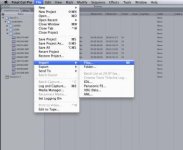
In FCP 6 and 7, the option has been changed to LOG AND TRANSFER, but for FCP 5.1 and 5.0, it was called IMPORT>PANASONIC P2. You need to load the P2 drivers for this stuff too.
Shane

MacPro Octo 3.0Ghz, 4GB RAM, ATI 4870, Decklink Extreme 3D,, Mac OS X (10.5.5), Matrox MXO2 Mini, FCP 7.0.3, Avid MC 5, a plaethora of hard drives
https://discussions.apple.com/thread/2739837?start=0&tstart=0
- L

chromeboy007
Well-known member
See my comments in your red exclamation thread. Import the Files / Folder as though you are importing any other normal files.

gkantziper
Esteemed Member
If you are still in need of help, shoot me a note and I'll either help you are get you in touch with someone who can help you. Glen@KPSR.com