optical flow de-noise

I've been testing the demo version of The Foundry's Furnace plug-ins for Shake, and found that their optical flow denoise filter produces incredible results with underexposed HVX footage. The plug-ins are relatively expensive ($4,000+ to purchase) but luckily they can be rented by the day.

I was wondering, does anyone know of a cheaper opitcal flow denoiser?
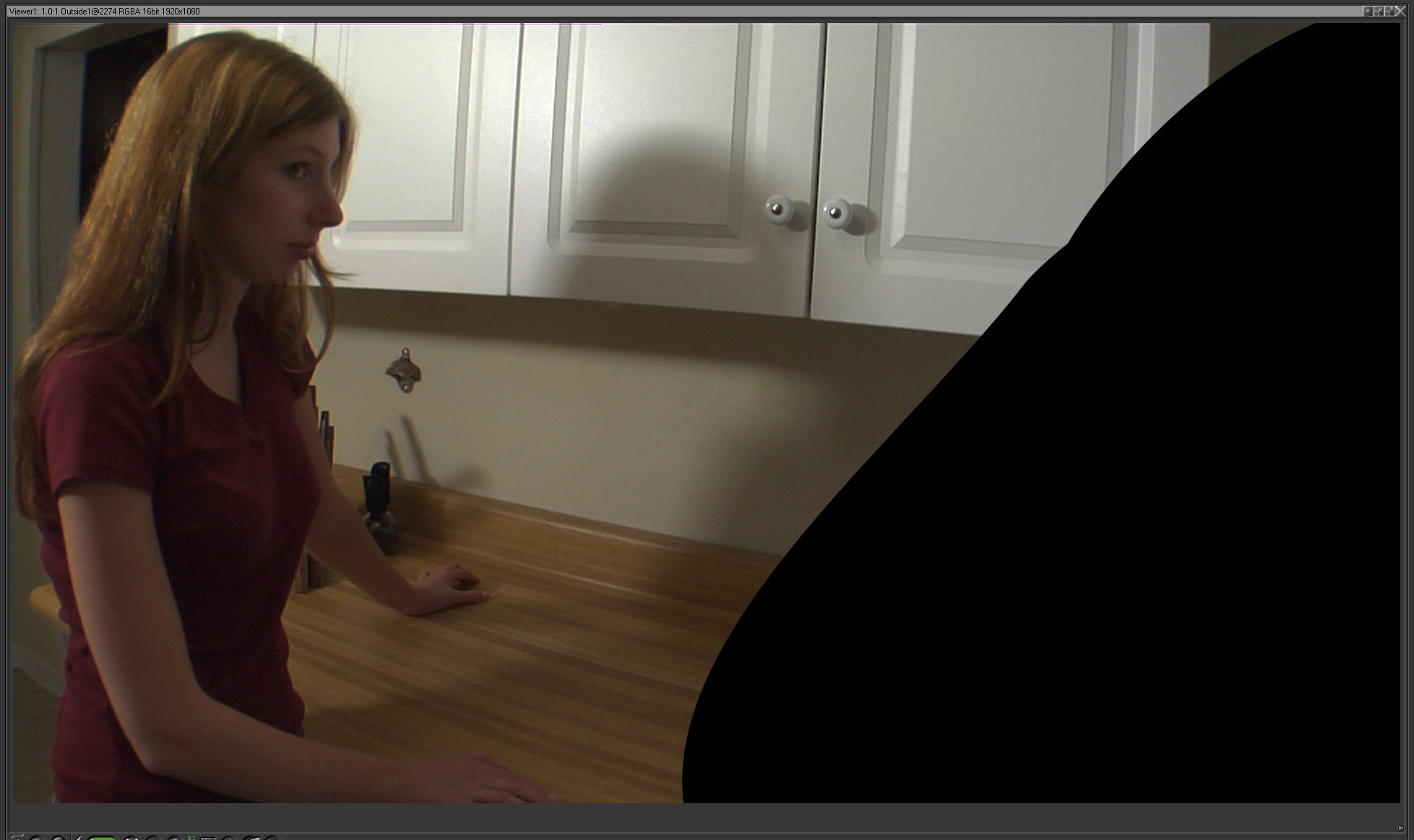
 
Sure. It works best on close-ups, and can soften fine details on wide shots- so here's a medium shot to check out-

Before:
noise.jpg


and after:
denoise.jpg


(Please pay no attention to the matted area.)
 
Last edited:
They're uncompressed tiffs, try giving 'em a few seconds to load. I'm on a cable modem and it takes under 10 seconds.

Edit: ok now they're jpgs, should load quicker.
 
Last edited:
Hot dang. At first thought it was "This softened the image". But it actually didn't! That's nuts.

4,000 for a plug-in? How much do you "rent" a plug-in for? LoL
 
This looks brilliant. Had a mail from them this morning.

I've no doubt it works wonders, as I swear by Twixtor and Flex.
 
RevisionFX make fantastic plugins I use twixtor every day and it also denoise's footage.
 
This plugin for AE and FCP/Motion looks promising, it too uses optical flow technology to denoise.

http://www.revisionfx.com/products/denoise/overview/
http://www.revisionfx.com/products/denoise/gallery/

$99

Very cool, this is more the sort of price point I was looking for!

I'm testing the demo version for FCP and Motion. It seems to work well in FCP, but with some remaining "posterized" looking areas. This may be because FCP is only working in 8 or 10 bits. So far I haven't been able to get the demo version to work in Motion, where you can use it in 16 or 32 bit space. I'm going to keep fiddling with it for a while...
 
On the RE:Vision plug-in-

I emailed them about my problem with Motion and Pete Litwinowicz wrote back saying it sounds like a bug and if so he’ll be fixing it momentarily.
He also informed me that even though FCP can only save to 8 and 10 bit formats, their filters compute in floating point precision. (You have to have your sequnce settings set to “Render all YUV material in high-precision YUV”) The stuff you see in the timeline is only ever going to be 8-bit, but when you finally export your movie everything gets recalculated. I found the same holds true for scaling- for example from 960x720 to 1920x1080- the scaling you see in the timeline is lower quality than that of you final output. And as far as I can tell it's the same quality of scaling that Shake does.
 
Pete Litwinowicz is a top man. been dealing with him at RE:Vision for years.

Regarding scaling, this to me is one of FCP's weak points, and Shake for me will comprehensively trump this quality. Shake has 16-point interpolation, the best available. It has to be as it's been mainly a film post-production tool for it's life. FCP's is of a lesser quality.

I hit this quality wall recently with a resampling of an FCP job in-progress from 1080 down to PAL - I wanted to do it to the clips, not a finished render. I *hoped* I'd be able to use the media manager, nice and easy I thought. The final quality left a lot to be desired.

I ended up rendering all my HD clips through Shake and Rush over 2 days, downsizing the entire clips to PAL, and re-conforming manually in FCP with a copy of the timeline.
Chalk and cheese in quality difference.
 
Last edited:
Regarding scaling, this to me is one of FCP's weak points, and Shake for me will comprehensively trump this quality. Shake has 16-point interpolation, the best available. It has to be as it's been mainly a film post-production tool for it's life. FCP's is of a lesser quality.

For upscaling, I used the Motion Tab in FCP 6 and couldn't tell the difference between it's output and Shake. Haven't tried downscaling though.
 
Here's a test of the same shot from above with the RE:Vision denoise filter:
denoise2.jpg


It's close to the quality of the Furnace plug-in. One thing to keep in mind is that the demo version of Furnace didn't let me export anything, so for that shot you're looking at 32 bit 4:4:4, while with the RE:Vision shot you're looking at its 10 bit 4:2:2 output.
 
Back
Top