
Navigation
Install the app
How to install the app on iOS
Follow along with the video below to see how to install our site as a web app on your home screen.
Note: This feature may not be available in some browsers.
More options
You are using an out of date browser. It may not display this or other websites correctly.
You should upgrade or use an alternative browser.
You should upgrade or use an alternative browser.
Odyssey7 & Odyssey7Q Status Update
- Thread starter Mitch Gross
- Start date

Nick_Shaw
Well-known member
WAV files can have timecode. It is not in the original Microsoft WAV spec, but is in the extended BWF spec.
If you modify the WAV file in an Odyssey DNG folder so that it has timecode matching the DNGs, Resolve will then see the folder as containing a single clip, with both video and audio. No manual syncing is necessary.
There are a number of utilities which can add timecode and other metadata to WAV files. Convergent Design are investigating ways to automate the process, but in the meantime you can do it one clip at a time with something like the free Wave Agent application.
If you modify the WAV file in an Odyssey DNG folder so that it has timecode matching the DNGs, Resolve will then see the folder as containing a single clip, with both video and audio. No manual syncing is necessary.
There are a number of utilities which can add timecode and other metadata to WAV files. Convergent Design are investigating ways to automate the process, but in the meantime you can do it one clip at a time with something like the free Wave Agent application.
Last edited:

Nick_Shaw
Well-known member
Obviously the long term ideal is for the Odyssey to write the timecode and other metadata to the WAV file at record time.That's a good workaround, but it would take longer than syncing them in Resolve...
It would be possible to create a batch script which would extract metadata from the CD XML files and write it to the WAV files.
Nick_Shaw
Well-known member
I doubt that is the case. Given that it does auto match with the appropriate metadata.That would be nice, but the fact remains the only reason Resolve doesn't match them up now is because BM doesn't want to.
Are you 100% certain BMD WAV files have no timecode?
I'm sure it could be done, using ffmpeg.Now if this batch script could also change the WAV to 24 bit, i'm all for it
Yes it must be possible to embed timecode because BM Cameras and other Cameras can do it. I have tested with a Magic Lantern RAW Clip (5DmkIII) and opened the WAV file in Quicktime:It wasn't apparent in my project, but I went back to double check and you are correct, BMCC audio does indeed have a timecode.
So it IS a CD problem!
Ah, round and round the blame wheel spins =P
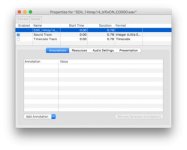
So there is some kind of timecode track that Davinci can read.
Also the naming of the folders seem important to Davinci. It has to be something like "NAME_C0001" I have tested multiple combinations and only when there is the "C" with 4 digits it will be accepted. Also the "NAME_" (NAME is just an example) has to be there so it can't just be "C0001" it has to be "NAME_C0001".
This though can be easily done with a batch rename application. But it really seams that BM first to support their own cameras and everyone else has to adjust to them.

Mitch Gross
Veteran
The current promo we have going is a $500 off sale on the Apollo option for the Odyssey7Q+. That sale last through September 25th. No other current promos or discounts.Hello, is there a stundent discount program for Odyssey7Q+? or a new promo?
Some off-topic but I know Mitch read here
Thx.
Hello.
I have a strange glitch with Odyssey 7Q.
I was using Odyssey 7Q recorder as a playback device connected to Arri Alexa XT camera (this forum is in Sony section, but I came here from convergent-design support page link, so I guess it is a right place to ask)
Alexa XT recorded clips in Arriraw format on Codex cards inside camera, and Odyssey was used just to record Prores LT for playback needs on the set.
The glitch happened many times: while camera was recording clips in high speed mode (50, 75 and 100 FPS). Odyssey was triggered manually to record, but after a few seconds (something about 10-20 seconds) the message appeared that the record was stopped, and that I should check the last clip. After receiving this message it was not possible to press "record" again. I had to reboot Odyssey every time it happened.
Some more details: a few short clips were recorded successfully, but attempts to record long clips (approx more than 30 seconds) always lead to error and message that "record was stopped, check last file...".
This problem occurred only when camera was in high speed mode (50 fps or higher). When camera was in 25 fps mode, there were no mistakes.
But I still have no idea, how does FPS on camera affect record problems on Odyssey. Odyssey was connected to "Mon Out" connector of the camera, and was suppoused to record real-time 25fps picture, independently from FPS setting on Alexa itself. And it did record them normally for a few seconds, but the longer was the clip, the more chances were that the error message appeared.
Any ideas why does it happen? Does anybody else has similar problem?
TIA!
I have a strange glitch with Odyssey 7Q.
I was using Odyssey 7Q recorder as a playback device connected to Arri Alexa XT camera (this forum is in Sony section, but I came here from convergent-design support page link, so I guess it is a right place to ask)
Alexa XT recorded clips in Arriraw format on Codex cards inside camera, and Odyssey was used just to record Prores LT for playback needs on the set.
The glitch happened many times: while camera was recording clips in high speed mode (50, 75 and 100 FPS). Odyssey was triggered manually to record, but after a few seconds (something about 10-20 seconds) the message appeared that the record was stopped, and that I should check the last clip. After receiving this message it was not possible to press "record" again. I had to reboot Odyssey every time it happened.
Some more details: a few short clips were recorded successfully, but attempts to record long clips (approx more than 30 seconds) always lead to error and message that "record was stopped, check last file...".
This problem occurred only when camera was in high speed mode (50 fps or higher). When camera was in 25 fps mode, there were no mistakes.
But I still have no idea, how does FPS on camera affect record problems on Odyssey. Odyssey was connected to "Mon Out" connector of the camera, and was suppoused to record real-time 25fps picture, independently from FPS setting on Alexa itself. And it did record them normally for a few seconds, but the longer was the clip, the more chances were that the error message appeared.
Any ideas why does it happen? Does anybody else has similar problem?
TIA!
Last edited:
Mitch Gross
Veteran
This is purely speculation, but I wonder if there was a mismatch going on based on the timecode. 25p video output by the camera but because it was rolling internally at 50p the timecode didn't properly align with the video. That's just off the top of my head and not based on any hard facts. Please contact Convergent Design Tech Support at cdsupport@convergent-design.com. We have an Alexa in house that our engineers can use to test this.
Thanks, I've send an email to the address that you had provided.
As for the idea with the timecode, I still do not understand why it works from time to time. If Odyssey didn't record any clips while camera was in high speed mode, I would understand it. But it records them, and sometimes it was even able to record full clip (short one). And the moment when record stops is always different: it doesn't stop exactly at 10 seconds, or at 12 seconds. It could occur at 8 second, or at 13 second as well. There is no system in the glitch...
Ok, lets wait and see what Tech Support will tell!
As for the idea with the timecode, I still do not understand why it works from time to time. If Odyssey didn't record any clips while camera was in high speed mode, I would understand it. But it records them, and sometimes it was even able to record full clip (short one). And the moment when record stops is always different: it doesn't stop exactly at 10 seconds, or at 12 seconds. It could occur at 8 second, or at 13 second as well. There is no system in the glitch...
Ok, lets wait and see what Tech Support will tell!

ChristianMoriarty
Well-known member
Arri states that when recording high speed from the Recorder output the recorder needs to support Variflag.
Recording from the monitor output is only up to 30p.
Recording from the monitor output is only up to 30p.
Arri states that when recording high speed from the Recorder output the recorder needs to support Variflag.
Recording from the monitor output is only up to 30p.
Odyssey was always working in 25 fps mode, recording simple real-time ProRes LT files, for playback needs (just like AJA Ki-Pro mini, Samurai Blade, or any other playback device that is used for playback), while ARRIRAW files were recorded inside camera (on Codex cards), and should not affect Odyssey at all.
Of course, "Mon Out" from Alexa was sending 25 fps picture to Odyssey all the time, no matter which FPS was set on the camera. I didn't use Odyssey to record Arriraw, and did not use it to record high FPS!
TechSupport told that there were no reports about such a glitch with Alexa XT + Odyssey 7Q before. They also confirmed, that the setup that I described should have worked fine. And that record interruption problem is kinda difficult to diagnose.
I will update info if I have any news.
I will update info if I have any news.

nyvz
Veteran
Just had an issue today where audio recorded by the 7q in my prores files could not be handled by premiere, they play back like completely garbled noise. It freaked out the director a bit on set even though it all sounded fine in QuickTime. The footage needed to be handed off to the post house who was using premiere and we were scrambling to figure out if we needed to reencode on set without a DIT or AC to do it. I thought maybe it was due to the audio being 32bit or 8channel. Turns out this is a known issue with premiere cc 2015.4 according to CD and the solution is to downgrade to 2015.3 or lower or wait for the fix.
Last edited: