new scene file: almost noise free, sharp and flat

Hey folks, i just sat down with my HVX and tweaked my scene file settings a bit... i wanted a flat, sharp picture style, not too flat though and at the same time not a noisy one... i thought i would share it so here it is:

DETAIL LEVEL +3
VDETAIL LEVEL 0
DETAIL CORING +3
CHROMA LEVEL 0
CHROMA PHASE 0
COLOR TEMP -2
MASTER PED. +6
GAMMA B.PRESS
KNEE LOW
MATRIX NORM1
SKIN TONE DTL OFF

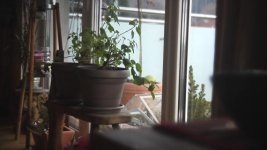
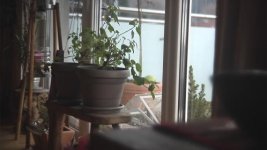
fyi - i'm using a Letus Extreme 35mm Adapter, below you can see both, a graded and ungraded shot


cheers
Steve
 

Attachments
  • Sequence 02.Still002.jpg
    Sequence 02.Still002.jpg
    19.1 KB · Views: 0
  • Sequence 02.Still001.jpg
    Sequence 02.Still001.jpg
    19.3 KB · Views: 0
Last edited:
Thank you for sharing stefanhuberfilms!

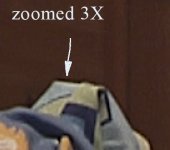
Just tested it. We losing a bit of small details in the not-contrast textures here. And we have a little black contour when diametral colors crossed. But your preset looks very very clean! Overal feeling from the image better than I spotted before!
I will give it a try when shooting next time! Thank you!

This is a border what I am talking about. But it noticed when I use my own favorite setting too but not so much. I can hovever lower the V DETAIL setting and remove it completely but stert to lose very much details. When I see the picture with your preset fullscale on the monitor that border not much noticeable as when 3x zoom. So I love your preset! I will test it in various situations. Thank you again!
TEST.jpg

P.S. And another one thing. Because of a fact that noise is quite enough I can up my sharpness fx to the new level now! Very promising!
 
Last edited:
hi andy, i also checked my results again, i also seem to have this black contour, maybe i can counterbalance it with a bit of V Detail, or by reducing the Detail Level down to 3 or 2... Did you check it without an adapter?
I will report back as soon as i can...

cheers
 
I am without adapter here. Most presets of HVX introduses that border. I am just switching it all and for overal picture feeling your preset looks the best! Also I found that we loosing details in motion but I wish test it later with the good day light (I am at night now).
 
back again, christmas is almost here so i thought i would share that last screen grabs and post some improved settings... the black borders are a bit minimized, but unfortunately still there... also changed the Master Ped. Setting, so the image gets a bit more flat, noise is still minimized.

See updated first post... Merry X-mas!

Steve
 
For your experimentation, the black border is coming from the detail level settings. Drop those to -7 and the border will disappear (but, of course, so will your sharpness). So adjust those to a level where you're happy with the sharpness and with the level of bordering you're getting.

Another way to deal with the border is to use cine-D or cine-V gamma, as the camera uses a lot less detail enhancement in those gammas. That will change the look of your picture substantially though and may not be what you want. I offer it only as a point for you to begin your experimentation from.
 
Thanks for you thoughts barry, i already tested the detail settings, i find that the picture gets way to soft when detail settings turned down, i think i'll live with the border i get from my current profile... i also worked with CINE D, slightly better DR, but way to noisy IMO... would you recommend any changes to the profile?

@Mark: hope you enjoy it!
 
Thanks for the info Stefan. I have updated my camera with these settings & will take it for a dive this weekend & see if i can improve my current quality & report back.
Cheers Pete.
 
By the way Stefan, what scene file are you using?
I am using spark.
I will let you know how it goes over the weekend.
Cheers Pete.
 
I've always been using scene files i modified myself, due to noise i always started with BPRESS... I'm currently using this scene file. works good for me...

cheers
 
Back
Top