Other: New major Release for Metabones adapters

Is there a quick way to tell if you're in green mode or advanced? My camera gets rented out sometimes and its annoying to not know what mode I'm in when it comes back , or how to inform the renter to check.
 
Is there a quick way to tell if you're in green mode or advanced? My camera gets rented out sometimes and its annoying to not know what mode I'm in when it comes back , or how to inform the renter to check.
Good question. When I first started using my MkIV & SB Ultra... my old way to quickly check was to hit the AF button to see if it did anything at all. If yes, then I knew it was green mode.
Not sure if this still holds true with these recent fw updates...
 
need help with getting IS to work!

need help with getting IS to work!

I am confused about how to enable IS with my Canon lenses (17-55, 24-105 and 70-200) with the Metabones smart adapter and speedbooster (I have both) and my FS5. Push focus works, so I presume I am in "advanced" mode, correct? I have done the "lens-off/hold button/attach lens/shut down camera/release button" dance a few times, and the only thing that changes is the ability to use push focus (or not). I don't really care about push focus, but I really need IS. I am currently using firmware v50. Am I doing something wrong, or should I update to firmware v52?
 
No - Push AF only works in Green Mode. in Advanced mode you still have PAF but not as reliable, you also have hunting and noisy continuous AF and AI.

As to IS, it works in both modes here with my 2 Canons (16-35 and 24-70).

Piotr
 
Last edited:
Thanks for your reply, but it is not clear. You say "Push AD (I presume you mean Push AF) only works in Green Mode", but then you say "In Advanced mode you still have PAF (push AF?)..." So, does Push AF work in both modes or not?

Far more important to me at the moment is getting image stabilization to work, and knowing exactly which mode I am in. If push AF works in both modes, is there a way to tell if I am in "Green Mode" or "Advanced" mode? I have switched modes a few times, trying to get IS to work, and now I can't tell which mode the MB adapter is in.

No - Push AD only works in Green Mode. in Advanced mode you still have PAF but not as reliable, you also have hunting and noisy continuous AF and AI.

Ass to IS, it works in both modes here with my 2 Canons (16-35 and 24-70).

Piotr
 
PAF (sorry for the typo - corrected) works in both modes here, but is only reliable in Green Mode.

As which mode you are in, it's easy: in Green Mode you don't have any form of Auto Iris, or Continuous AF (which works pretty well in Advanced, if anyone needs it).

But this doesn't matter as far as IS - it should work in both modes!

Piotr
 
I know that Metabones designer (and I apologize for not remembering your name) does hang on this board so, if you're out there, hopefully Metabones can figure a way to indicate green vs advanced.

Meanwhile, the Mark IV with new firmware works wonderfully on the Sony mirrorless cameras-- shot with it on a6300, a7r II and a7s II.

Ned Soltz
 
I'm in a very good e-mail contact with Metabones support, and I have asked them for the next firmware release to also work in a (perhaps the third?) Mode, intended for video camera users like us - not needing continuous AF or AI, but badly needing the following functionalities all work reliable without the need of switching the adapter's modes constantly:
- IS
- Push AF
- push AI

So let's hope they will either move the Push AI into the existing Green Mode, or indeed create a special "video camera mode" with all 3 above-mentioned functionalities at their best. Considering how responsive and nice the Metabones Support person has been in our correspondence, I'm seriously counting on this wish to be fulfilled soon.

Piotr
 
Go Piotr! That is what we would all want. I'm dubious we'll get it but will be eternally grateful if you pull this off.

Lenny
 
still no IS happening for me...

still no IS happening for me...

This MB issue baffles me. Here's what I've explored thus far:

IS and AF both work just fine on all my Canon lenses on my GH4 and MB Speedbooster XL. So, I'm sure the Canon lenses are all fine.

I tested the IS with the SONY 18-105 kit lens on the FS5, but no problem there. I don't know if the circuitry that Canon and SONY use for IS are powered in the same way. FWIW, I do not hear the IS motors in the Canon lenses, so I don't think they are getting power via the MB adapters when mounted on the FS5. However, I do hear the IS motors when mounted on the GH4 with Speedbooster XL.

Per MB email support, I updated my MB Smart adapter to Ver5.2, and now AF no longer works at all with that adapter. I tried to roll back the Smart adapter's firmware to Ver5.0, but the firmware installer won't allow it.

The sluggish AF still works on the Speedbooster adapter with Ver5.0, but still no IS.

This is quite frustrating as I have two event shoots this weekend and seriously need IS!!! Any suggestions?
 
David - if you do not hear IS working when you switch it ON on either of your Canon lenses - it's definitely your lenses' issue, not your adapters'. I've been using all the 3 latest MB fw versions, and both my Canon lenses definitely use IS once I engage it via their IS switch, so the power is definitely conveyed from the camera.

Piotr
 
Per my last post, I tested the lenses with my GH4 and MB Speedbooster XL and AF and IS work fine. Why would three Canon lenses work fine on my GH4 but not my FS5? It is highly unlikely that all 3 lenses are faulty, and far more likely a problem with the MB adapters not communicating with my FS5. I do recall IS working with the 17-55 and 24-105 before updating firmware to Ver5.0, so I suspect its a firmware issue.

David - if you do not hear IS working when you switch it ON on either of your Canon lenses - it's definitely your lenses' issue, not your adapters'. I've been using all the 3 latest MB fw versions, and both my Canon lenses definitely use IS once I engage it via their IS switch, so the power is definitely conveyed from the camera.

Piotr
 
Last edited:
Good point! It is possible that the FS7 communicates with the Canon lenses while the FS5 does not. I hoped that as both cameras are SONY cameras, the MB adapters would work for me.

Could the Camera make a difference? Isn't Piotr on an FS7 and Dave on an FS5?
 
Good point! It is possible that the FS7 communicates with the Canon lenses while the FS5 does not.

Good point;I'll certainly communicate thsi to "my contact" at MB Support for you FS5 owners. Of course, all I was saying about how my adapter is working, was only about my Canon models, and my FS7 camera body...

Piotr
 
Since installing the new firmware on my Speed Booster ive noticed significant amount of more lens flare.

I know this sounds very strange but its actually what has happened and I can't see any reason for it to be happening.
 
I am confused about how to enable IS with my Canon lenses (17-55, 24-105 and 70-200) with the Metabones smart adapter and speedbooster (I have both) and my FS5. Push focus works, so I presume I am in "advanced" mode, correct? I have done the "lens-off/hold button/attach lens/shut down camera/release button" dance a few times, and the only thing that changes is the ability to use push focus (or not). I don't really care about push focus, but I really need IS. I am currently using firmware v50. Am I doing something wrong, or should I update to firmware v52?
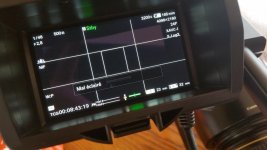
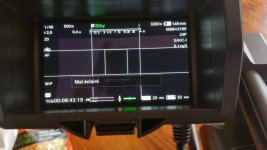
Since some of you guys complain about losing IS with the newest Metabones firmware and some Canon lens, something has just occurred to me: are you judging this by the stabilization being OFF in your viewfinder display? If so, please disregard it; Canon lenses (and I speak basing on my experience with 2 lenses: 16-35 and 24-70mm) don't give a s..t to the camera IS setting, and it will also be displayed as being Off! In fact - if I recollect correctly - the menu item is inactive with the Metabones adapter on camera...

So the only thing you should care about is turning IS using the switch on the lens; this always works for me (unlike with the kit 28-135mm Sony lens, which - as I pointed out in another thread lately - requires BOTH the lens switch AND the camera menu item to be set accordingly). If still in doubt whether - after turning the Canon IS on with its own switch - it's indeed working in spite of the EVF display saying otherwise, just put your ear close to the lens; you will hear it working when it''s actually on!

Piotr
 
Back
Top