Need help with 'Colour Temperature'


By shooting with a grey card, do you mean to record the footage shooting an actual grey card in every scene, and then use 'Pick colour' to white balance it in CineX???

Thats what I would do ..and then build a look from there maybe a little cooler or warmer as the mood dictates
 
I mix color tempertures all the time now. If every light in the scene is tungsten or daylight, I find myself bored. The key is getting skin tones under control and then going artisticly nuts on the rest.

Typically, for all common purposes, I'll have backlights, rims, kickers, or sunlight splashes be warmer. If working within daylight, I usually have HMI's and tungsten units. I'll typically use one HMI to shoot into a cieling for simply ambient fill, use another to great a skip bounce key on the talent, and I'll then use 1/2 CTB'd tungsten units to back light talent or create hot slashes on a wall. 1/2 CTB'ing them will make them warmer than the 'daylight' otherwise filling the room.

This approach makes for a beautiful combo. If everything were just at 5600* with no variation, things would be more monochromatic and sterile, in regards to lighting... which could be an excellent lighting choice if the story calls for it.


By shooting with a grey card, do you mean to record the footage shooting an actual grey card in every scene, and then use 'Pick colour' to white balance it in CineX???

That is what I mean. You don't need to do it for every setup, as long as your lighting color is staying consistent across the scene you can to it at the beginning of the day and then anytime your lighting is changing dramatically. Another option is to tape a little piece of grey card to your AC's slate (which they may not like!) so you can pick off that. Doesn't always work because the slate isn't always under the correct lighting but the plus is that the grey card can be pretty small because of the sheer amount of pixels you are recording.

I mix color tempertures all the time now. If every light in the scene is tungsten or daylight, I find myself bored. The key is getting skin tones under control and then going artisticly nuts on the rest.

Yup, I'm really enjoying exploring mixing color temperatures a lot now, more then I ever have.
 
I use my mac to do it. Shift + apple + 4
That's not what I asked. What program are they from? Also, what's your workflow? If you're doing log & transfer directly to Prores 422, you'll get some very tweaked out hues and contrasts that don't reflect what the actual footage looks like at all.
 

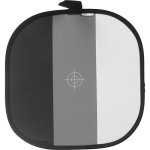
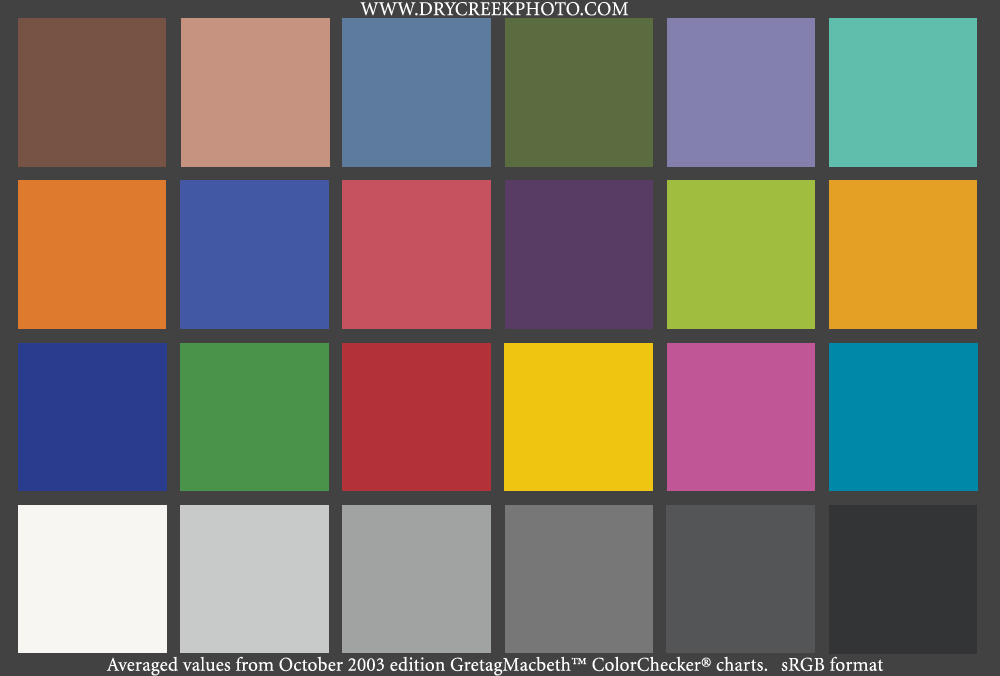
That definitely is a useful and 'cheap' tool. But for better color evaluation of scene lighting, this would be better. I've seen this on number of BTS, where the clapperboard and the GretagMcBeth chart are in the shot.
Unfortunately they are rather expensive...

MacbethCC-sRGB.jpg


A 'cheaper' but perhaps not as useful chart would be the Kodak Color Separation Chart, now produced by Tiffen.

1527654.jpg
 
That definitely is a useful and 'cheap' tool. But for better color evaluation of scene lighting, this would be better. I've seen this on number of BTS, where the clapperboard and the GretagMcBeth chart are in the shot.
Unfortunately they are rather expensive...

MacbethCC-sRGB.jpg


A 'cheaper' but perhaps not as useful chart would be the Kodak Color Separation Chart, now produced by Tiffen.

1527654.jpg

That is fine for a colorist, but most people here aren't.

Which is why I recommended a cheaper but still useful tool.
 
I also like to mix colour temps up a bit. Tungsten backlight vs daylight fill, etc. All within reason of course, but the notion that one should never mix colour temps seems a little rigid to me.
 
That's not what I asked. What program are they from? Also, what's your workflow? If you're doing log & transfer directly to Prores 422, you'll get some very tweaked out hues and contrasts that don't reflect what the actual footage looks like at all.

Hey, I captured all the RED footage using CineX, and then I exported to Apple Pro Ress 422 and then edited in Final Cut Pro.
 
That is what I mean. You don't need to do it for every setup, as long as your lighting color is staying consistent across the scene you can to it at the beginning of the day and then anytime your lighting is changing dramatically. Another option is to tape a little piece of grey card to your AC's slate (which they may not like!) so you can pick off that. Doesn't always work because the slate isn't always under the correct lighting but the plus is that the grey card can be pretty small because of the sheer amount of pixels you are recording.


Thanks for the advice. I will probably prepare a grey card next time. I have been reading about Colour Meter as well. Might be handy to have one on set......
 
I lot of times I shoot at either 3200k or 5600k exclusively unless there is something crazy going on. And when I'm shooting on systems that are not raw or something like Alexa or an slog enabled system I can't remember the last time I did a white balance. Obviously it is important that your lights are putting out the right temperate if you do it this way.

The higher end systems and especially raw like the RED really seem to benefit from a grey card to get skin tones spot on. It's different and a bit more time consuming but it comes with the territory and the results speak for themselves.
 
I keep trying to balance to a grey card (and I do when I shoot myself), but my DP refuses to do it. He always just dials in the color temp.

There is some debate, and depending on the camera and 'how' the 'white balance' is performed, the blue channel may become noiser. I've not really looked into this with my GH-1, but there are two approaches to balancing 'tungsten' say. Boost Blue, or Cut Red (in general...). The Boost Blue option would increase noise in the blue. Cutting Red would not produce the same sort of noise, but may lower the effective ISO... perhaps negligibly so...

I do know that when the Wife and I were shooting weddings digitally, we would use the light type presets, rather than manually setting from a target. There was just no time to take a target shot, when moving say from daylight to an interior tungsten.

The only time things got really dicy was in the case of low tungsten... but then that's bad even if you do take the time to manually balance.

For narrative filmmaking where one does have the 'time' to setup... it should be what ever is the best for the camera... manual setting of the K temp, or off a target, if the secret sauce software does the 'right thing'...
 
In my experience on the 5D custom WB to a grey card will be a bit cooler than setting to 3200K in a tungsten environment. It's not a huge difference, and he's the guy with 20+ years behind a motion picture camera, so I defer to him.
 
Back
Top