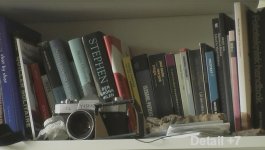
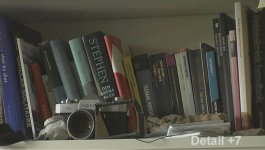
I have been a still photographer for a few years and one tool I often use when taking high ISO photographs is "Neat Image". It's a software that can create a "noisemap" at a certain point in the image, then removing the noise, just as you do on audiofiles.
Now, this software does have a batch system which makes it really good for reducing noise in video footage. The procedure is the same as with Photozoom 2, in that you export individual TIFF files to a folder and then batch that folder into the software.
Anyway, this is how you prepare and use it.
1. Shoot with your camera at a plain surface in mid to very low light. Use a few light setups to get different levels of noise.
2. Load the footage into your editing software, then exporting a few images under each light setup.
3. Open Neat Image and open the first image (the surface lit with most light).
create the noisemap and save it under "medium video noise".
4. Continue with the darker images until you have a folder with a few different noisemap versions.
5. Edit your movie/footage and export the final footage as TIFF files.
6. Open Neat Image again and go into "File - Put job on queue".
7. Now your in the batch version of Neat Image. Open "options" (Tools - options)
8. Go into "Output" and enable "Allow overwriting existing image files"
Put output bit depth to 16/48, output format to "TIFF" and erease the "output file name suffix".
9. Load in your footage and choose the noise map that is closest to the source materials light conditions.
10. Start the batch and when it's done (long long procedure), load it into your editing software.
-
Now, you don't have to go through all of this the next time you use Neat Image. Next time just go through 5, 6, 9 and 10.
Also, the output images must have the bitdepth of 16/48, or else the images will have alot of color errors (don't know why, but it does).
Remember to tweak your noisereduction threshold. It might be something you have to do in the regular window of Neat Image. Experiment with still images before you do a batch. You'll get the hang of it.
The only thing that this demands of you is that you have a large harddrive and alot of patience. The batch takes a long time (not as long as photozoom 2 though)
Now, this software does have a batch system which makes it really good for reducing noise in video footage. The procedure is the same as with Photozoom 2, in that you export individual TIFF files to a folder and then batch that folder into the software.
Anyway, this is how you prepare and use it.
1. Shoot with your camera at a plain surface in mid to very low light. Use a few light setups to get different levels of noise.
2. Load the footage into your editing software, then exporting a few images under each light setup.
3. Open Neat Image and open the first image (the surface lit with most light).
create the noisemap and save it under "medium video noise".
4. Continue with the darker images until you have a folder with a few different noisemap versions.
5. Edit your movie/footage and export the final footage as TIFF files.
6. Open Neat Image again and go into "File - Put job on queue".
7. Now your in the batch version of Neat Image. Open "options" (Tools - options)
8. Go into "Output" and enable "Allow overwriting existing image files"
Put output bit depth to 16/48, output format to "TIFF" and erease the "output file name suffix".
9. Load in your footage and choose the noise map that is closest to the source materials light conditions.
10. Start the batch and when it's done (long long procedure), load it into your editing software.
-
Now, you don't have to go through all of this the next time you use Neat Image. Next time just go through 5, 6, 9 and 10.
Also, the output images must have the bitdepth of 16/48, or else the images will have alot of color errors (don't know why, but it does).
Remember to tweak your noisereduction threshold. It might be something you have to do in the regular window of Neat Image. Experiment with still images before you do a batch. You'll get the hang of it.
The only thing that this demands of you is that you have a large harddrive and alot of patience. The batch takes a long time (not as long as photozoom 2 though)