My Mini 2K is here!

Hmmm. I don't have After Effects. I want to get the Production Bundle, but it includes Premiere Pro, which I already have. Hmm.
 
Well, don't worry about it . . . it's only a short-term solution as CineForm is working on full RAW metadata support in AE, so this "trick" won't work for long. But you will have a control panel in Premiere Pro that can turn off all metadata descriptors for a file, so you can theoretically get to the "true" RAW data that way . . . although you will never, ever be capable of getting "true" RAW data if a demosaic algorithm is involved since that converts the RAW bayer into RGB . . . so to see RAW correctly, it will always have to be rendered somehow and in some form . . . but at least you will be capable of modifiying all the metadata and color information associated with a file, so it's a sort of "baseline uncorrected" image format that all the other color corrections are stacked on top of include the white-balance, and the matrix and any gamma correction embedded in the "look".
 
Jason, how do you change the .look file while in Premiere, ie, shoot in one .look, then apply another when you render. Or, can you?
 
Yes Chris,

You can change your .look files by going into the playback preferences of the timeline (it's on the 3 RGB circles in the playback area under the main program window), and in the File Metadata button (lower left-hand corner), select a different .look file.

For a better understanding, see David Newman's WMV file he posted here.
 
Jason Rodriguez said:
Yes Chris,

You can change your .look files by going into the playback preferences of the timeline (it's on the 3 RGB circles in the playback area under the main program window), and in the File Metadata button (lower left-hand corner), select a different .look file.

For a better understanding, see David Newman's WMV file he posted here.
Cool, thanks. It seems that when it can't find a look file that is listed (maybe it has been moved or whatever) the Cineform plug in freezes Premiere and I have to control/alt/del. Aside from that hassle, it seems pretty good.
 
Thanks Josh. Yeah, I'm itching to take this camera out for a more serious spin. I'm just ironing out a few issues. Cable converters, lens support etc.

Must have been nice for you to have had this beast on a real set! And, yeah, the $$$ for gear never ends.

Cheers. :beer:
 
New Clip from Mars

New Clip from Mars

OK. Just posted a second movie. Heading out today to shoot more. I really compressed this for FTPing and in some spots the compression shows more than others. I was blown away by the 2K resolution in the original files.

Obviously I've had a bit of fun with pushing the colors to extremes in some shots.

http://www.shockstream.com/si2k/

Cheers. :beer:
 
That shot at 0:49 looks great. Then again... I'm more looking for something that shows the clarity and color range of the camera, etc.... rather than the zany colored stuff.

What's up with the vignetting though?

-Kevin
 
hemophilia said:
What's up with the vignetting though?

-Kevin

Don't know exactly. The cam was being buffeted by the wind so we removed the MB at one point and starting getting reflections in the lens. Perhaps I'm clipping the MB. I don't see it in most the shots, do you?
 
Yes.... on the right-hand side it's there pretty much the whole time. Hard to tell with some of the darker shots... but I think it's there.

Keep it coming... it's very exciting to see every smidgen of footage from this camera.

-Kevin
 
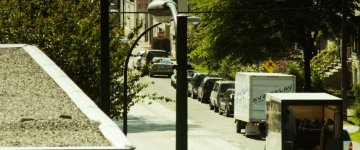
Hi Chris, Nice shots of the traffic . . . very filmic.

BTW, if you guys want to see some more footage, we have some samples from "Boss of the Glory" on the website gallery here.
 
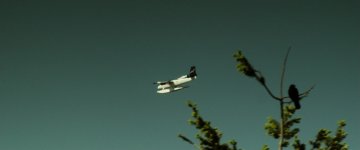
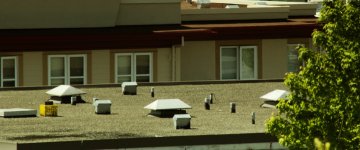
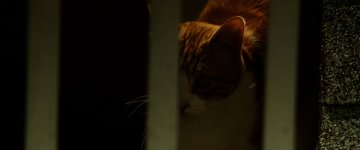
Some Grabs

Some Grabs

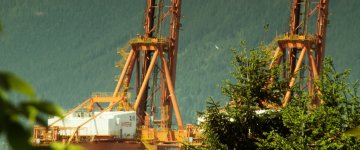
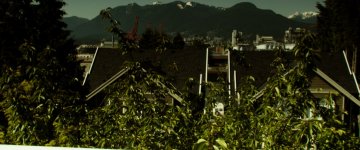
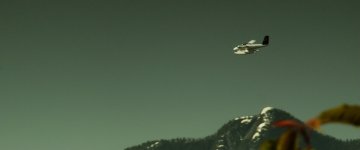
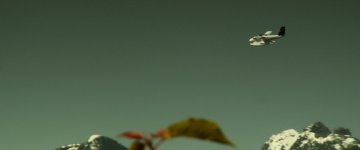
Shot some stuff off my balcony the other day. These are highly compressed, of course.
 

Attachments

  • cat1.jpg
    cat1.jpg
    73.8 KB · Views: 0
  • cranes.jpg
    cranes.jpg
    194.8 KB · Views: 0
  • jet1.jpg
    jet1.jpg
    56.3 KB · Views: 0
  • mountains1.jpg
    mountains1.jpg
    193.1 KB · Views: 0
  • plane1.jpg
    plane1.jpg
    71 KB · Views: 0
  • plane2.jpg
    plane2.jpg
    72.5 KB · Views: 0
  • plane3.jpg
    plane3.jpg
    77.3 KB · Views: 0
  • rooftop.jpg
    rooftop.jpg
    160.8 KB · Views: 0
  • street1.jpg
    street1.jpg
    207.6 KB · Views: 0
Cool shots, and I like how the highlights hold in the street scenes . . . BTW, what .look file did you use? Was it one you made yourself?

Thanks,

Jason
 
Thanks Jason,

that's my favorite all-purpose .look file. It is one I downloaded from you guys called "Neutral_Contrast_2.look" I also used a grad ND and a polarizer.

I find that .look file actually looks really great indoors when you're under-lit, too. And the cool thing is, when you want that extra detail back, it's still there instantly in RAW. Sometimes it surprises me when I switch off the .look and see the RAW and all the information in there.

Cheers :beer:.
 
The highlights retention is good, but look again at the street scene. Notice how the inside of the truck with the cabin light on, still lights up the inside of the truck. thats the kind of shadow retention thats important.... I like having the ability to expose for highlights, and still retain the shadow detial.

Though some of the footage posted has INSANE Chorma Abberation. its the lens.
 
Woah! A 'real' camera... never thought I'd see one of these on here! :thumbsup: The blue and red tones seem somewhat undersaturated to my eye, but the image is gorgeous! (Real depth of field and low-light performance!!!)


Whereabouts in Van are you? *sigh*.......I miss Tim Horton's
 
I like having the ability to expose for highlights, and still retain the shadow detail.
I know you're not familiar with the "Neutral_Contrast_2.look" file that Chris mentioned, but it crushes the shadows quite a bit, so there is LOTS of shadow detail that you're not seeing on the screen in the RAW 10-bit log file.
 
Back
Top