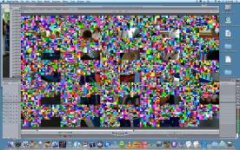
My first P2/300 Problem. Anybody know what this is?

nedcam

Well-known member
I was shooting a news event and when I was downloading I got an error message saying a clip was having an issue, so I did another download from that P2 card to a different drive. Then when I imported into FCP I got another error message but finally one clip made it into the time line but 3 frames are corrupted. Here's what they look like.

Does anybody recognize this problem? It's using the Panasonic E series card. I thought this format was stable? What's up?
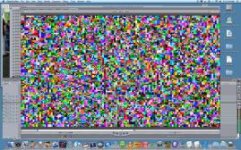
 

Attachments

  • Picture 2.jpg
    Picture 2.jpg
    21.3 KB · Views: 0
  • Picture 3.jpg
    Picture 3.jpg
    21.6 KB · Views: 0
Search for the "glitch". It is an issue that rarely, but occasionally, affects OSX users, and appears to be caused by a) not write-protecting the cards before letting them near the computer, and b) seems to happen more frequently when copying to an external firewire drive.

This issue doesn't affect many people, it's pretty rare, but when it affects someone we've had good luck with implementing a two-prong approach in making sure it doesn't happen again.
1) Always write-protect the card, and
2) use a data-verifying program to ensure that your cards are properly copied over. P2CMS is a free application that will do a data-verifying bit-by-bit comparison to make sure that the data is copied error-free.

I can pretty much guarantee you that there's absolutely nothing wrong with your camera, your cards, or your footage. If you still have the footage on a card, play it in camera, and I bet you you'll see that it's been recorded flawlessly. The error comes when copying it onto a computer that runs OSX, and can be mitigated/avoided by following the steps I outlined above.
 
Hi Barry,

The first thing I do is write-protect the card as it comes out of the slot, habit from my tape days.

I do have PCMS but I was using ShotPut Pro and that is when I got the error message. When at a rushed news event how does one use PCMS to verify the transfer? And how does it fix it? I did re-download the card and it still happened again. Is PCMS a diagnostic utility that will correct the problem and if so how long will that take at a news event?

I must record to external drives, no choice. The cards have been re-formatted many jobs ago. So I guess you are saying it can't be fixed and the glitch is in the Contents Folder. I don't see how this could be prevented in the future since I have data verifying software, use external drives, write protect and use OSX? Kind of like betacam drop outs, but worse. Ugh.

Thank you
 
Try copying the Contents folder back to the card and then put the card back into the camera. See if you can do a clip repair. Make sure the camera is set up the same as the format on the card, ie 720P, 24PN, AVC-Intra, or whatever.

Good Luck,

Jan
 
If you were using ShotPut, it has data verification in it. Do you have it set to do full bit-by-bit verification? Or just the "99% accurate" mode? Because I think that just checks file sizes, whereas the bit-by-bit does a complete comparison of every bit, which is what you need. 99% accurate is all fine and dandy except that when you start thinking about the sheer number of frames, losing 1 out of 100 (99%) isn't all that acceptable anymore!

Make sure you have the full 100% bit verification working.
 
Back
Top